Marketing features – what they do and how they help your business

This guide describes each marketing-related feature in simple language. No technical knowledge required.

1

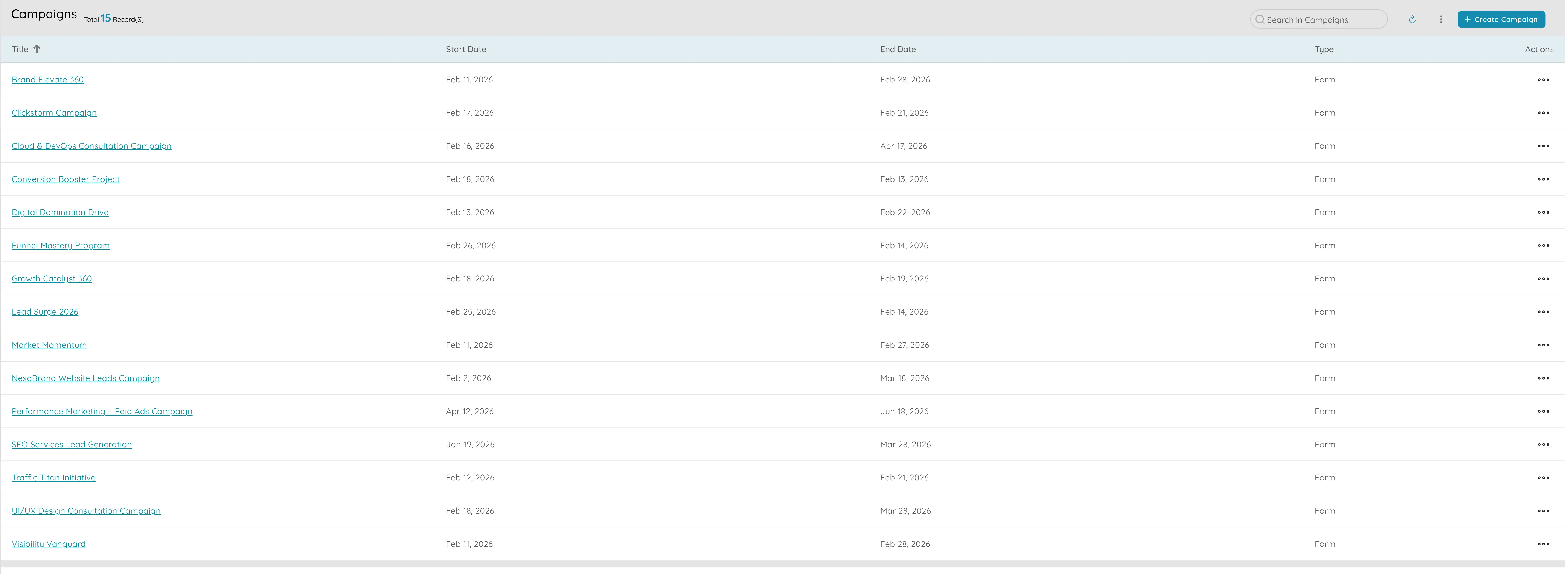
Campaigns

Campaigns

Campaigns let you track every marketing initiative by name and timeline . You keep all your efforts—digital ads, events, content, affiliates—in one place with clear start and end dates so you can plan ahead, avoid overlaps, and align with product launches or busy seasons. For each campaign you can add your own fields: channel, region, UTM parameters, or any other detail you care about, so everything stays organised and reportable. You link each campaign to the leads or orders it generated, so you can judge performance and compare channels. You can organise campaigns into groups or segments by type, product, or region and quickly pull views like "all Q1 digital campaigns" without re-entering data. If you use other tools such as ad platforms or a CRM, you can bring campaign data into one place so your data stays up to date. That makes it easier to show your team or leadership which campaigns work best and compare performance. Campaigns become the centre of how you measure marketing: outcomes in one place, with the flexibility to tag and slice data the way your business needs. Over time, your campaign history becomes a valuable record of what you've tried and what worked, so you can improve planning with each cycle.
2

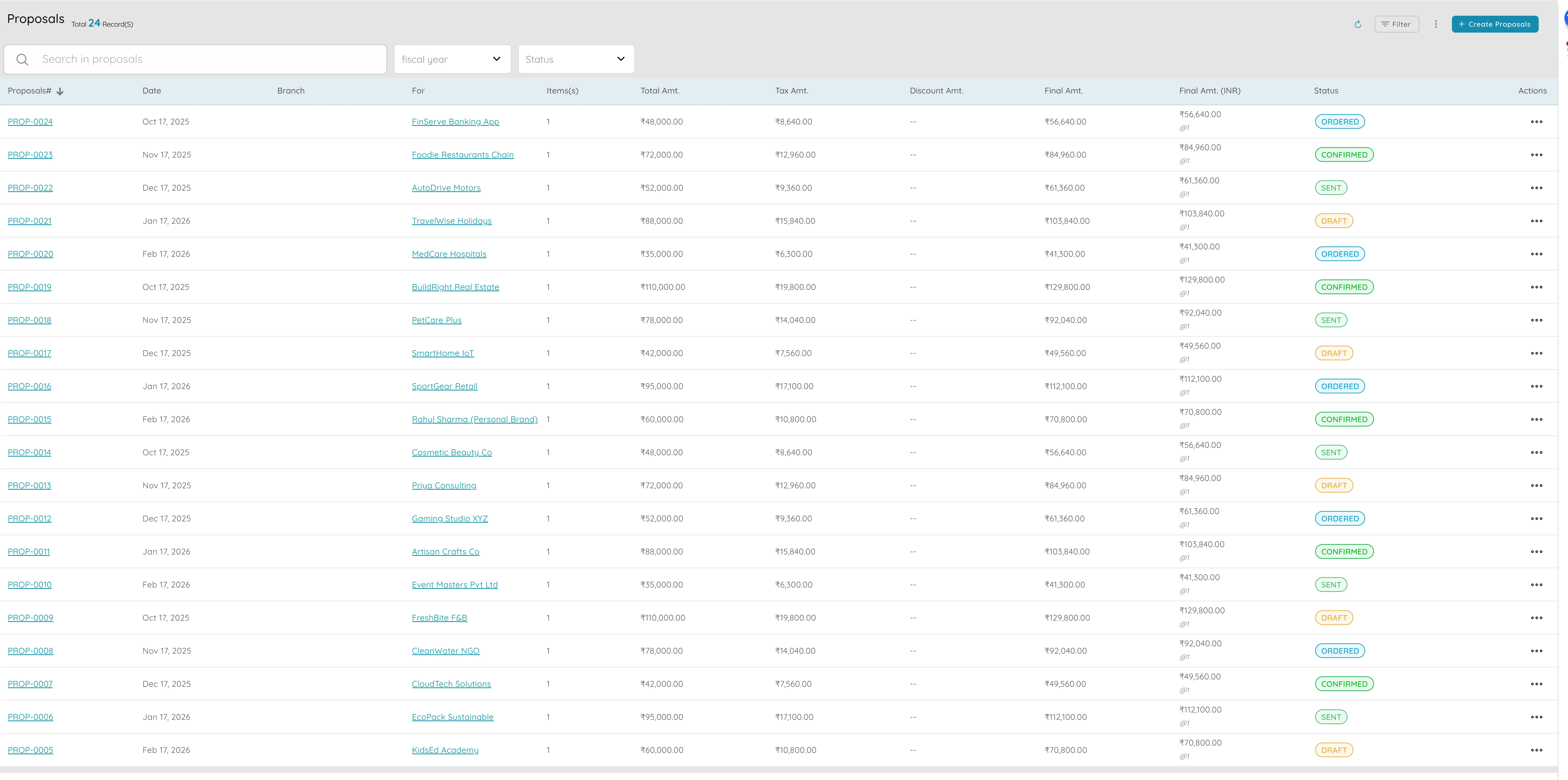
Proposals

Proposals

Proposals let you send professional, branded documents to partners, affiliates, or agencies and, when they're accepted, turn them into orders or invoices without re-typing. You choose from several ready-made layouts. Each proposal gets a unique number (such as PROP-2025-001) that you can match to contracts and invoices for a clear paper trail. You add line items for services or products, apply taxes and discounts, and the system works out the total and shows it on the proposal. You send the proposal straight from the app by email and keep a record that it was sent. When the other party agrees, you convert the proposal to an order or invoice in one step; the same items and amounts move across so nothing is missed. You can set your usual payment terms and any legal text once in settings, and they appear on every proposal unless you change them. That keeps your branding and numbering consistent. Proposals bridge the gap between "we agreed to this" and "we invoiced and delivered it," so you spend less time on admin and more on closing deals. The link from proposal to order to invoice keeps the thread intact for reporting and reconciliation, and having a single flow reduces errors and gives partners and clients a clear, professional experience from first quote to final payment.

3

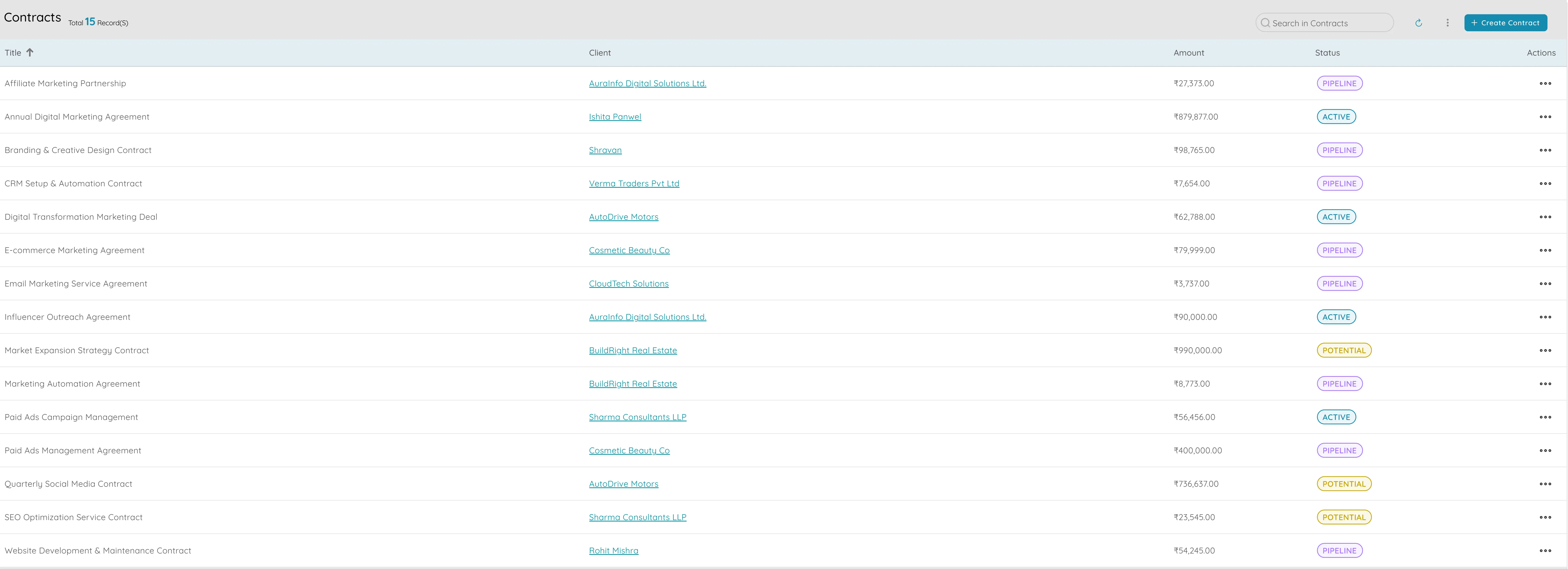
Contracts

Contracts

Contracts give you one place to store all partnership and agency agreements and link them to invoices and renewal dates. For each contract you keep who it's with, start and end dates, value, currency. You attach the signed PDF and any amendments to the contract record so anyone who needs it can open the latest version from one place. You connect invoices to the contract so you can see how much you've billed versus the contract value and stay within agreed caps; that helps you avoid overpaying. You record when each contract is up for renewal and use reminders so you're alerted before it expires. Having all contracts in a single list with key dates and values makes it easier to plan budgets, report on partnership spend, and keep vendor and legal teams aligned. Contracts become the backbone of how you manage agency and partner relationships: one record per agreement, linked to money and time. When audits or questions come up, you can quickly show which contracts exist, what they're worth, and when they need attention. For organisations with many partners or agencies, having a single contracts list with filters and search makes it easy to see the full picture of committed spend and upcoming renewals, so you can plan cash flow and resource allocation with confidence.

4

Expense categories

Expense categories

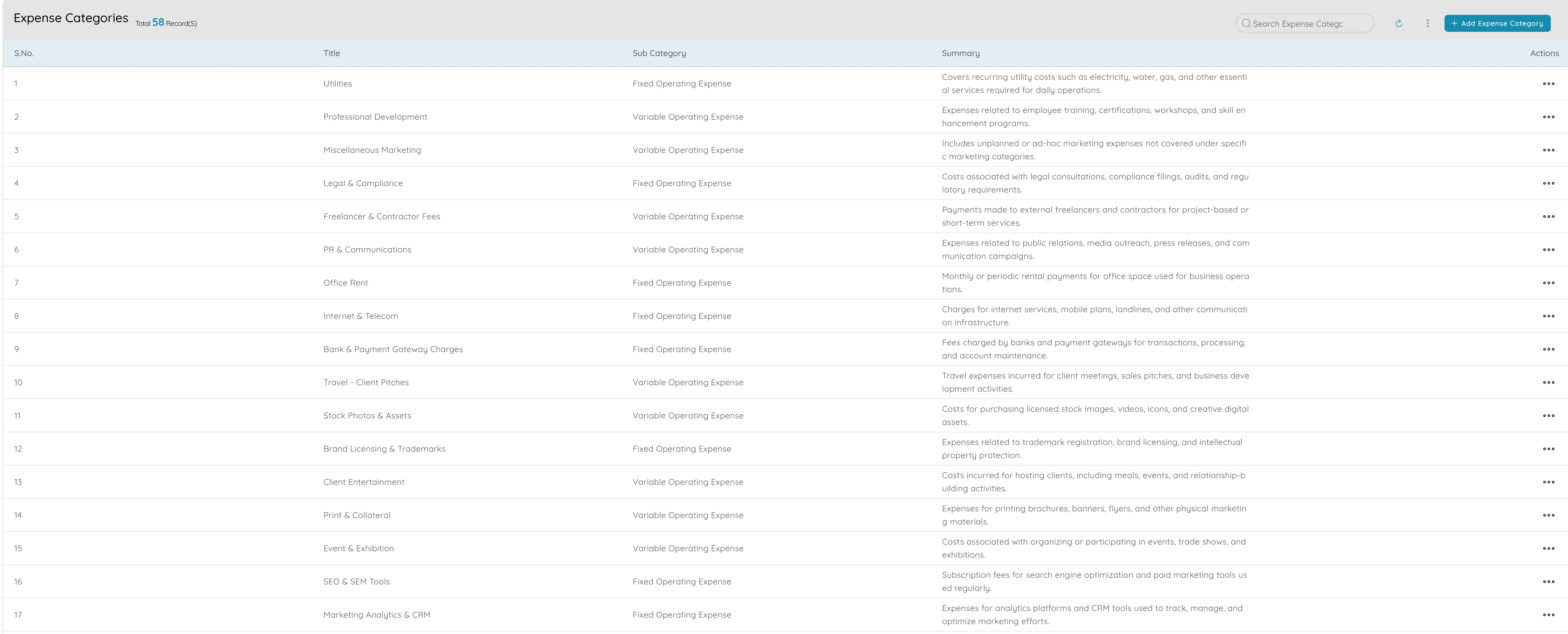
Expense categories let you split marketing spend into clear buckets—such as digital, events, content, affiliates, or agencies—so you can budget and report on where the money goes. You create main categories and sub-categories (for example Marketing as the parent, and Digital, Events, Content, and Partnerships as children), and when you record an expense you assign it to a category. That way every pound or dollar is tagged and you can run reports that show a breakdown like "Marketing: Digital 40%, Events 30%, Content 30%" so you and leadership understand spend at a glance. Viewing and reporting spend by category feeds straight into P&L and other marketing reports, so you can present a clear story on how marketing budget was used and how it compares to revenue. Expense categories turn a long list of transactions into a structured view that supports planning, control, and accountability. categories let you go as granular as you need—for example paid social, search, and influencers under Digital—so you can report at the level that matters for your planning and review cycles. When you combine categories with budgets and spend policies, you get a full picture: where the money is going, how much is allowed, and what happens when a limit is reached.

5

Spend policies

Spend policies

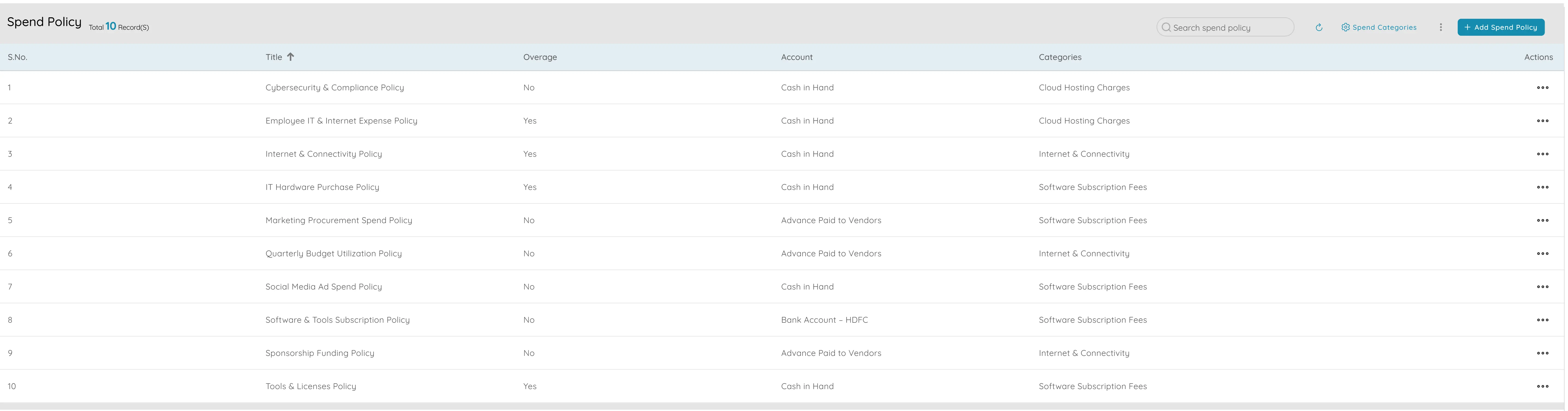
Spend policies let you set rules so that marketing spend by category does not go over limits without approval. You define who can spend how much and in which categories, and optionally by period—for example per month or per quarter. When someone goes over the limit, you can require approval from a chosen person (such as a director or finance) before the expense is paid or posted, so budgets stay under control. You set limits by expense category, amount, or both; going over can trigger an approval step or a block so the expense cannot be submitted until the policy is updated. Reports and dashboards show spend versus limits so teams see when they're close to or over budget. Spend policies work hand in hand with expense categories: categories define where money goes, and policies define how much can go there and under what conditions. For example you might say that digital spend over a certain amount needs director sign-off, or that events have a quarterly cap; when the limit is hit, the system and the visibility you have make it clear what's happening so you can approve, reallocate, or push back. The result is better budget discipline, fewer overspend surprises, and a clear audit trail of who approved what and when. You can tailor policies by role and change them as budgets or priorities shift.

6

Vendors

Vendors

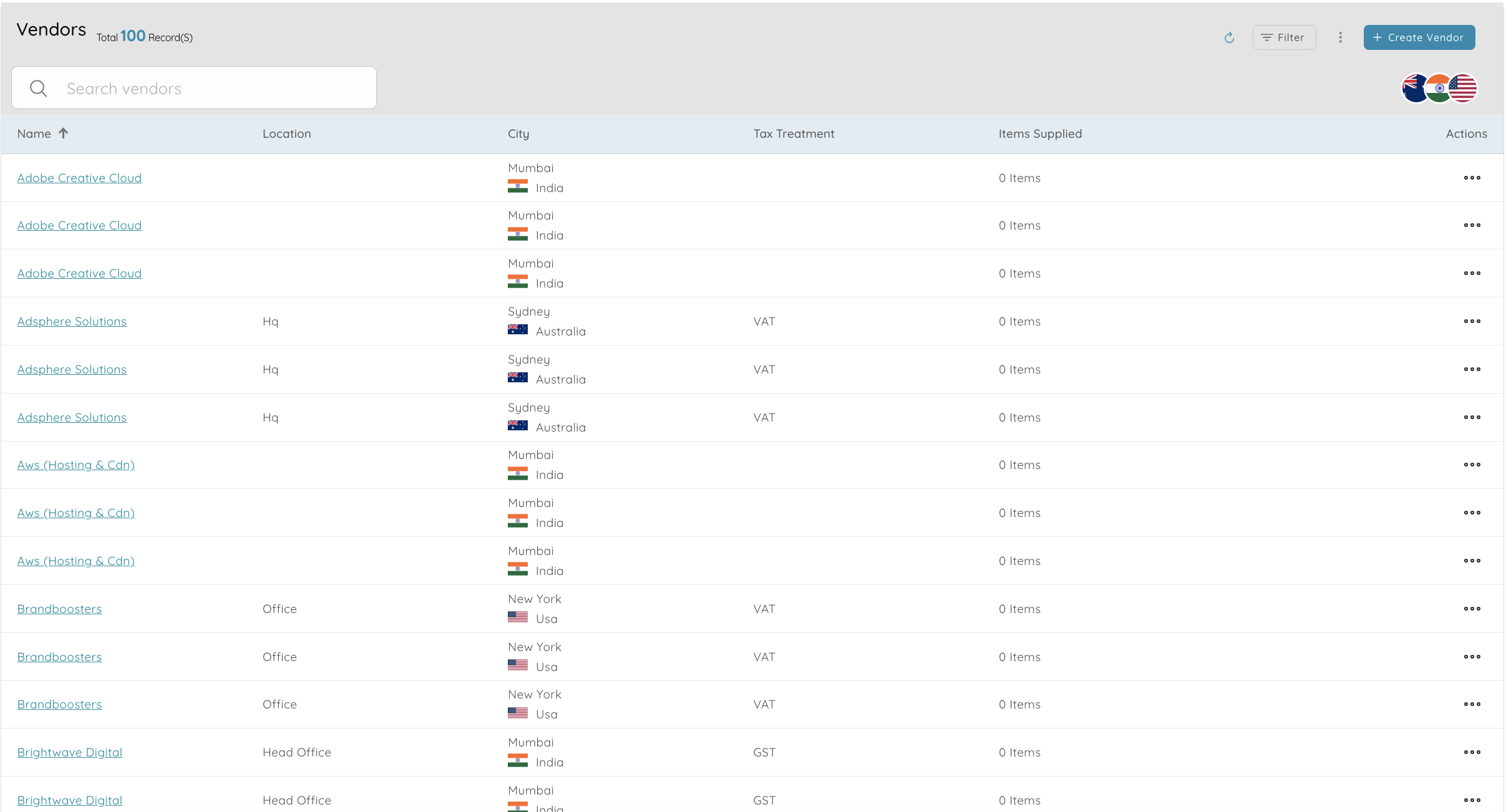
Vendors let you keep details of all agencies and partners in one place, including how to pay them and their documents. Each agency or partner has one record where you store name, contact, email, phone, address, tax ID, and currency, so you have a single list of payees and avoid duplicate or outdated entries. You save bank account details for payments so that when you pay a vendor you don't have to look them up again. You attach contracts, tax forms, insurance, or other papers to the vendor record so everything is in one place for compliance and onboarding. The vendor ledger shows all bills, payments, and adjustments for that vendor on one screen, with outstanding balance and ageing so you can see what's overdue and prioritise payments. You can filter or search vendors by name, type, or other details to quickly find "all agencies" or a specific partner. Centralising vendor data makes it easier to run payables, keep 1099 or similar reporting straight, and ensure that contracts and settlements use consistent, up-to-date information. The vendor list becomes the single source of truth for "who we pay," and the ledger for each vendor becomes the single place to see "what we've paid them and what we still owe." That structure supports faster payment runs, clearer reporting, and better relationships with partners who get paid correctly and on time.

7

Outward payments and settlements

Outward payments and settlements let you record and track payments to partners and agencies so you always know what you've paid and what you still owe. You create a payment linked to a vendor, with amount, currency, and optionally a link to an invoice or contract, and you choose the bank account and date. Outstanding amounts show in the vendor ledger and payables reports, with ageing so you can see what's overdue and prioritise which partners or agencies to pay first. You can group several partner or affiliate payouts into one batch for approval and payment, so monthly or periodic settlements run as a single process with a clear audit trail. Full payment history per vendor and per contract is available so you can check "did we pay agency X for campaign Y?" and use it for reconciliation. Payments stay traceable to the right vendor, contract, and invoice, so partner payouts and agency fees are on time and easy to explain to finance or auditors. For affiliate or partner programmes that run on a schedule, batching payments and linking them to the right contracts and invoices keeps the process predictable. At year-end or for audits, you can quickly pull a list of what was paid, to whom, and against what agreement. Outward payments and settlements turn "we owe these people money" into a clear, auditable process so that partners get paid on time and your books stay accurate.

8

Reports (sales by product, client, month)

Reports (sales by product, client, month) - 1
Reports (sales by product, client, month) - 2
Reports (sales by product, client, month) - 3

Reports let you see how much you sold by product, client, and time period so you can measure the impact of campaigns and plan with real numbers. Sales by product shows revenue and quantity sold per product so you can identify best sellers and how they trend over time. Sales by client shows revenue and activity per client so you can see who brings in the most and how they pay, and tie campaigns to client segments. Sales by month, quarter, or year give you revenue by period so you can compare months and quarters, spot trends and seasonality, and compare pre- and post-campaign periods to measure uplift. You can filter by product, client, date range, or segment and export for presentations or meetings. When you link campaigns to orders or clients, these reports help you attribute revenue to campaigns and channels, justify spend, and plan the next quarter's mix with data that leadership and finance can trust. They answer questions such as which products or clients drive the most revenue and whether a given campaign or channel is paying for itself. Having these reports in one place, with consistent filters and the ability to export, means you spend less time pulling data and more time interpreting it. Over time, these reports become the evidence you need to defend or increase marketing budget and feed into planning when you set targets for the year ahead with data, not guesswork.

9

P&L and finance reports

P&L and finance reports let you show marketing spend next to revenue in the format leadership and finance expect. Profit & Loss presents income, expenses, and profit in a standard layout, and expenses can be broken down by category—for example digital, events, content—so you can show "Marketing" as a line with sub-lines and compare it to revenue. The balance sheet and trial balance give you assets, liabilities, and equity in one report and a full check of balances for finance, so marketing spend flows correctly into the company numbers. The general ledger gives you a transaction-level view by account; you can filter by expense category to see all marketing-related entries for auditing. You can compare P&L across periods—this month versus last, this year versus last—to show trends and the impact of spend. Marketing and finance can use these reports to present a single story: spend by category alongside revenue, so the board sees marketing's contribution and efficiency in one place. The reports use standard accounting formats so they're familiar to CFOs, auditors, and investors. For marketing leads, having P&L and related finance reports means you can speak the same language as finance and leadership and back up investment decisions with numbers that tie directly to the company's books. Using the same reports as finance reduces the risk of conflicting numbers: there's one version of the truth for board and external reporting.

10

Automated reminders

Automated reminders

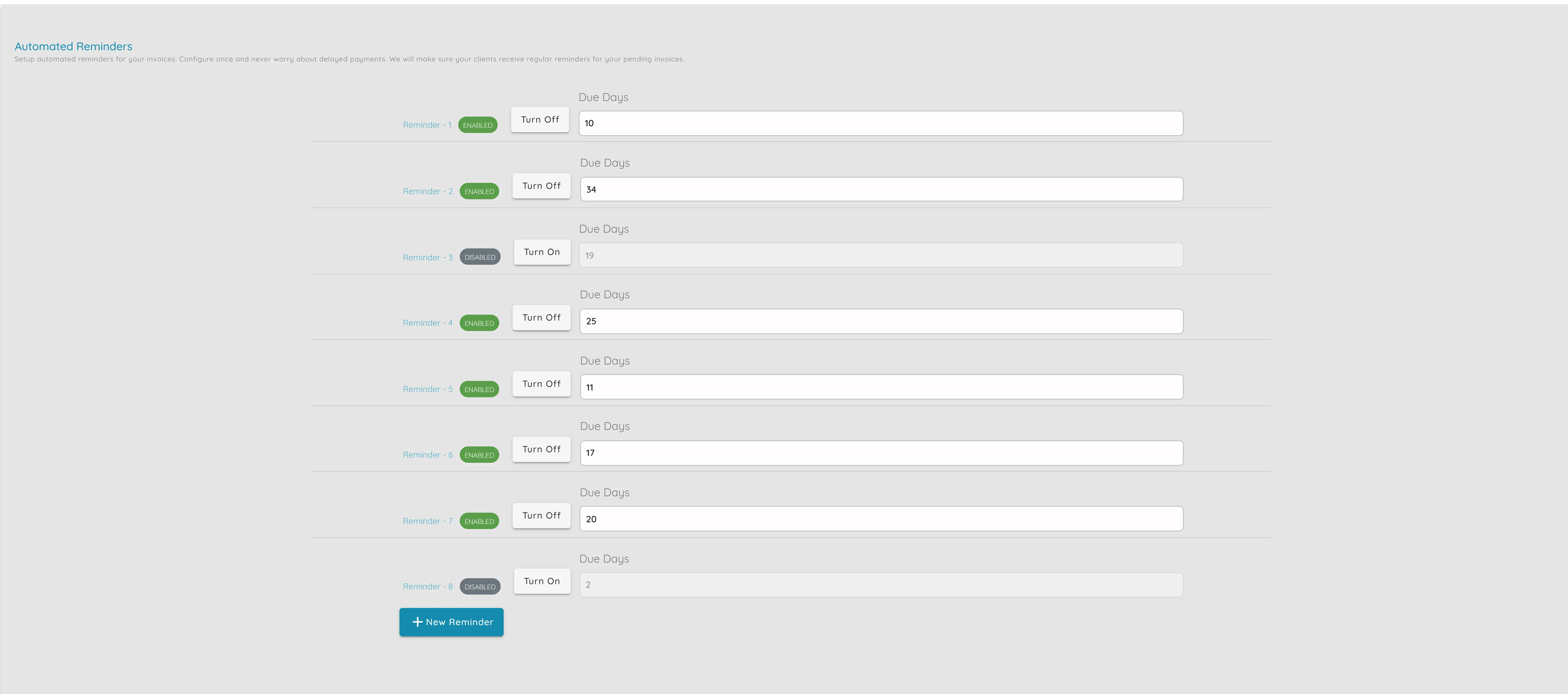
Automated reminders let you stay on top of renewals, partner payouts, and follow-ups so nothing slips. You create reminders for contract renewals, payment due dates, proposal follow-ups, or any other task, and set a due date; you can optionally make a reminder repeat—for example every month for payout runs or every year for agency contract renewal—so you get notified as the date gets close. You mark reminders complete or snooze them, and you can archive old ones so only active reminders show. Reminders can be linked to a contract or proposal so when you open the reminder you can jump straight to that document and take action. That reduces missed renewals, late payouts, and forgotten follow-ups and keeps partner relationships on schedule. Teams see only open items, and completed renewals and payouts stay in history for reference. For example you might set a reminder for "Contract C-101 renews in 30 days" and when it fires you open it and go straight to the contract to renegotiate or extend. Or you set a monthly reminder to run affiliate settlements so the same day each month you're prompted to batch and pay. For teams, having a shared view of reminders means everyone knows what's due and who's responsible. Reminders turn "we should do this sometime" into "we do this on this date," with a nudge and a link to the right place so nothing falls through the cracks.

11

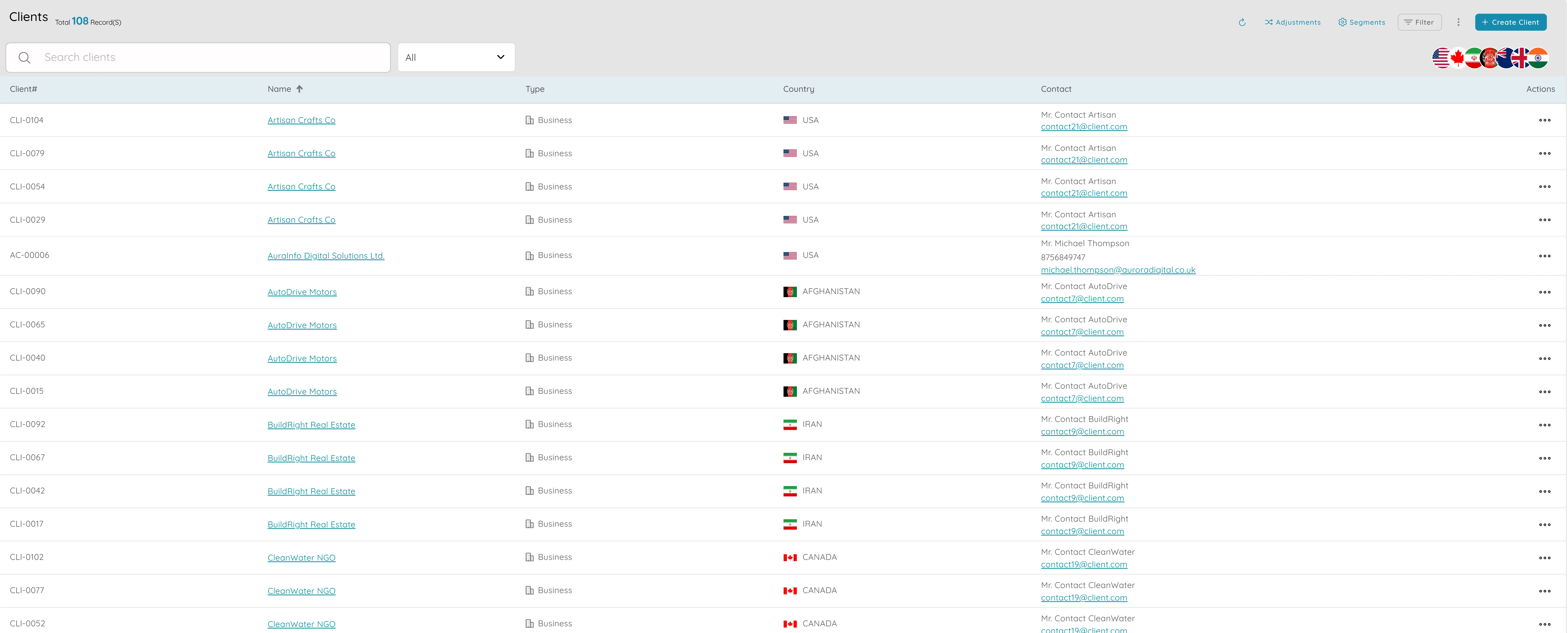
Clients and client ledger

Clients and client ledger

Clients and the client ledger let you tie campaigns to customers and see what they bought and what they owe. Each client has one record where you store contact, segment, where they came from (for example campaign or channel), and any extra fields you need, so you can attribute clients to campaigns and filter for retention or upsell. The client ledger shows all invoices, payments, credits, and adjustments in one place, with outstanding balance and ageing (such as 30/60/90 days), so you can see who owes what and prioritise collections. You can group clients into segments—by product, value, or source—and use those segments in reports and for planning campaigns. You can add your own fields such as "Lead source" or "Campaign" and use them to filter and report. Orders and invoices are linked to the client, so from the client screen you see their full history and what's paid or overdue. Marketing and finance get one view of the customer: who they are, where they came from, what they bought, and what they owe. That single view supports both sides: marketing can measure which campaigns bring valuable clients and plan retention or upsell, while finance can manage receivables and ageing. When you need to answer "which clients came from this campaign?" or "what do our top clients owe?" the answer is in one place. Because clients are tied to campaigns through segments and custom fields, you can close the loop: which campaigns brought which clients and how much they have spent.

Ready to get started?

See how these marketing features can help your business grow.