SMB Features – How They Help a Small or Midsize Business
This guide describes each SMB-level capability in simple language. No technical knowledge required.
Invoices, Payments & Client Ledger
Professional billing and receivables management
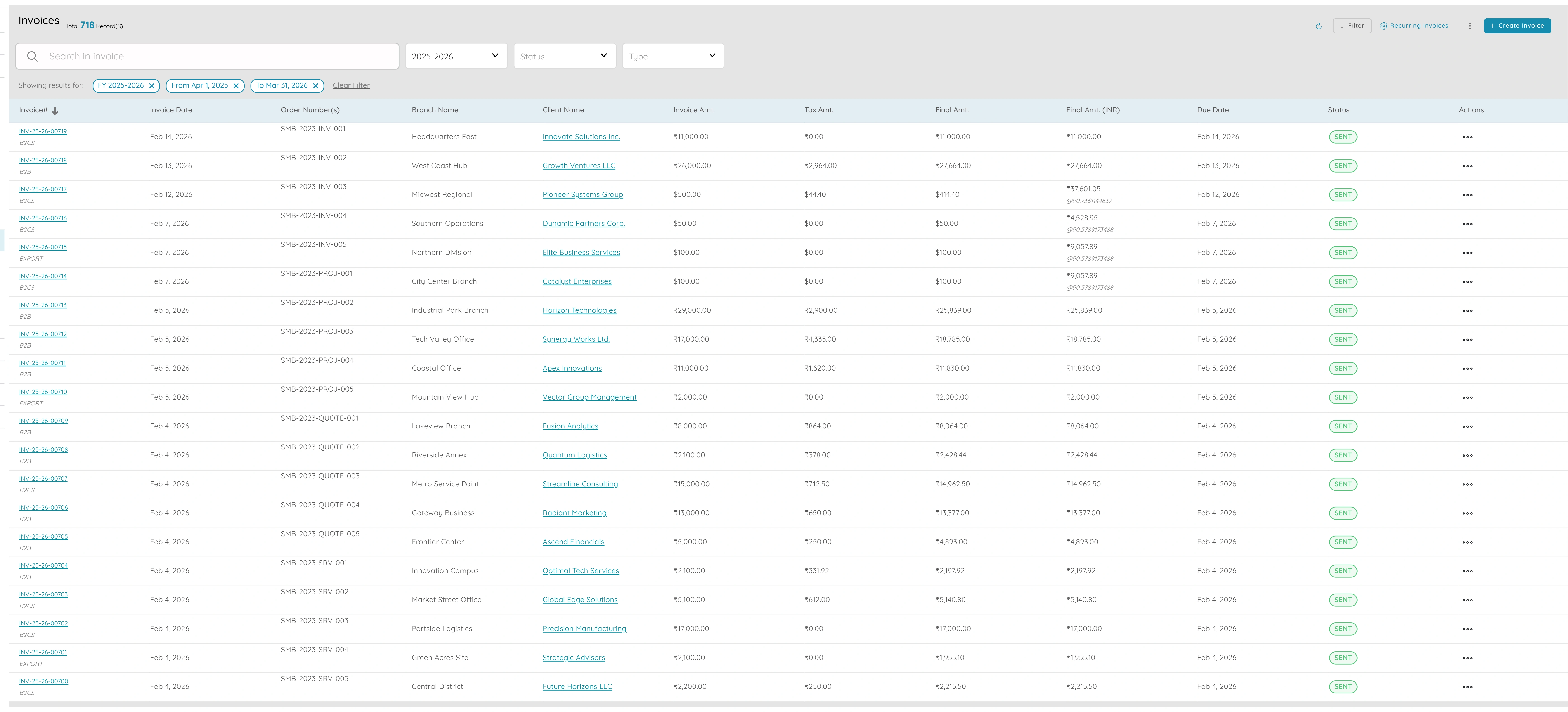
- Professional billing: send clear, correct invoices with your branding so you look credible and customers know where and how to pay.
- "What's due?" visibility: client ledger shows who owes what and what's overdue so you can prioritise collections without spreadsheets or guesswork.
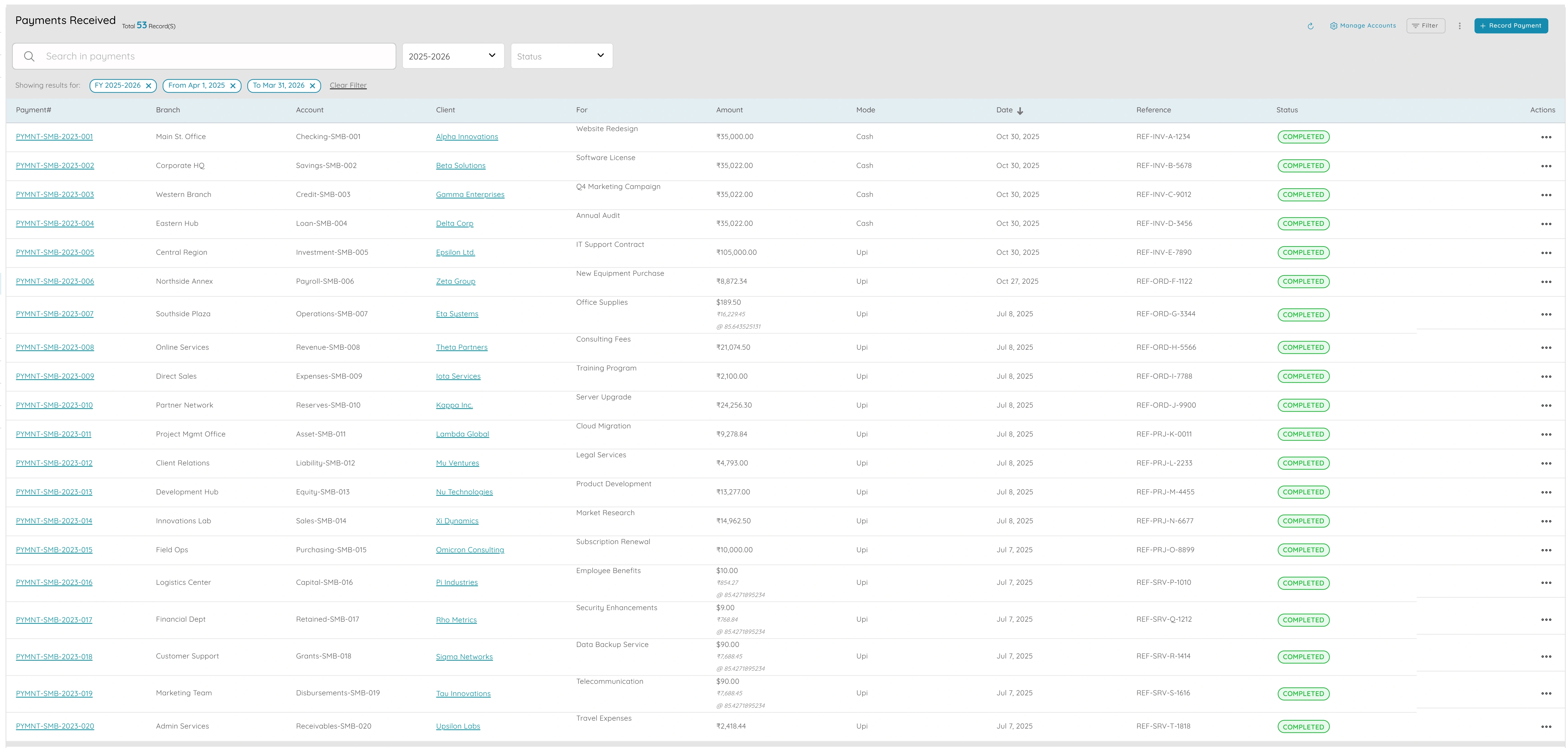
- Record payments and link to invoice(s); ledger and invoice status update so you always know what's paid and what's outstanding.
- One place for every customer: open the client and see their invoices, payments, and balance so you never hunt for "did they pay invoice X?"
- Same data feeds P&L and reports so your books and your receivables view are always in sync.
Why it matters
Invoices, payments, and client ledger provide the foundation for professional billing and receivables management. By sending clear, branded invoices and maintaining a complete client ledger, you can track what's due, prioritize collections, and keep your books in sync. This eliminates the need for spreadsheets and ensures you always know who owes what.
Proposals & Orders
Quote and order flow without complexity
- Quote and order flow without complexity: one flow from quote to order to invoice so you don't re-type or juggle multiple systems.
- Client sees a professional quote; when they say yes, convert to order or invoice so scope and price stay consistent and nothing is lost.
- Orders give you a simple record of what's confirmed and what's pending so you know what to deliver and what to bill.
- Reduces errors and saves time so the owner or small team can focus on running the business instead of copying data between tools.
- No heavy approval chains or extra modules—just proposals and orders that feed straight into invoicing.
Why it matters
Proposals and orders streamline the quote-to-invoice process, eliminating the need to re-type information or juggle multiple systems. By converting quotes to orders or invoices in one step, you ensure scope and price stay consistent while reducing errors and saving time. This lets small teams focus on running the business instead of managing data across tools.
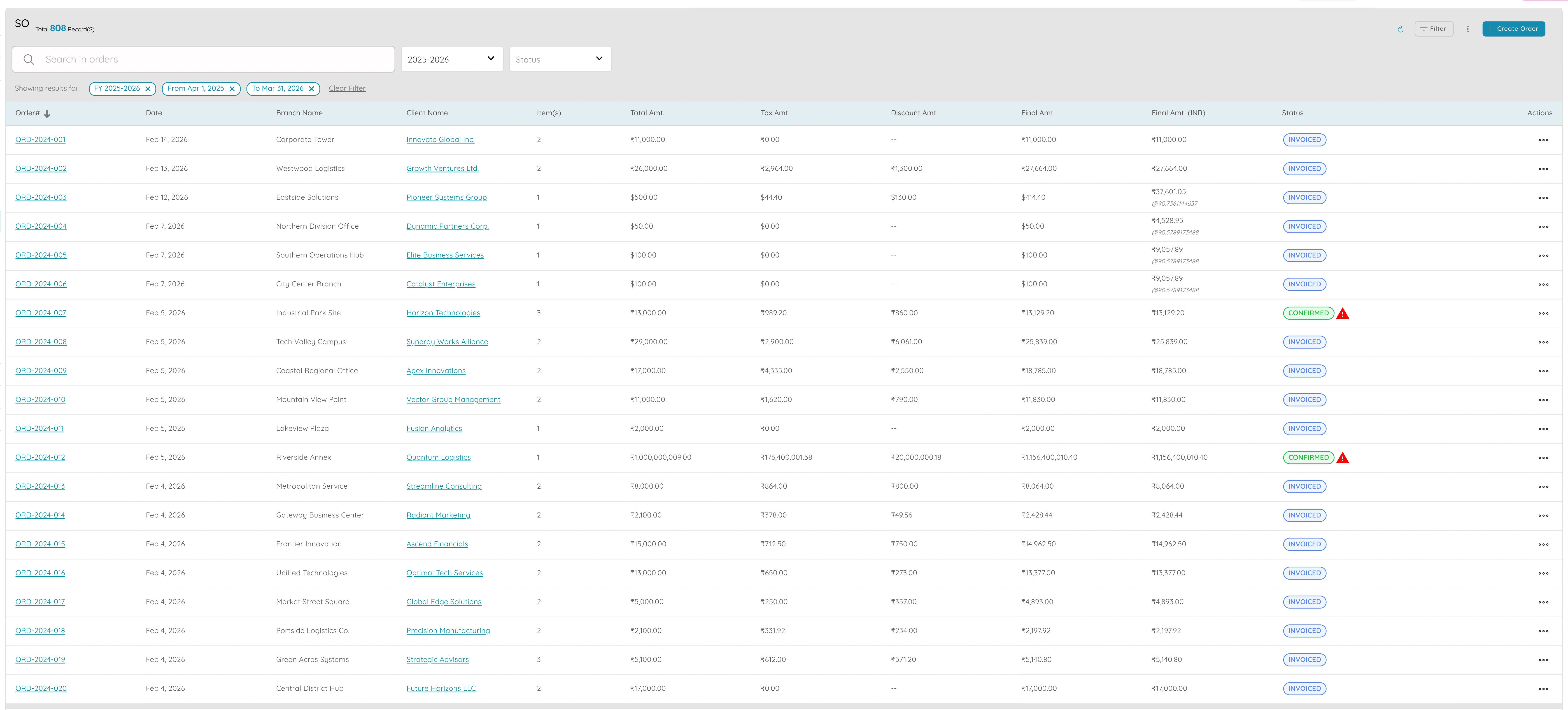
Chart of Accounts & Account Ledger
Proper books with complete transaction traceability
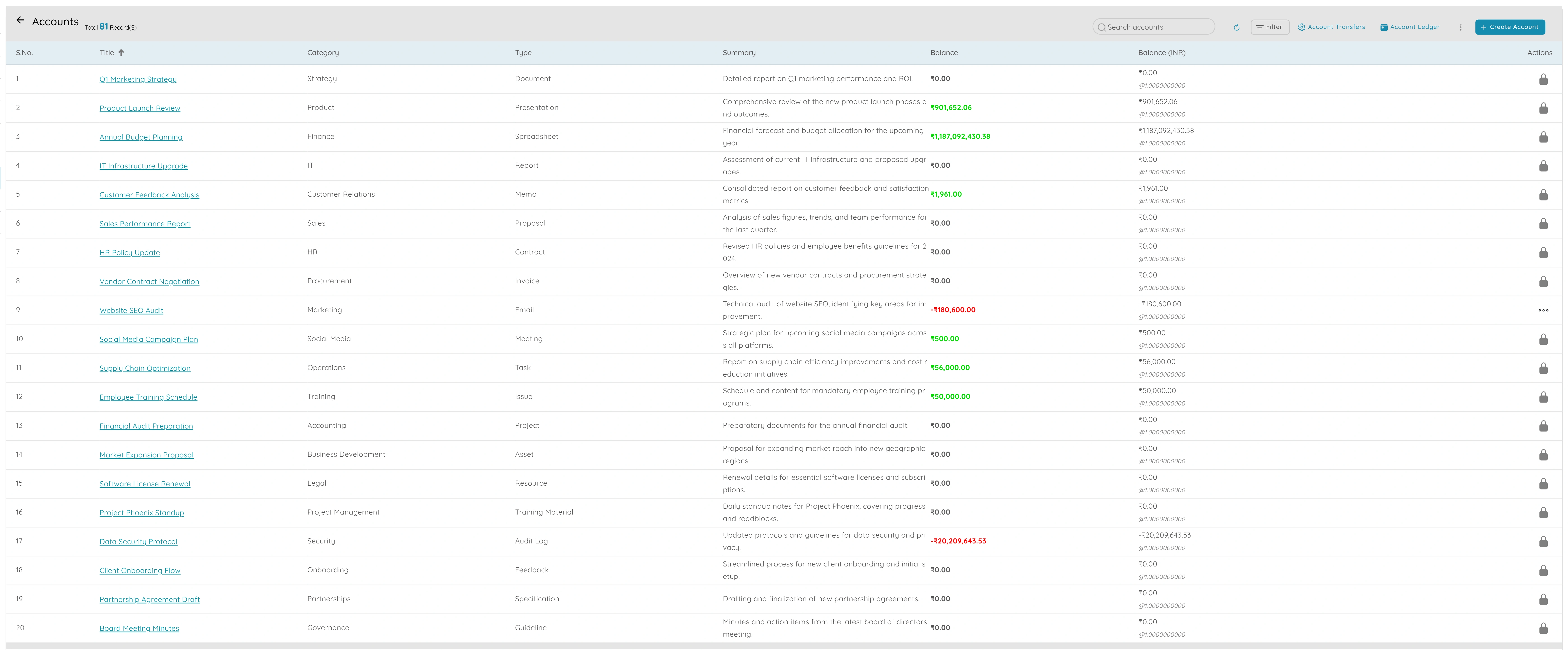
- Proper books: a real chart of accounts and ledger so you're not running the business on spreadsheets; everything is coded and traceable.
- Auditable: when the accountant or auditor asks "where did this number come from?" you open the ledger and show every transaction that built it.
- Month-end and year-end are straightforward because the same data you use day to day (invoices, payments, expenses) is already in the right accounts.
- Supports lending and investors: banks and lenders expect proper books; chart of accounts and ledger show you have a clear, verifiable record.
- One system for daily ops and for closing the books so you don't maintain separate spreadsheets for "real" accounting.
Why it matters
The chart of accounts and account ledger provide the financial foundation for your business. By maintaining proper books with complete transaction traceability, you can answer any accounting question, support audits, and meet lender requirements. This eliminates the need for separate spreadsheets and ensures your daily operations feed directly into month-end and year-end closing.
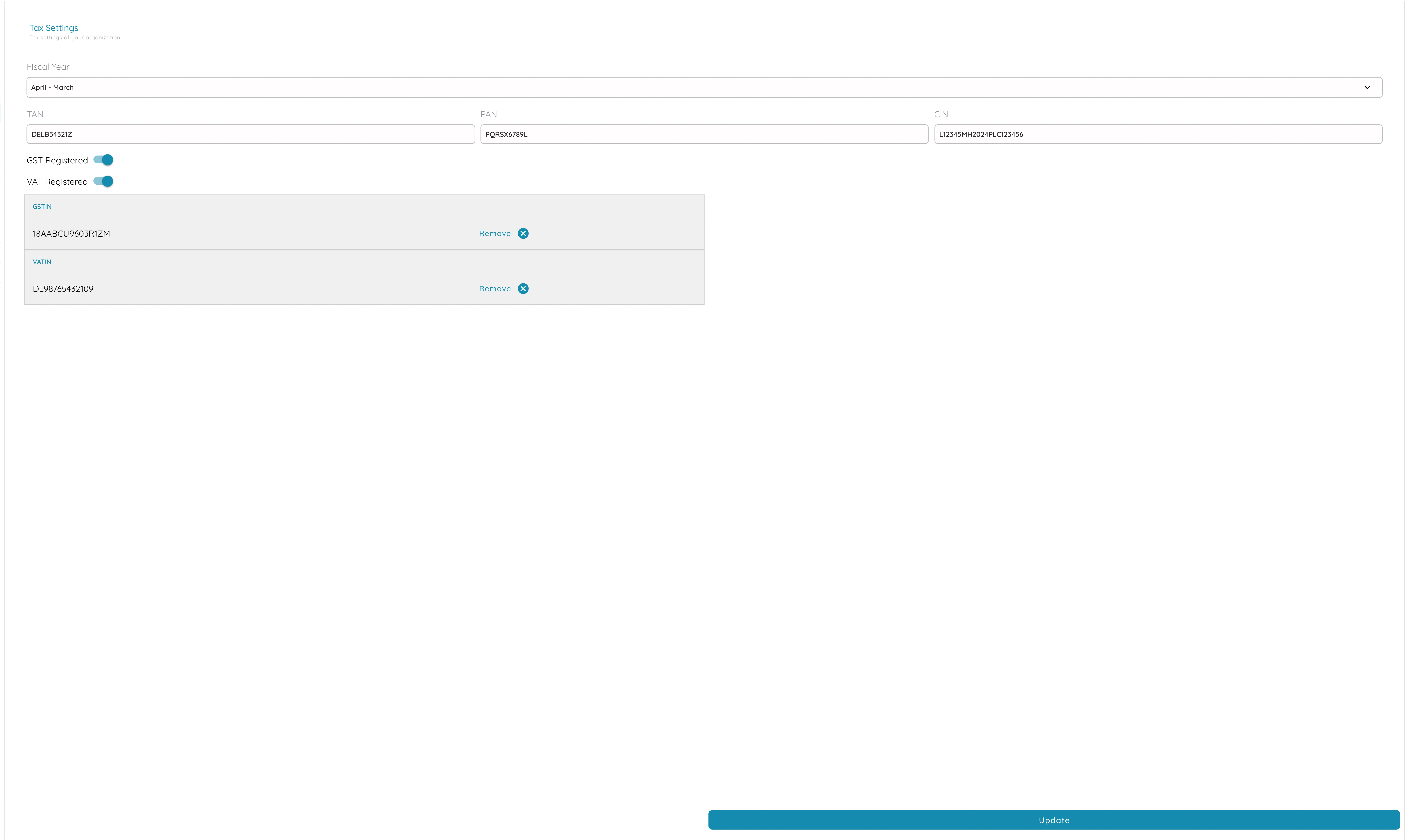
Tax Settings, GST and Tax Reports
Compliance without extra tools
- Compliance without extra tools: set tax once and every invoice is correct so you don't need a separate tax calculator or spreadsheet.
- Tax reports give you what you need for monthly or quarterly filing (e.g. GST returns) so you can file on time without pulling data from multiple places.
- Reduces risk of errors and penalties; the system does the math and keeps a clear record of tax by period.
- One place for tax rules so the owner or one person can manage it; no need for a dedicated tax tool at SMB scale.
- Customers get proper tax documents and you stay on the right side of the law with minimal extra effort.
Why it matters
Tax settings, GST, and tax reports ensure compliance without requiring separate tools or spreadsheets. By configuring tax rules once, every invoice is correct, and tax reports provide what you need for filing returns. This reduces the risk of errors and penalties while keeping tax management simple for small teams.
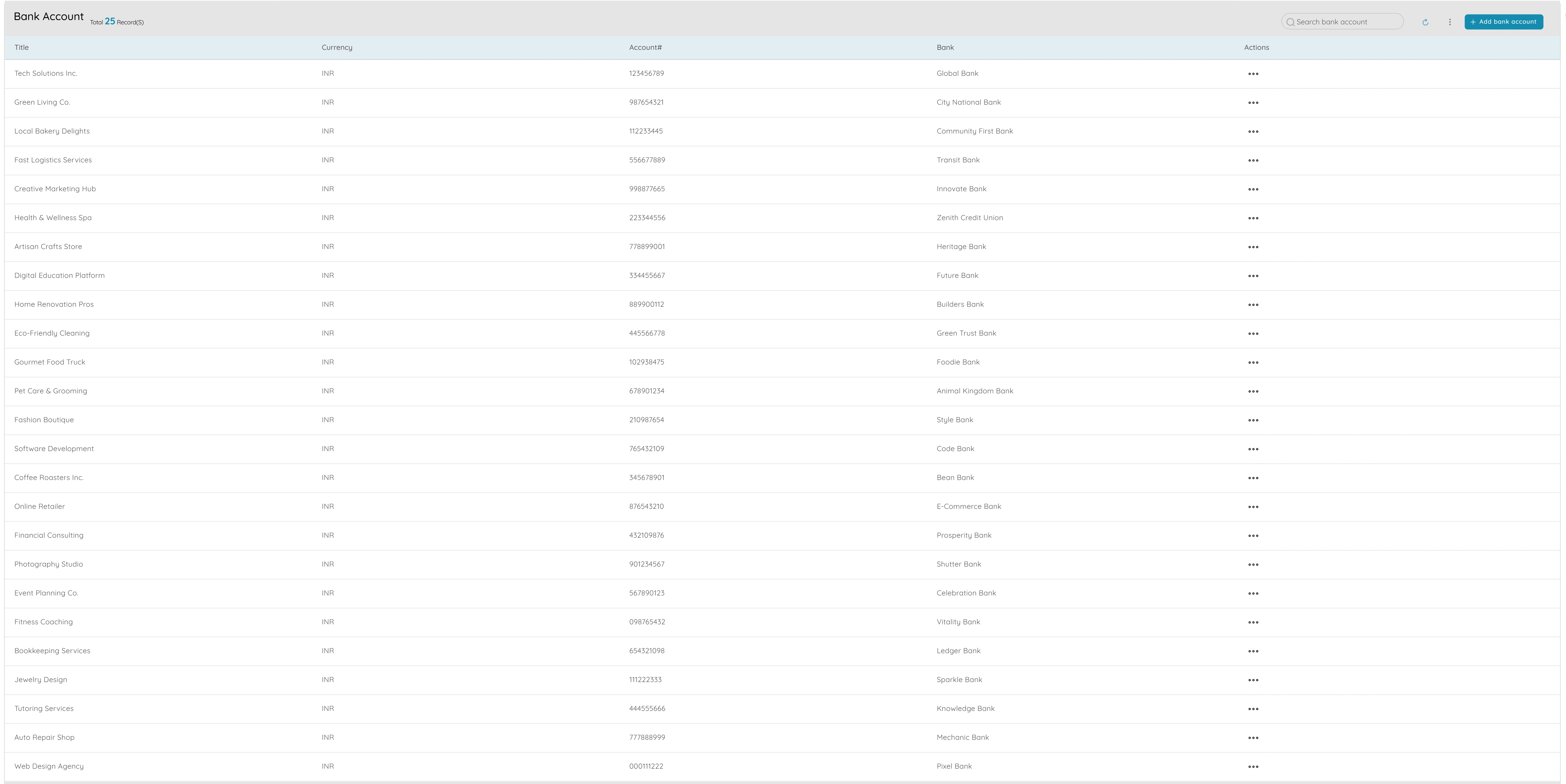
Bank Accounts & Account Transfers
Clear cash movement and reconciliation
- Clear cash movement: tag payments and receipts to the right bank account so you know where your money is and can reconcile with the bank statement.
- When you move money between accounts (e.g. from current to savings, or between business accounts), record a transfer so the books match reality and nothing is double-counted or lost.
- One list of company accounts so you don't type account details on every transaction; fewer errors and faster data entry.
- Supports reconciliation: see balance and movement per account so you can match the system to the bank and close the month with confidence.
- Simple and transparent so the owner or bookkeeper can explain every movement without complexity.
Why it matters
Bank accounts and account transfers provide clear visibility into cash movement and support reconciliation. By tagging transactions to the right accounts and recording transfers, you ensure the books match reality and can reconcile with bank statements. This simplifies month-end closing and gives you confidence in your cash position.
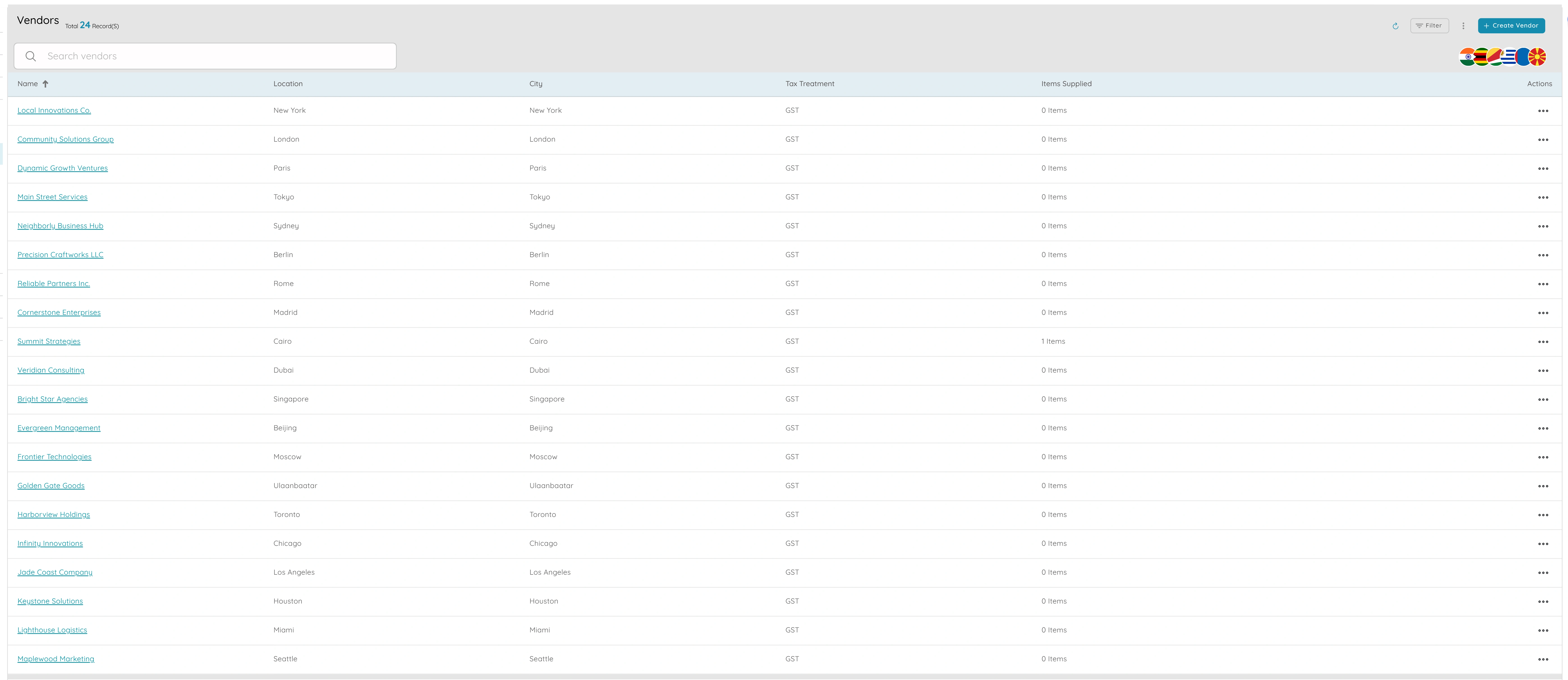
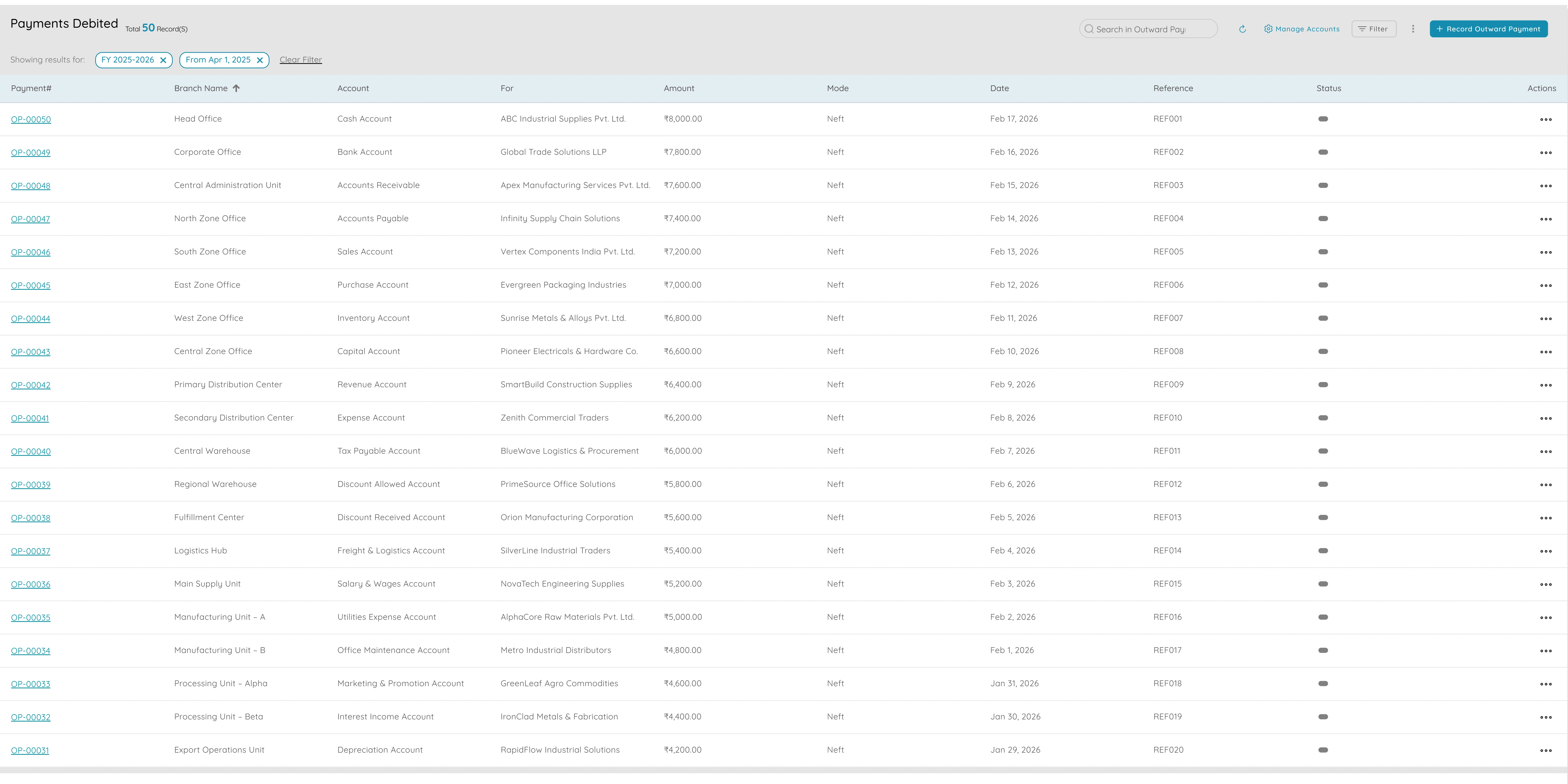
Vendors, Outward Payments & Settlements
Payables in one place
- Payables in one place: one list of vendors and one place to record payments so you always know who you've paid and who you still owe.
- When a vendor invoice is due, record the payment linked to the vendor and the invoice; vendor ledger and payables update so "what's due?" is clear.
- Settlements let you pay several small invoices in one go (e.g. weekly run) with a clear audit trail so you don't lose track of what was paid.
- Same data as chart of accounts and bank so your books and bank stay aligned; no separate payables spreadsheet.
- Plan cash flow: see outstanding by vendor and by due date so you can prioritise who to pay and when.
Why it matters
Vendors, outward payments, and settlements centralize payables management. By maintaining one list of vendors and recording payments linked to invoices, you always know what's due and what's been paid. Settlements enable efficient batch payments while maintaining a clear audit trail, helping you plan cash flow and keep your books aligned.
Expense Categories
Categorise spend for budgeting and reporting
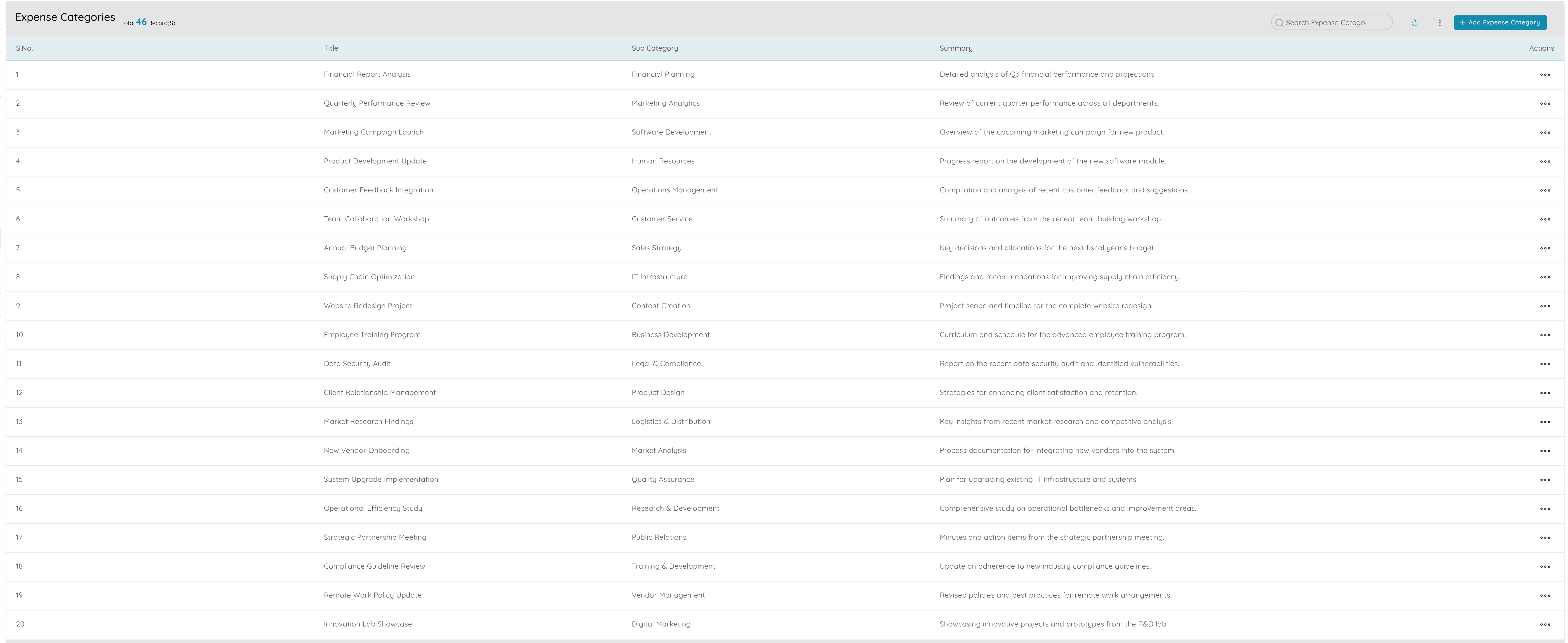
- Categorise spend: every expense is coded to a category so you're not left with a pile of receipts and no structure.
- Simple budgeting: see spend by category (e.g. this month vs last month) so you can set simple targets and spot overspend without a full budgeting module.
- P&L and reports show cost by category so you understand your cost structure (e.g. how much on rent, how much on marketing) for planning and tax.
- Same categories every month so you can compare and trend; no reinventing the wheel each period.
- Supports tax and year-end: categories align with how you report to the accountant or authority so coding is consistent and useful.
Why it matters
Expense categories provide structure for spending and enable simple budgeting and reporting. By coding every expense to a category, you can see where money goes, compare periods, and understand your cost structure. This supports planning, tax preparation, and year-end reporting without requiring a full budgeting module.
Automated Reminders
Get paid faster with scheduled follow-ups
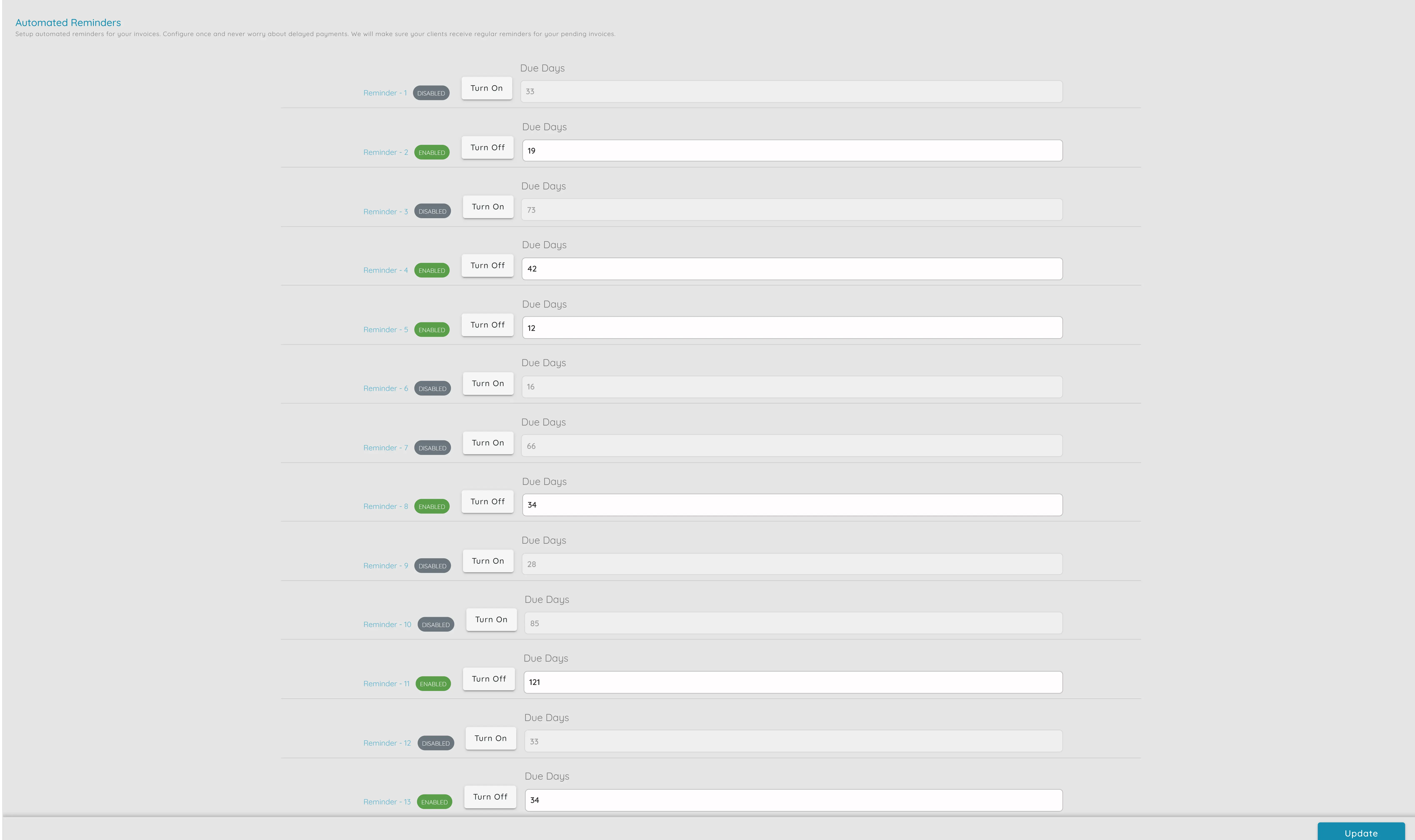
- Get paid faster: reminders nudge customers so you don't have to chase every overdue invoice manually; many pay after the first or second reminder.
- Fewer manual chases: the system handles the routine follow-up so the owner or small team can focus on delivery and relationship, not "have you paid?" emails.
- Reminders can use your branding and include a link to view or pay the invoice if you use online payment.
- You still see which invoices are overdue in the app so you can follow up in person when needed; reminders handle the rest.
- Process consistency: same rules for every customer so nothing falls through the cracks when the team is small or busy.
Why it matters
Automated reminders help you get paid faster by handling routine follow-ups automatically. This frees the owner or small team from repetitive "have you paid?" emails, allowing them to focus on delivery and relationships. With consistent rules for every customer, nothing falls through the cracks even when the team is busy.
Products & Services
Simple catalog for quotes and invoices
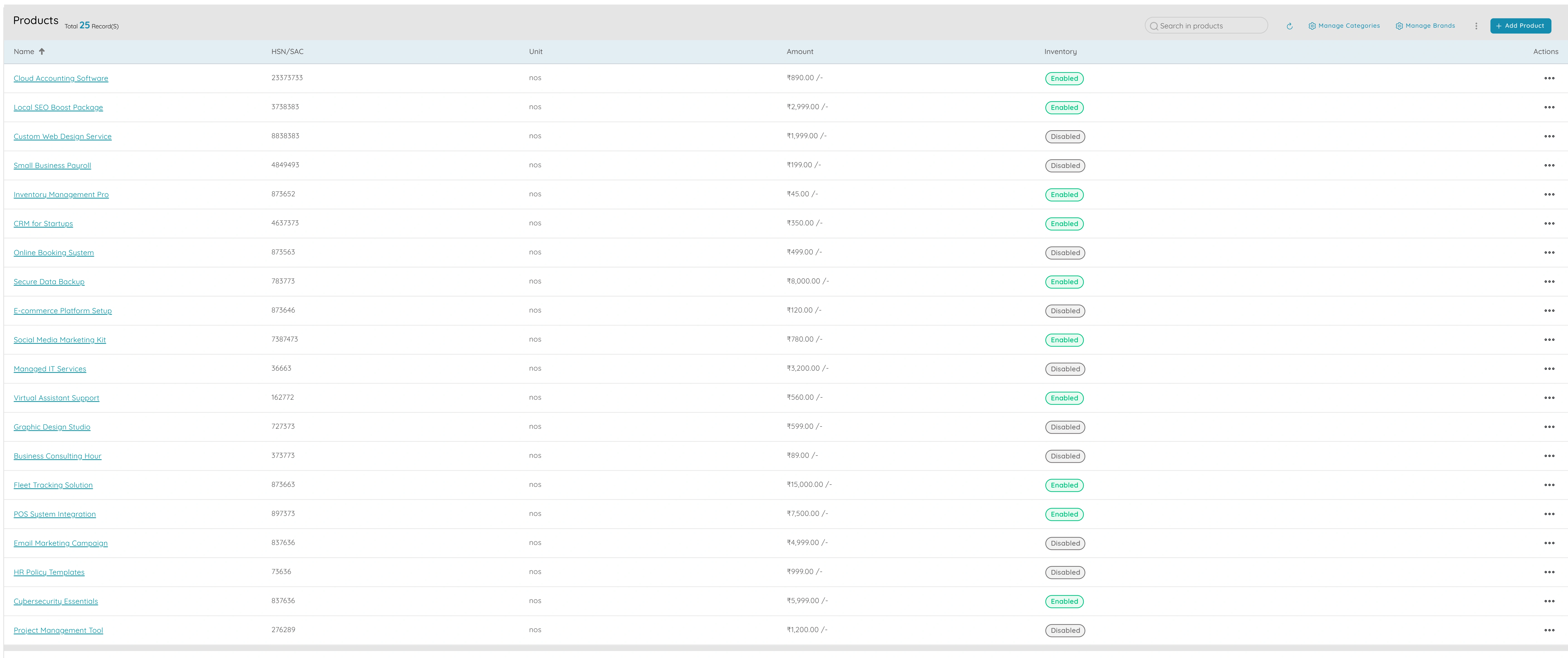
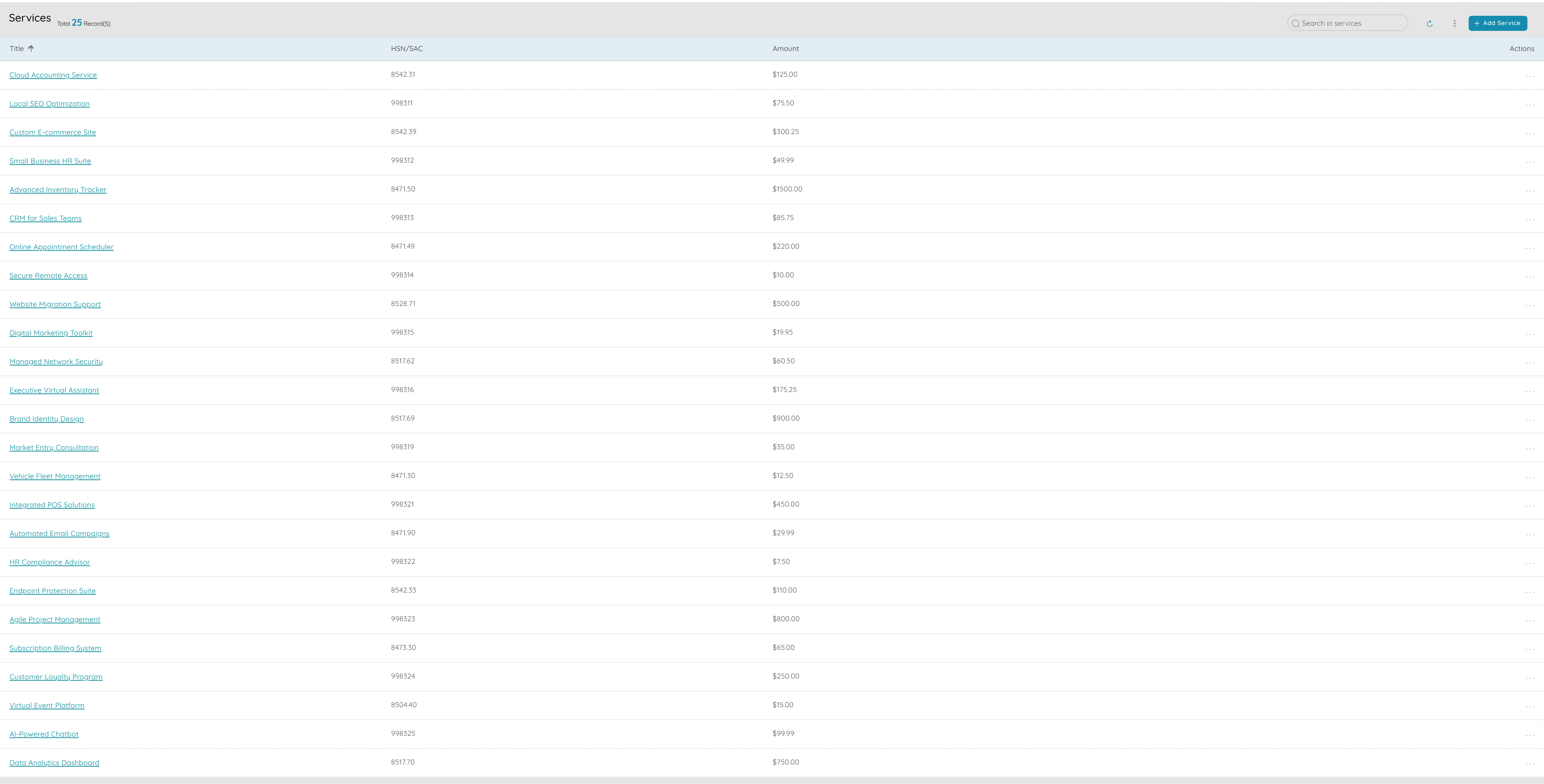
- Simple catalog for quotes and invoices: define what you sell once and use it everywhere so you don't type product names and prices from memory or scratch.
- Fewer errors: the same product or service appears the same on every proposal and invoice so customers and your books see consistent descriptions and amounts.
- Change a price in the catalog and choose whether to update only new documents or leave existing ones as they were.
- No need for a full-blown product or inventory module; just enough to keep offerings and pricing consistent for a small or midsize business.
- New staff or the owner can create quotes and invoices quickly because the catalog is already there.
Why it matters
Products and services provide a simple catalog that keeps your offerings and pricing consistent across quotes and invoices. By defining items once, you reduce errors and speed up quote and invoice creation. This eliminates the need to remember prices or type descriptions from scratch, making it easy for new staff or the owner to create documents quickly.
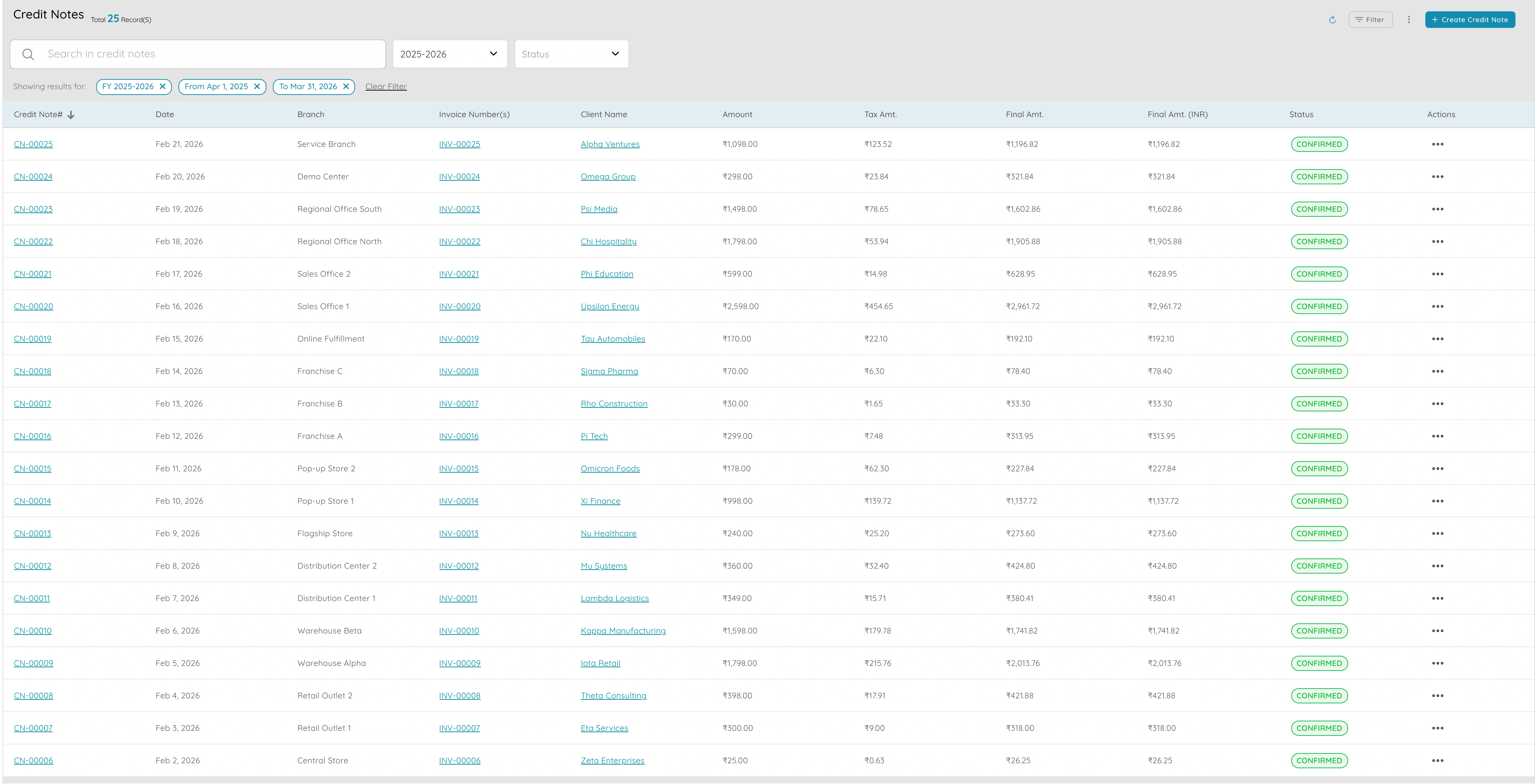
Credit Notes & Debit Notes
Adjustments without messing up the books
- Adjustments without messing up the books: when you need to reduce or increase what a customer owes, issue a credit or debit note so the balance is correct and the link to the original invoice is kept.
- Client ledger and reports include credit and debit notes so the balance you see is always the true amount the customer owes; no manual "minus that invoice" notes.
- Supports returns, refunds, and corrections in a proper, auditable way so your accountant and the customer have a clear record.
- No need to delete or overwrite invoices; credit and debit notes are the right way to adjust so the audit trail stays clean.
- Keeps receivables and the ledger in sync so you don't have a mismatch between "what we think they owe" and what the system shows.
Why it matters
Credit notes and debit notes enable proper adjustments to customer balances while maintaining a clean audit trail. By issuing credit or debit notes linked to original invoices, you keep the books correct and provide clear records for accountants and customers. This ensures receivables and the ledger stay in sync without needing to delete or overwrite invoices.
Run your business with clarity and confidence.
Essential features for small and midsize businesses: invoicing, payments, proposals, orders, accounting, tax, and more.