Multi-entity control, enterprise governance, and financial intelligence.
Model your group with branches and warehouses, enforce access with RBAC, plan with Prism FP&A, prove compliance with full audit logs, integrate via API sandbox, stay tax-compliant across jurisdictions, and go live with dedicated onboarding.
Certified Security
ISO 27001:2022 - IAF recognized
Governance command center
Group structure · live
HQ · India
4 branches · consolidated P&L
Sales
Synced
Procurement
Synced
Finance
Synced
Access model
RBAC
Modules
49
Audit events
Live
FP&A
Prism
What Enterprise adds on top of Growth
Growth scales a single organisation. Enterprise unlocks group governance, granular access, FP&A, and white-glove rollout for multi-entity operations.
Enterprise Suite Access
Access to enterprise apps
Confero, FlowForge, and Prism are included for enterprise-grade planning and control.



Enterprise stack
Eleven capabilities. One governance layer.
Multi-entity structure through dedicated onboarding — with live product screenshots and animated governance visuals throughout.
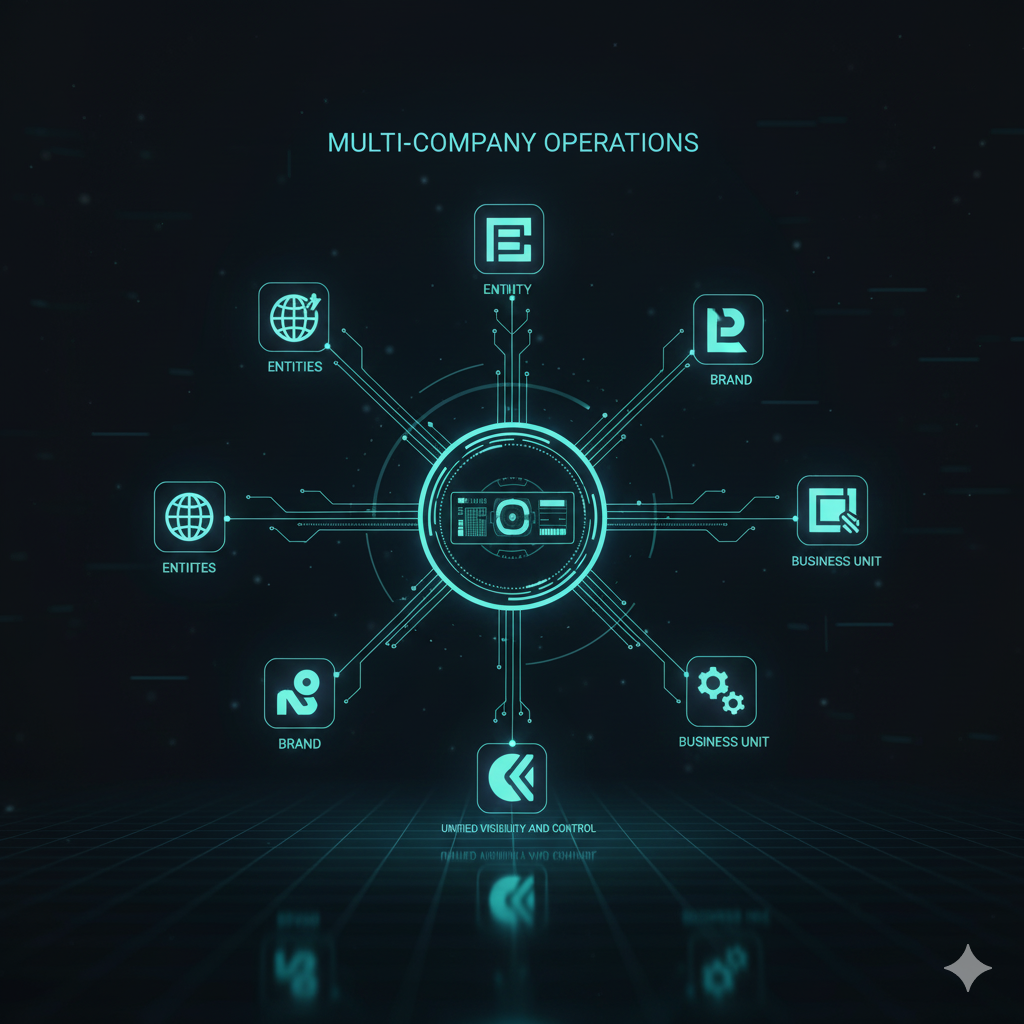
Multi-Entity Structure
Branches, warehouses, and departments for group-wide operations
- Model your group with branches (legal entities, regions), warehouses (sites, depots), and departments (functions, cost centres)
- Record every transaction by branch or location so activity and stock are attributable to the right entity
- Roll up or filter P&L, balance sheet, and operational reports by branch, warehouse, or department
- One organisational model for finance, operations, and audit — no conflicting spreadsheets per entity
- Add new entities or sites without re-architecting your ERP; structure scales with acquisitions and expansion
Why it matters
Enterprise groups need a single source of truth across legal entities. Multi-entity structure lets you operate locally while reporting globally — every number traceable to the right branch, warehouse, or department.
Multi-entity structure
liveRBAC
Granular access control across 49 modules and 19 predefined roles
- Enterprise-grade role-based access across critical business modules
- 19 predefined roles out of the box — Admin, Finance Manager, Viewer, and fully custom combinations
- Enforce least-privilege: control view, create, edit, delete, approve, and export per module
- Segregation of duties so no single user can bypass controls — essential for SOX and internal audit
- Role and permission changes are logged in the audit trail for compliance reviews
Why it matters
At enterprise scale, access is a compliance requirement, not a convenience. RBAC means you configure access once, enforce it server-side everywhere, and prove who could do what to auditors.
Enterprise RBAC
liveIT Admin
49 modules
235
permissions
Developer
22 modules
84
permissions
Viewer
18 modules
42
permissions
Auditor
12 modules
56
permissions
Prism FP&A
Budgets, forecasts, variance analysis, and scenario planning on live ERP data
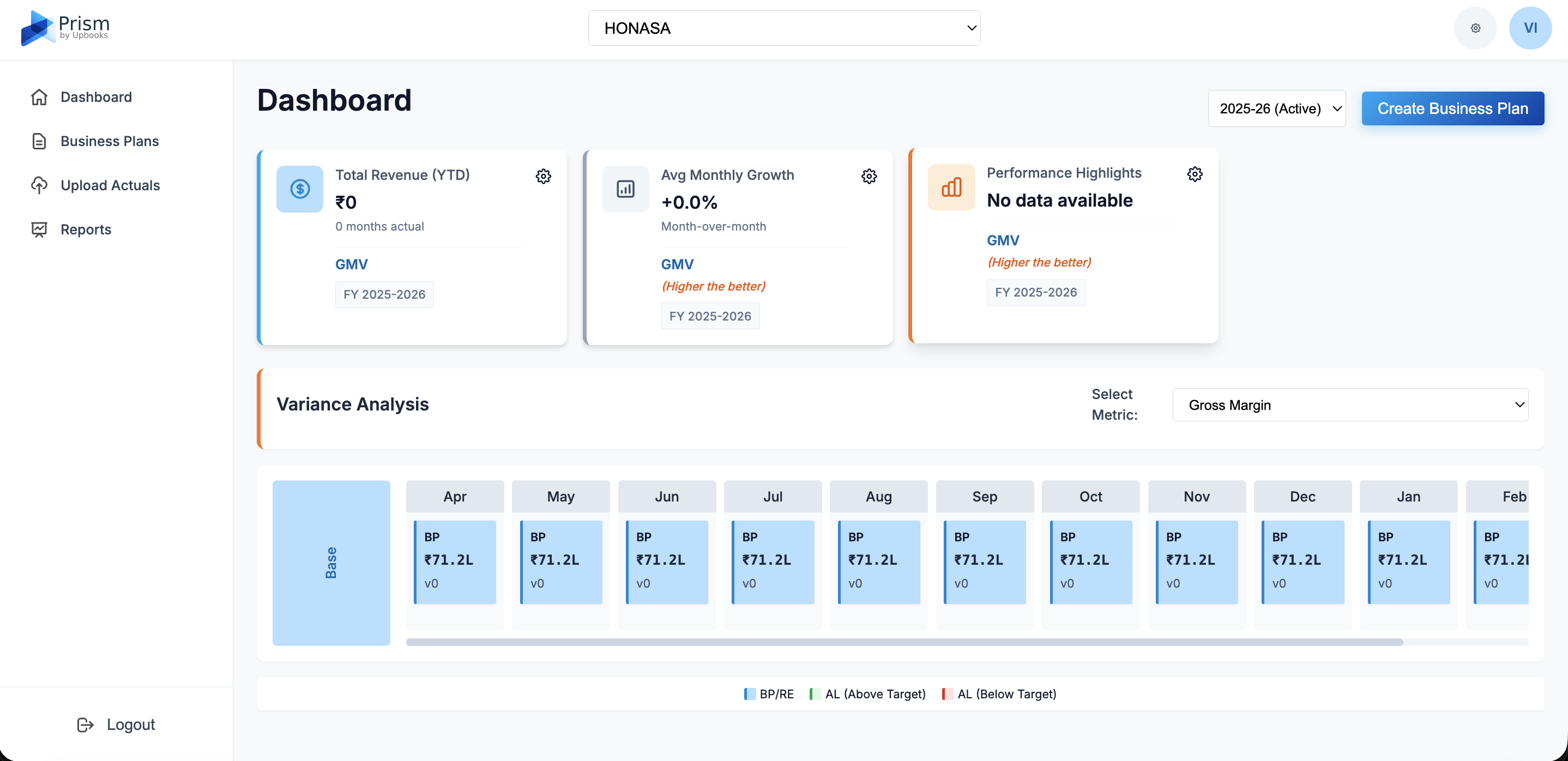
- Build full-year, quarterly, and monthly financial plans connected to live actuals from your ERP
- Complete business finance and forecast in one connected workspace
- Compare P&Ls across entities, branches, or periods without spreadsheet merges
- Compare plan vs actual with variance bridges, income statements, and trend insights in one workspace
- Model expected, optimistic, and pessimistic scenarios without spreadsheet chaos
- Upload revised estimates via CSV; build driver-based budgets by cost centre, department, or project
- Leadership-ready reports on mobile, tablets, and desktop - unlike bulky desktop-only ERPs
FP&A should run on the same data as your books — not exports that are stale by close. Prism connects planning, forecasting, and actuals so finance leads with intelligence, not reconciliation.
Full Audit Logs
Every action logged. Every access tracked. Complete compliance trail.
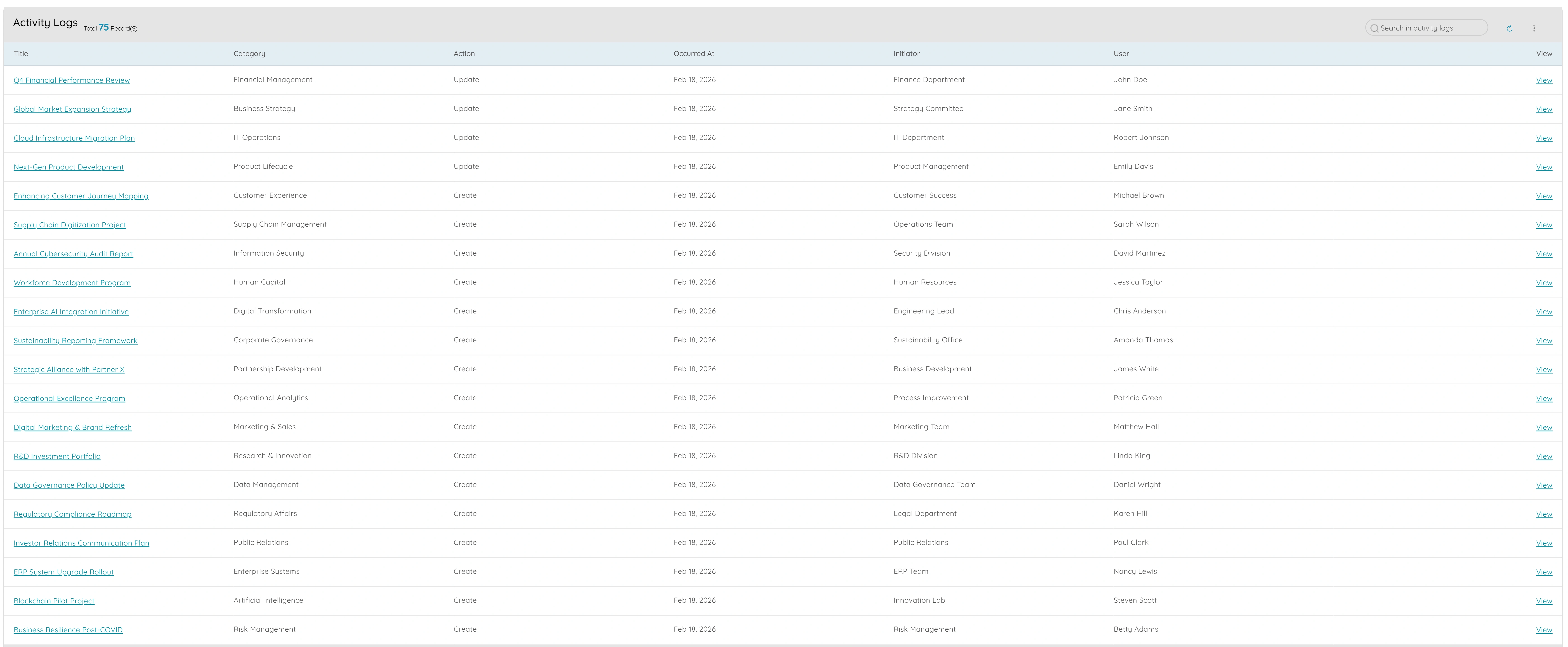
- Immutable audit trail for logins, data access, configuration changes, exports, and approvals
- Filter by user, module, action type, date range, or IP address for investigations
- Distinguish activity logs from full audit logs — Enterprise includes unlimited audit retention
- Answer "who changed this?" and "when was this approved?" for internal control and external audit
- Supports SOC 2, ISO 27001, and regulatory evidence requirements without a separate logging tool
Growth plans offer activity tracking; Enterprise delivers full audit logs. When regulators or auditors ask for proof, you export a complete trail — not screenshots of who logged in last week.
API with Sandbox
REST APIs, webhooks, and isolated sandbox environments for safe integration
- Full REST API access to build custom integrations, dashboards, and automation workflows
- Integrate with meeting tools for planning, reviews, and governance workflows
- Dedicated sandbox environments to test integrations, migrations, and configs without touching production
- API keys scoped per team or integration — IT governs which systems connect and how
- Webhook support for real-time event notifications across your technology stack
- Push invoices, payments, or master data to and from ERP, BI, monitoring, and custom apps
Why it matters
Enterprise IT needs safe experimentation. API sandbox means your team integrates Upbooks into the stack, validates data flows, and goes live — without risking production books.
REST API & webhooks
live# List projects — sandbox environment
curl -X GET https://api.upbooks.io/v1/projects \
-H "Authorization: Bearer ub_sandbox_••••"
{ "data": [{ "id": "proj_8f2a", "name": "Infra rollout" }], "meta": { "page": 1 } }
Multi-Jurisdiction Tax
Tax rules per entity, region, and jurisdiction — compliant everywhere you operate
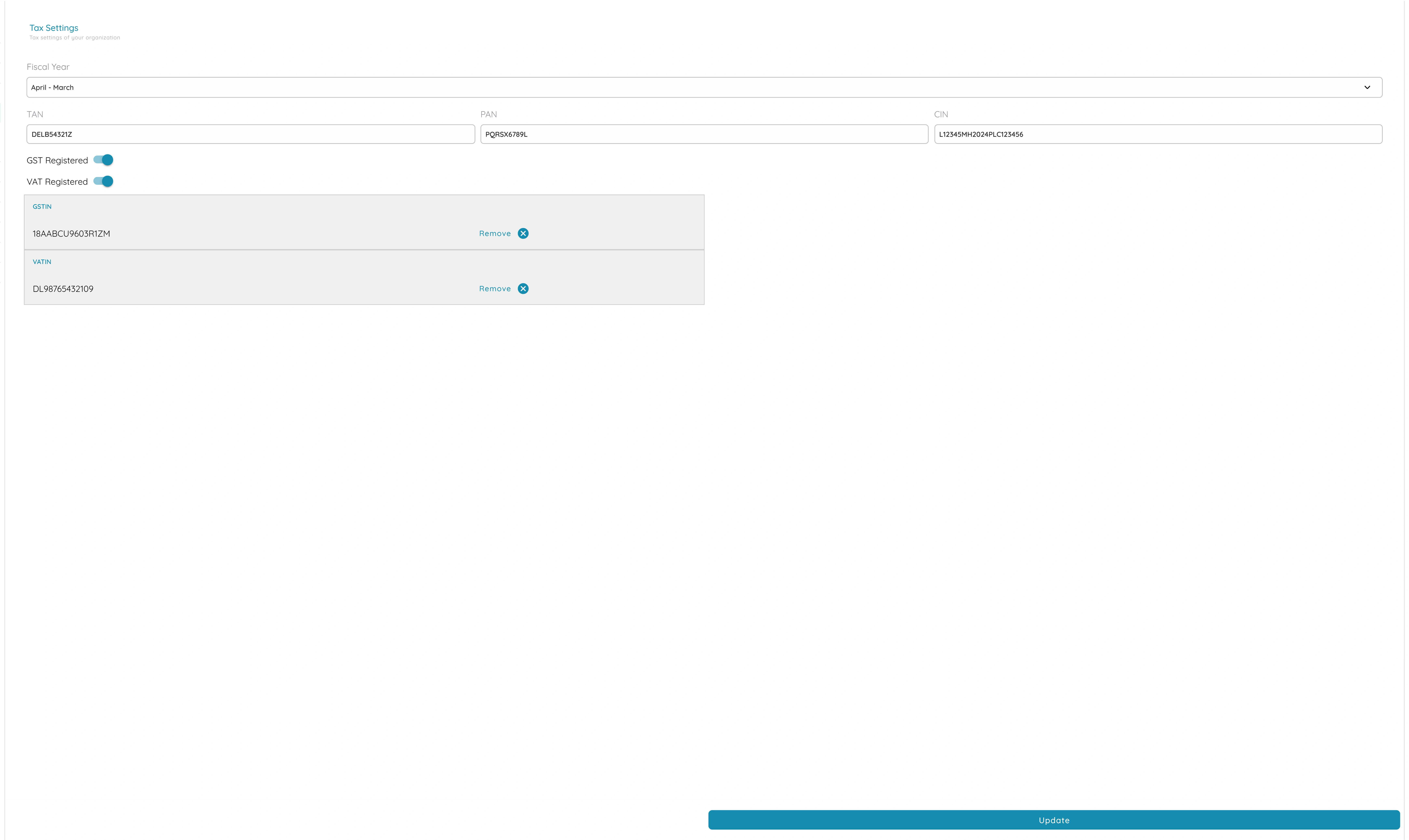
- Configure tax treatment and rates per entity or jurisdiction — GST, VAT, sales tax, and local rules
- Correct tax on every invoice so customers receive proper documents in each region
- Tax reports by period and by entity for filing returns without pulling from multiple systems
- Group tax reporting: see position by entity or roll up for consolidated filing and planning
- Reduces cross-border errors and penalties when operating in several jurisdictions at scale
Multi-entity groups face multi-jurisdiction complexity. Enterprise tax configuration keeps each location compliant while giving group finance a consolidated view for planning and filing.
UpDocs
Centralized document repository with version control and access rules
- Store contracts, policies, SOPs, audit evidence, and entity documents in one governed repository
- Organize by entity, department, compliance category, or custom folders
- Version history on every file — roll back, compare, and prove what was signed when
- RBAC-linked access: control view, download, and edit per role and per document
- Attach documents to vendors, contracts, projects, and invoices for full context
- Download and access events feed into audit logs for investigations
Why it matters
Enterprise teams create and consume critical documents daily. UpDocs keeps everything findable, version-controlled, and access-restricted inside the same platform that runs your operations — without a separate DMS subscription.
Version history
v1.0
v2.0
v3.2
currentRollout timeline
Enterprise onboarding program
20% complete
Discovery
Week 1Map entities, workflows & integrations
- Stakeholder interviews
- Entity structure map
- Integration inventory
Entities
4
Users trained
86
Go-live
On track
Dedicated Onboarding
White-glove rollout with discovery, migration, training, and CSM support
- Dedicated onboarding team maps your entities, workflows, and integration requirements before go-live
- Structured data migration from legacy ERPs, spreadsheets, or acquired entities
- Entity setup: chart of accounts, tax rules, RBAC roles, and approval chains configured for your group
- Role-based training for finance, operations, and IT — not generic videos
- Customer success manager through go-live and hypercare so adoption sticks across entities
Why it matters
Enterprise rollouts fail when treated like self-serve upgrades. Dedicated onboarding ensures your multi-entity structure, permissions, and integrations are right from day one — with a team beside yours.
Group Consolidation & Ledger
Consistent chart of accounts, inter-company transfers, and traceable balances
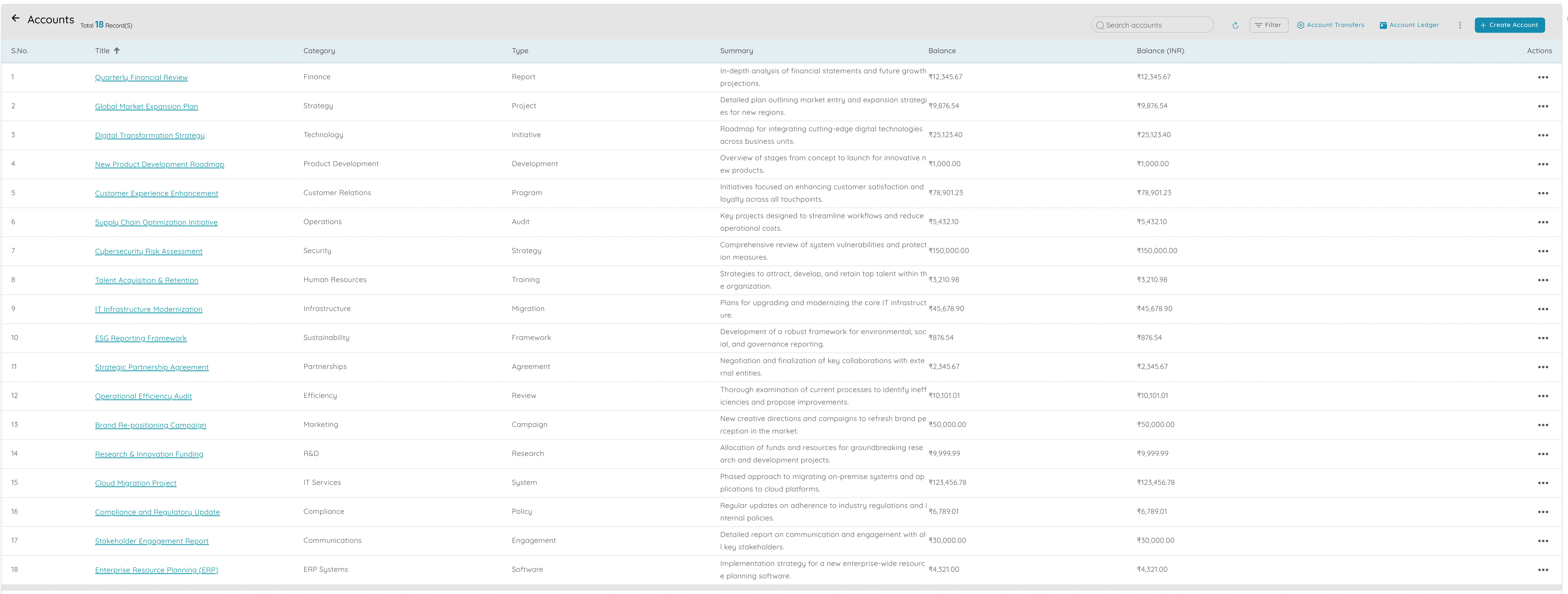
- Consistent chart of accounts across entities for group reporting and consolidation
- Account ledger shows every transaction behind any balance — verify numbers for close and audit
- Inter-branch and inter-entity transfers with traceable records on both sides
- No double-counting: transfers update both entities so group cash reconciles
- One financial foundation for entity close and group close — aligned timelines and codes
Group finance needs one ledger language. Consolidation and inter-company transfers ensure entity books stay correct while group reporting reflects the true economic picture.
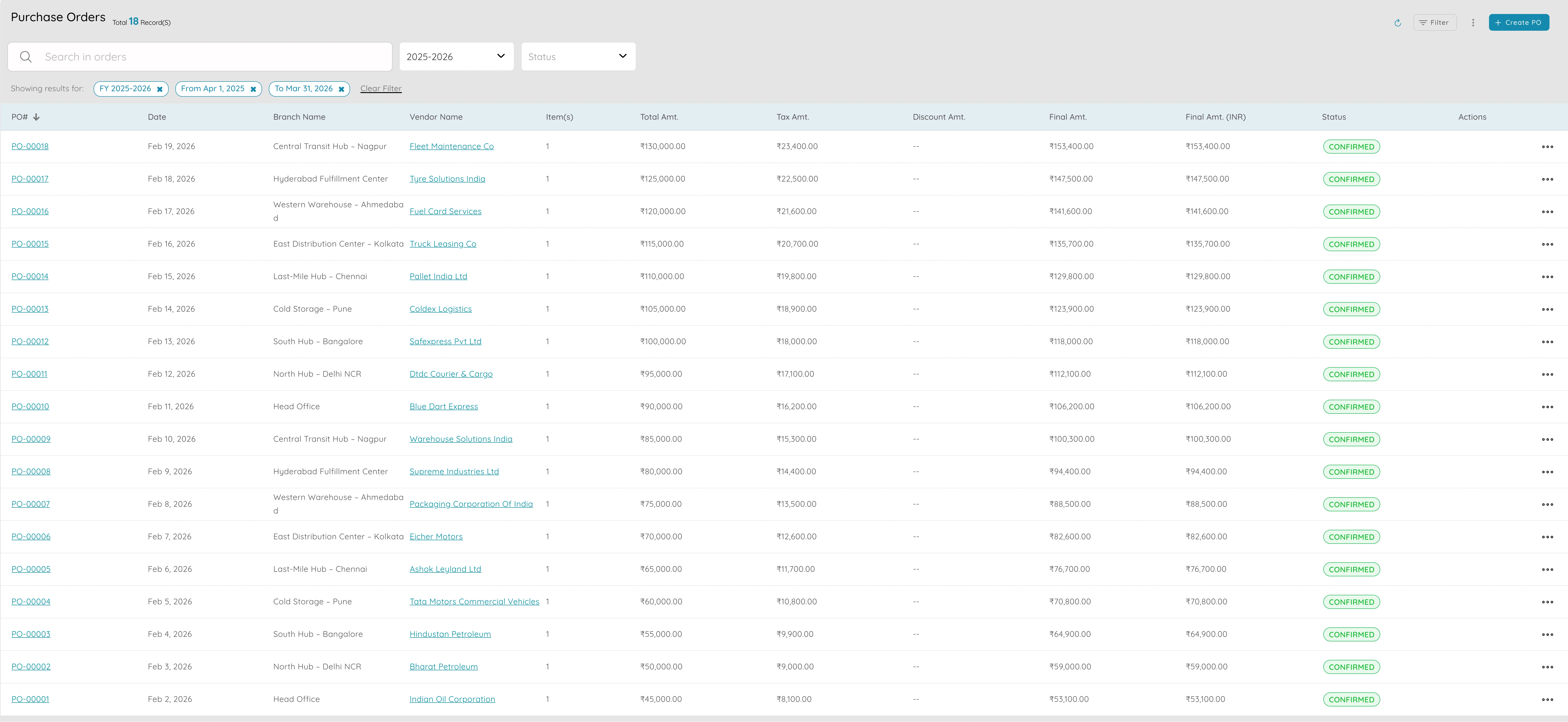
Purchase Orders & Approvals
Procurement control with approval flows at enterprise scale
- Approval flows by value, category, or entity — spend authorised before commitment
- Full expense and spend control with approval matrix by role, department, and amount
- PO settings centralised so every entity and buyer follows the same procurement process
- Track commitments, receipts, and payments in one record per PO across the group
- Segregation of duties: creators and approvers are different roles
- Scale procurement control uniformly when you add entities or regional buyers
Uncontrolled procurement is a top enterprise risk. PO approvals and settings give group finance visibility and control over commitments before they hit the ledger.
Contracts & Deal Governance
High-value and multi-party deals with renewal tracking and audit trails
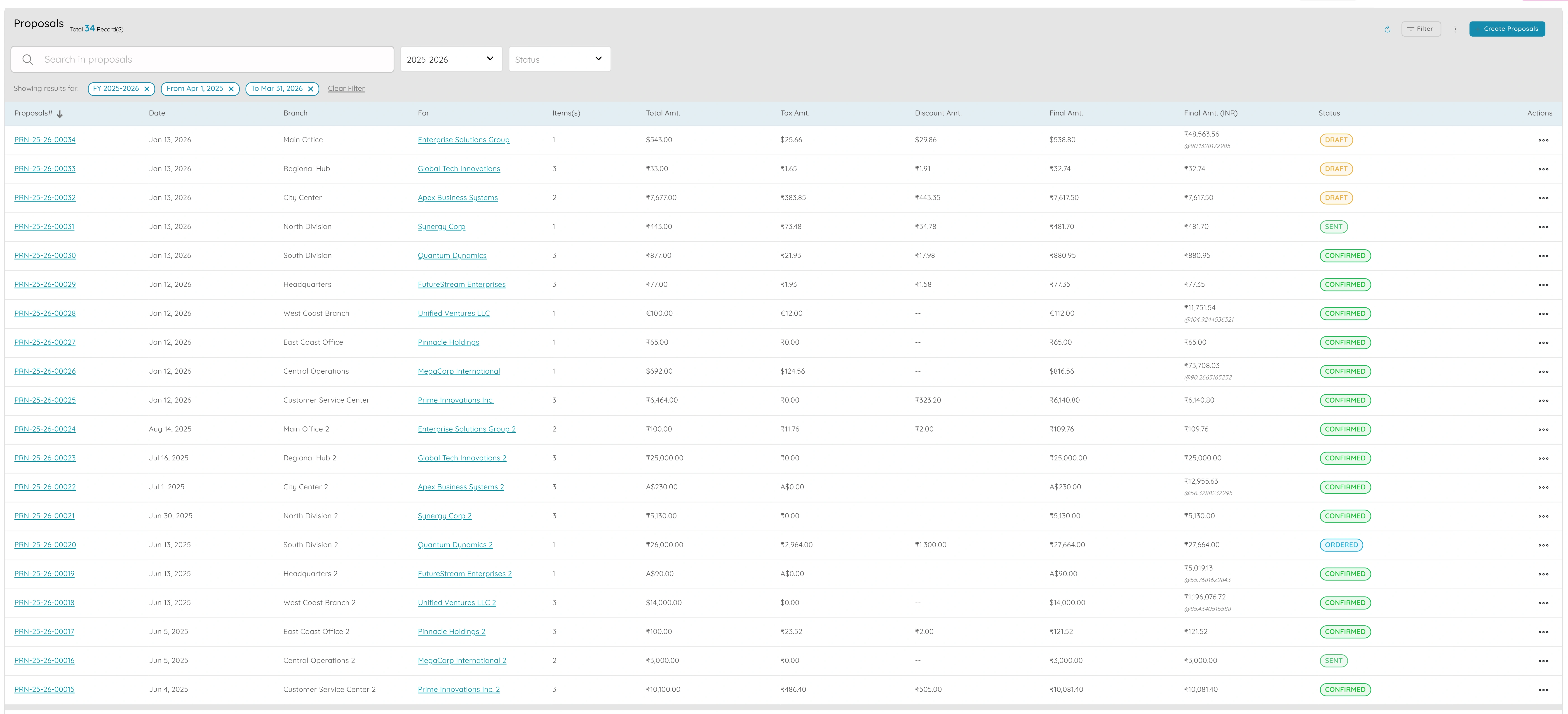
- One record per contract with key terms, dates, value, and linked proposals
- Convert won proposals to orders or invoices without re-typing — scope and price flow through
- Link invoices to contracts to track billed vs contract value and stay within agreed limits
- Renewal tracking and reminders for long-term and group contracts across entities
- Attach signed contracts and amendments for audit and dispute resolution
Enterprise deals span entities and years. Contract governance ensures commercial teams, legal, and finance work from one record — with renewals tracked and billing aligned to agreed terms.

Multi-entity control, enterprise governance, and financial intelligence.
Run your group on a unified platform with RBAC, Prism FP&A, full audit trails, API sandbox, and dedicated onboarding — built for compliance and scale.