Auto Email Feature - Automated Customer Communication
Send automated emails for order confirmations, shipping updates, and follow-ups. Enhance customer experience with intelligent email automation.
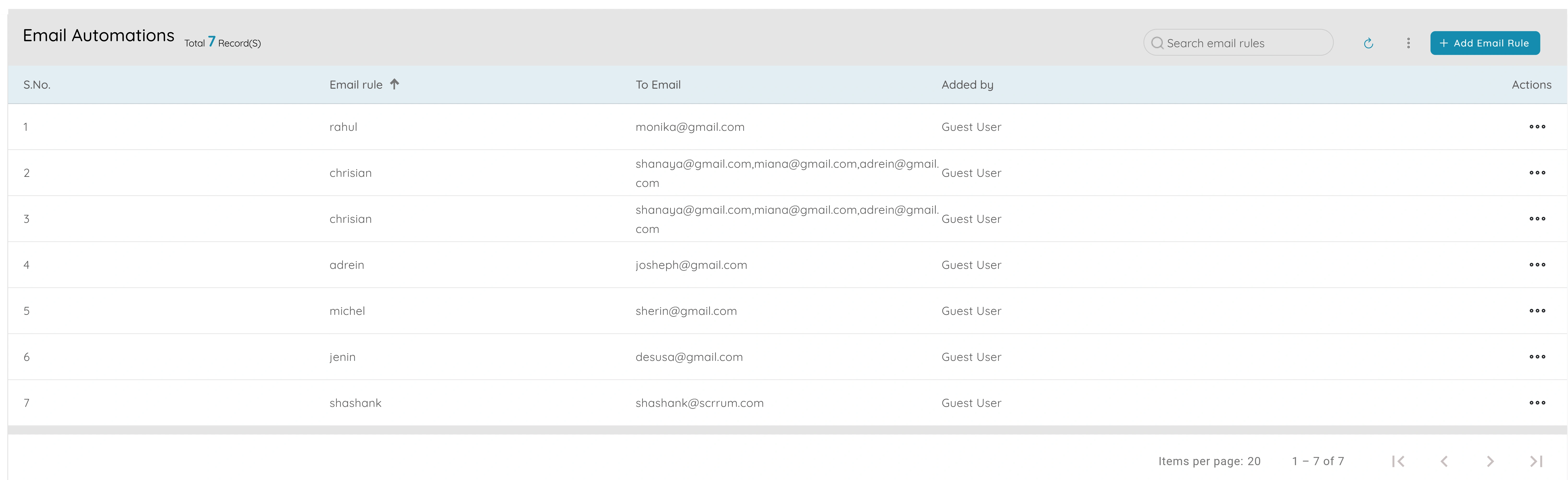
Auto Email Feature
Enhanced Customer Experience
Keep customers informed with automated order confirmations, shipping updates, and timely follow-ups. Build trust through consistent communication.
Time Savings
Eliminate manual email sending for routine communications. Automate order confirmations, shipping notifications, and follow-up emails.
Reduced Support Queries
Proactive email communication reduces customer inquiries. Customers stay informed about their orders and shipments automatically.
Professional Communication
Maintain consistent, professional communication with branded email templates. All automated emails use your business branding and messaging.
Order Tracking
Automatically send shipping updates and tracking information. Customers receive real-time updates about their order status and delivery.
Scalable Communication
Handle any volume of automated emails without additional effort. Perfect for growing businesses that need to scale customer communication.
Powerful Email Automation Features
Order Confirmations
Automatically send order confirmation emails when orders are placed or approved
Shipping Updates
Send automated shipping notifications with tracking information and delivery updates
Follow-up Emails
Automate follow-up emails for customer satisfaction, reviews, and repeat purchases
Customizable Templates
Use branded email templates with your business logo, colors, and messaging
Trigger-based Automation
Configure email triggers based on order status, shipping events, and customer actions
Email Tracking
Track email delivery, opens, and clicks to measure engagement and effectiveness
Simple Setup, Automatic Emails
Configure Email Automation
Set up email automation rules in organization settings. Configure triggers, templates, and email preferences for different scenarios.
Set Up Email Templates
Create and customize email templates for order confirmations, shipping updates, and follow-ups. Add your branding and personalize content.
Automatic Sending
Emails are automatically sent when triggers are activated - order placed, shipped, or delivered. Track all email activities in the system.
Flexible Email Automation Settings
Customize your email automation to match your business needs. Configure triggers, templates, and communication preferences.
Order Confirmation Emails
Automatically send confirmation emails when orders are placed or approved
Shipping Notifications
Send automated shipping updates with tracking information and delivery estimates
Follow-up Sequences
Configure automated follow-up emails for customer satisfaction, reviews, and retention
Email Templates & Branding
Customize email templates with your branding, logo, and business messaging
Ready to Automate Your Email Communication?
Start using auto email features to enhance customer experience and streamline communication. Get started with Upbooks today.