Auto Invoice Sent - Streamline Your Billing Process
Automatically send invoices to customers via email when they are generated or approved. Save time and ensure timely delivery with automated invoice delivery.
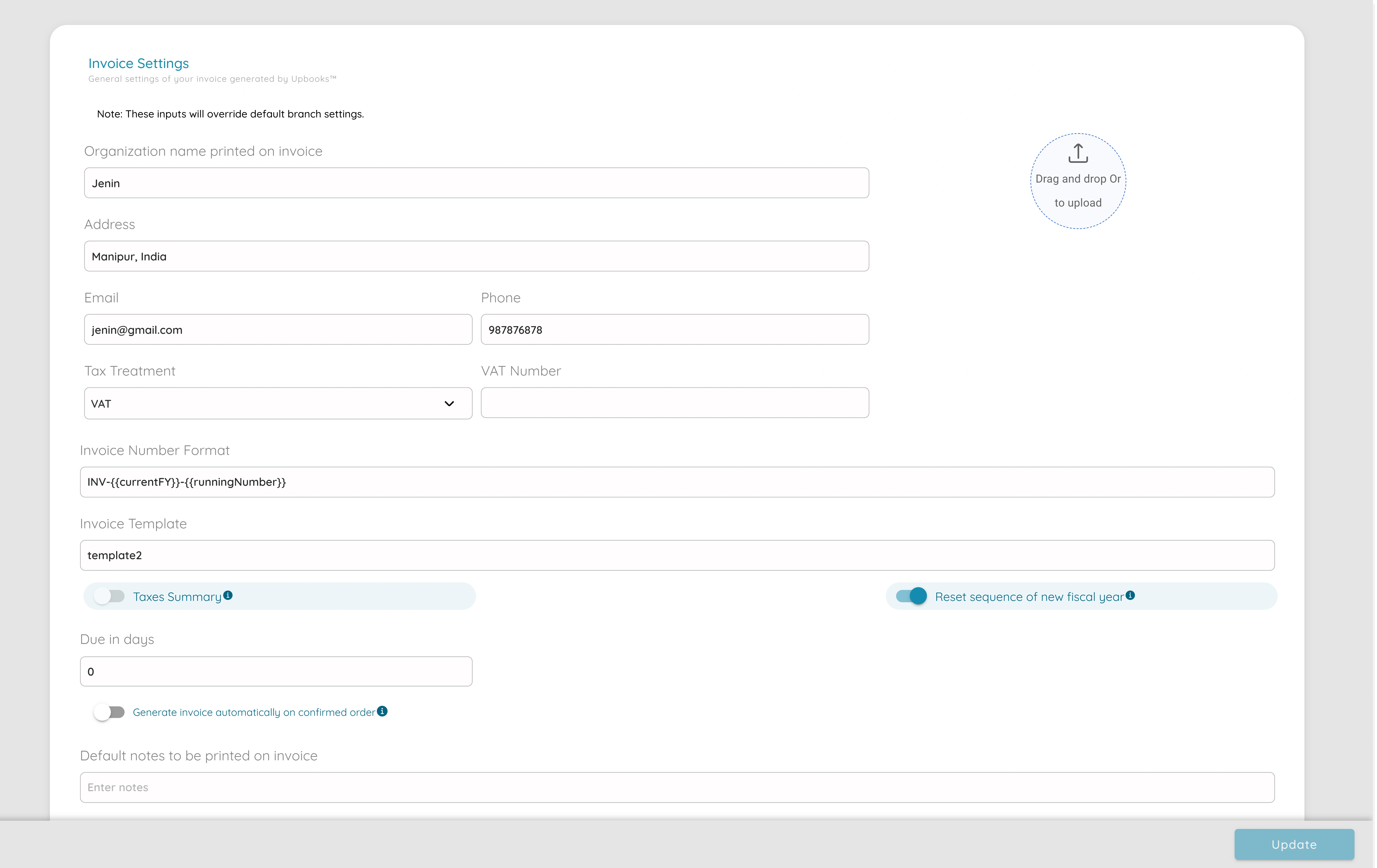
Auto Invoice Sent
Time Savings
Eliminate manual invoice sending. Automatically deliver invoices to customers as soon as they're created or approved, saving hours of administrative work.
Faster Payments
Customers receive invoices immediately, leading to quicker payments and improved cash flow for your business.
Reduced Errors
Automated delivery ensures invoices are sent to the correct email addresses every time, reducing human error and missed deliveries.
Professional Image
Consistent, timely invoice delivery enhances your professional reputation and builds trust with customers.
Better Tracking
Track when invoices are sent and delivered, giving you complete visibility into your billing process.
Scalability
Handle any volume of invoices without additional effort. Perfect for growing businesses that need to scale their billing operations.
Powerful Invoice Automation Features
Automatic Email Delivery
Invoices are automatically sent via email when generated or approved
Customizable Templates
Use professional invoice templates with your branding
Delivery Notifications
Get notified when invoices are sent and delivered
Conditional Sending
Configure when invoices should be sent automatically
Multi-recipient Support
Send invoices to multiple recipients automatically
PDF Attachments
Automatically attach PDF invoices to emails
Simple Setup, Automatic Results
Configure Settings
Enable auto invoice sent in your organization settings. Choose when invoices should be sent automatically - on creation or after approval.
Create or Approve Invoice
Create a new invoice or approve an existing one. The system automatically detects when an invoice is ready to be sent.
Automatic Delivery
The invoice is automatically sent to the customer's email address with a professional PDF attachment. You receive a delivery confirmation.
Flexible Invoice Settings
Customize your auto invoice sent settings to match your business workflow. Control when invoices are sent, who receives them, and how they're delivered.
Send on Creation
Automatically send invoices immediately when they are created
Send on Approval
Send invoices only after they have been reviewed and approved
Custom Email Templates
Personalize email messages with your branding and custom content
Per-Client Configuration
Enable or disable auto-send for specific clients as needed
Ready to Automate Your Invoice Delivery?
Start sending invoices automatically and save time while improving your cash flow. Get started with Upbooks today.