Auto Purchase Order - Smart Inventory Management
Automatically generate purchase orders when inventory falls below threshold levels. Never run out of stock with intelligent procurement automation.
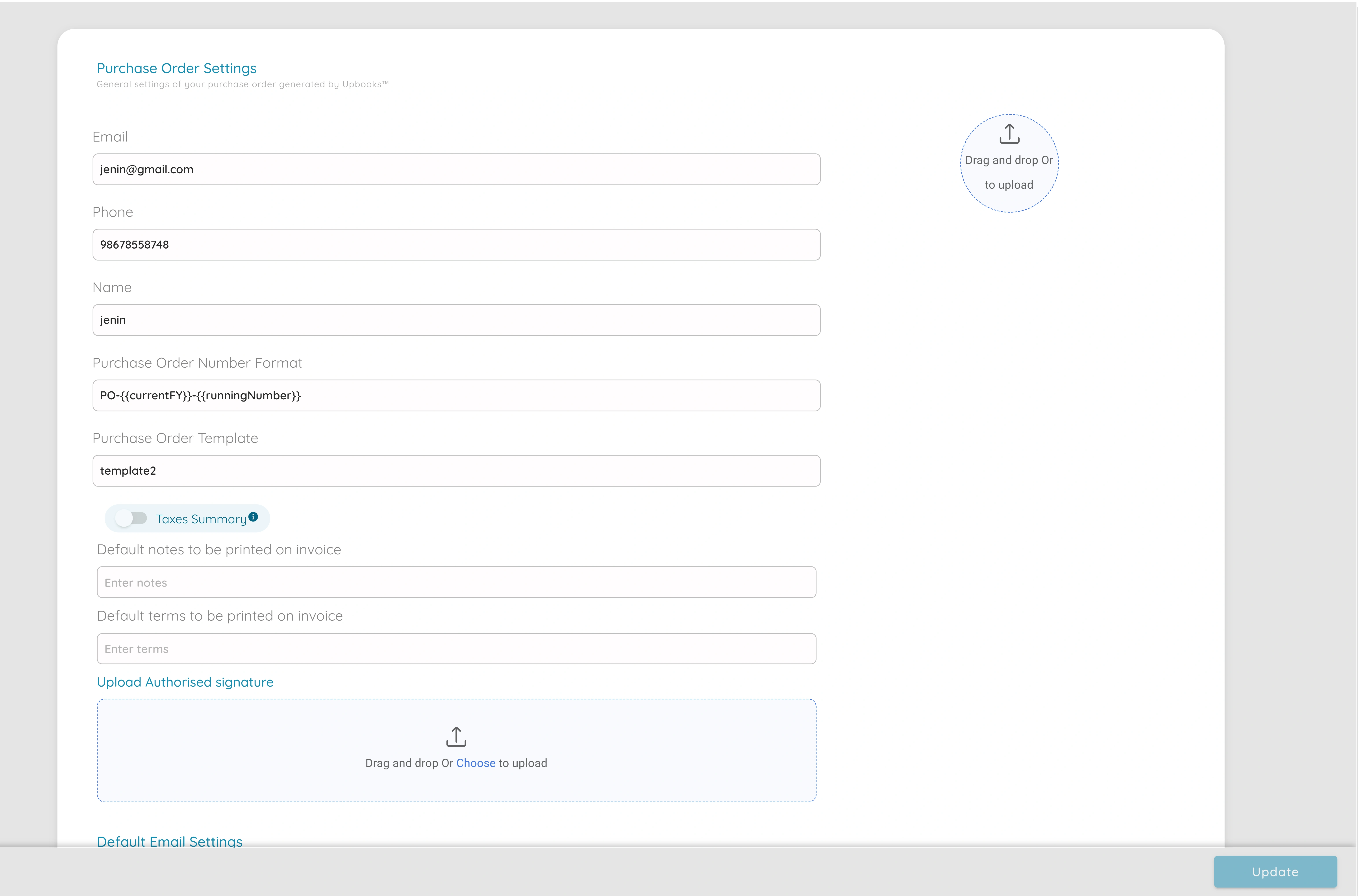
Auto Purchase Order
Prevent Stockouts
Automatically generate purchase orders when inventory reaches threshold levels, ensuring you never run out of critical stock.
Time Savings
Eliminate manual monitoring and purchase order creation. The system automatically generates POs when thresholds are reached.
Optimized Inventory
Maintain optimal inventory levels by setting custom thresholds. Reduce excess stock while ensuring availability.
Vendor Management
Automatically assign purchase orders to preferred vendors based on your configured settings and vendor preferences.
Cost Control
Better control over procurement costs by automating reorder points and maintaining optimal inventory levels.
Real-time Monitoring
Monitor inventory levels in real-time and receive alerts when thresholds are reached, ensuring proactive procurement.
Powerful Purchase Order Automation
Threshold Alerts
Set minimum and maximum inventory thresholds for automatic reordering
Automatic PO Generation
Purchase orders are automatically created when inventory falls below set levels
Vendor Assignment
Automatically assign purchase orders to preferred vendors based on settings
Customizable Settings
Configure purchase order settings, numbering, and default values per organization
Multi-location Support
Manage inventory thresholds and auto POs across multiple locations or branches
PO Tracking
Track all automatically generated purchase orders and their status
Simple Setup, Automatic Procurement
Configure Purchase Order Settings
Set up purchase order settings in organization settings. Configure PO numbering, default values, and automation preferences.
Set Inventory Thresholds
Define minimum and maximum inventory levels for each product. Set reorder points and preferred vendors for automatic assignment.
Automatic PO Generation
When inventory falls below threshold, purchase orders are automatically generated and assigned to vendors. You receive notifications.
Flexible Purchase Order Settings
Customize your purchase order settings to match your procurement workflow. Configure numbering, defaults, and automation rules.
PO Numbering
Configure purchase order numbering format and sequence in organization settings
Inventory Thresholds
Set minimum and maximum stock levels for automatic reorder point triggers
Default Vendors
Assign preferred vendors to products for automatic PO assignment
Automation Rules
Configure when and how purchase orders should be automatically generated
Ready to Automate Your Procurement?
Start using auto purchase orders to prevent stockouts and streamline inventory management. Get started with Upbooks today.