Time Alerts - Never Miss a Deadline
Set up smart alerts for deadlines, payment due dates, and important milestones. Automate reminders and stay on top of critical business events.
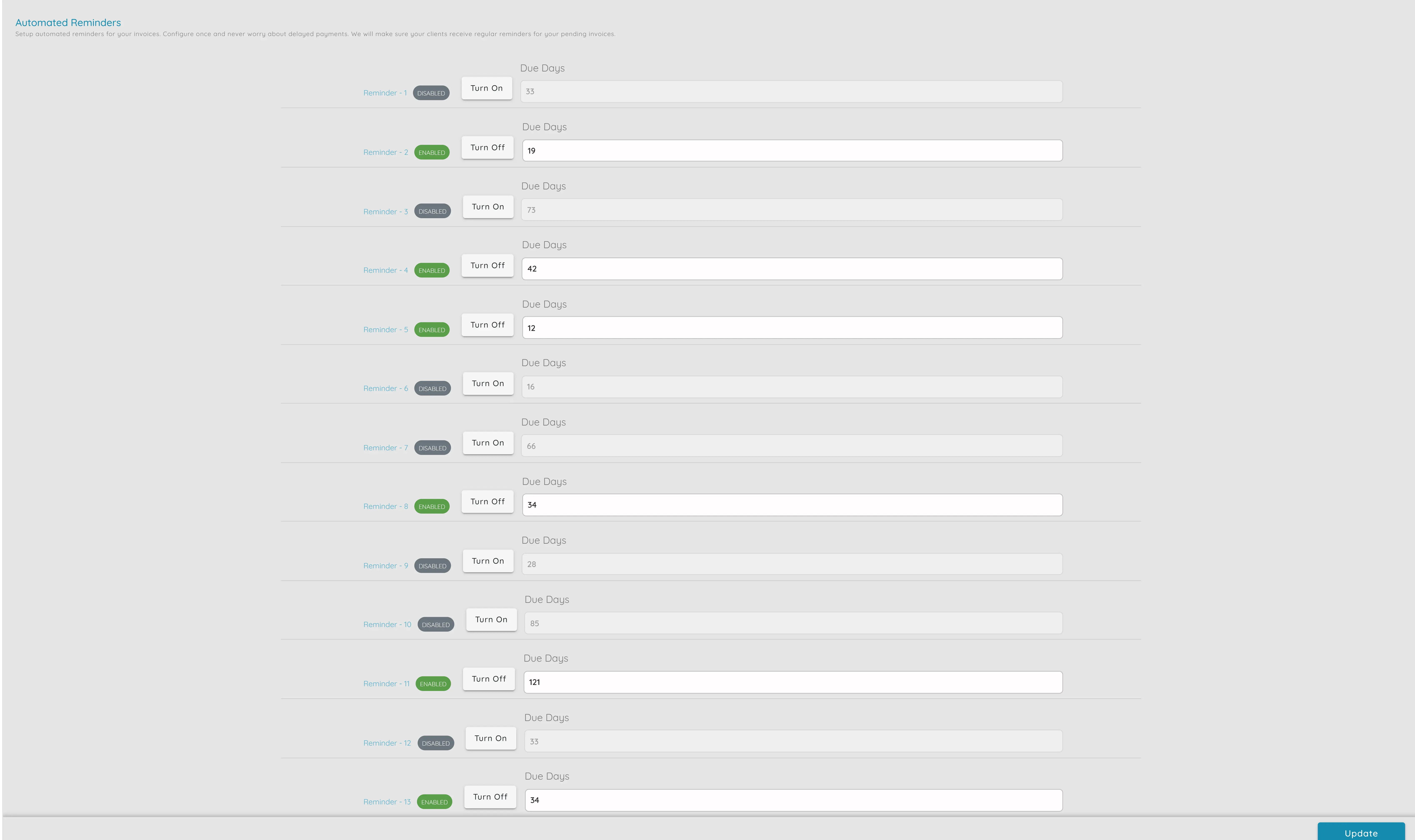
Time Alerts & Automated Reminders
Faster Collections
Automated payment reminders help you get paid faster without manual chasing. Set up series of reminders for overdue invoices to speed up collections.
Reduced Missed Deadlines
Never miss important deadlines, contract renewals, or payment due dates. Get alerts before critical dates so you can take action on time.
Professional Communication
Automated reminders use your branding and maintain professional communication. Turn "we should chase this" into "the customer has already been reminded."
Time Savings
Eliminate manual follow-ups and reduce time spent on "have you paid?" calls and emails. Let automated reminders handle routine follow-ups.
Better Cash Flow
Improve cash flow by ensuring timely payment collections. Automated reminders help reduce late payments and maintain healthy financial operations.
Contract Renewal Management
Get alerted before contracts expire so you can plan renewals, renegotiations, or handovers and avoid missed opportunities.
Powerful Alert & Reminder Features
Payment Reminders
Automatically send reminders for overdue invoices at 7, 14, and 30 days
Deadline Alerts
Set up alerts for important deadlines, milestones, and due dates
Contract Renewals
Get notified before contracts expire for timely renewals
Customizable Rules
Configure reminder schedules and rules per client or invoice type
Branded Emails
Reminders use your branding and can include payment links
Activity Tracking
See when reminders were last sent and track all alert activities
Simple Setup, Automatic Alerts
Configure Reminder Rules
Set up automated reminder rules in organization settings. Configure when reminders should be sent - for example, 7 days, 14 days, or 30 days after invoice due date.
Set Up Time Alerts
Create alerts for deadlines, payment due dates, contract renewals, and important milestones. Set custom schedules and notification preferences.
Automatic Notifications
The system automatically sends reminders and alerts at the configured times. Track all activities and see when reminders were sent in the system.
Flexible Reminder Settings
Customize your automated reminders and time alerts to match your business needs. Configure when reminders are sent, who receives them, and how they're delivered.
Series of Reminders
Schedule multiple reminders - first at 7 days overdue, second at 14 days, third at 30 days
Per-Client Configuration
Turn reminders on or off per client or per invoice type as needed
Contract Renewal Alerts
Get notified before contracts expire so you can plan renewals and renegotiations
Activity Tracking
See in the system when reminders were last sent so you know what has been done
Ready to Automate Your Reminders?
Start using time alerts and automated reminders to never miss a deadline and get paid faster. Get started with Upbooks today.