Orders in, stock moved, shipments out — fully connected
Manage orders and fulfilment, track inventory across depots and hubs, record inwards and shipments, process purchase orders and vendor bills, reconcile payments, and report on performance — one system for your entire distribution network.
Orders
Warehouses
Stock
Shipments
Transfers
Control Tower
Orders → Stock → Ship
Logistics stack
Eight capabilities. One distribution network.
Orders, warehouses, shipments, inventory, procurement, invoicing, banking, and reports — with live product visuals and animated workflows.
Orders & Fulfilment
From placement to delivery — one record, no gaps
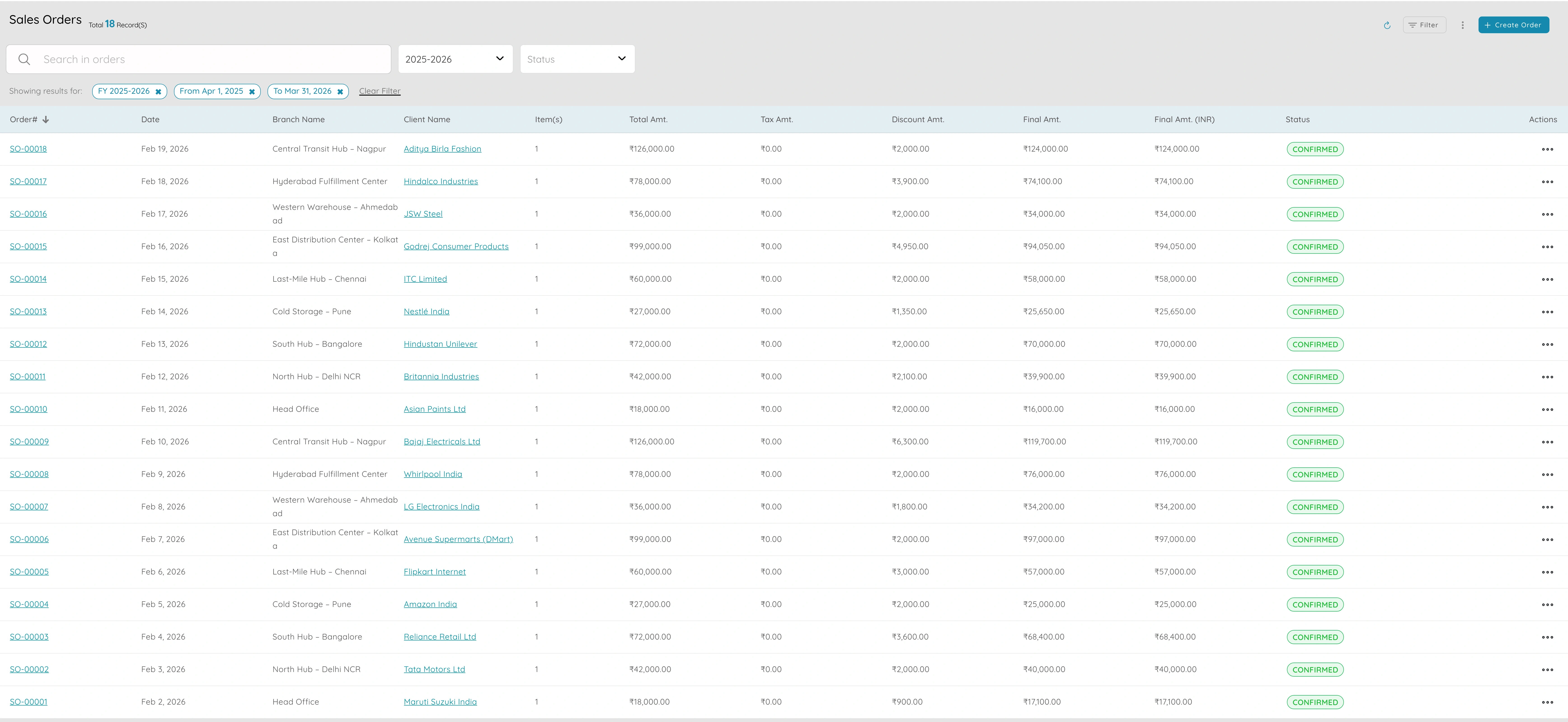
- Sales orders with line items, quantities, and pricing — track from placement to delivery
- Order status tracking: Confirmed → In Progress → Shipped → Fulfilled
- Link orders to invoices and payments — see what's billed and what's outstanding per order
- Create invoices from orders so items and amounts flow through without re-entry
- Orders feed reports: what was sold, what's in the pipeline, what's delivered and paid
Orders are the central hub of distribution. One record from placement to fulfilment to payment means no gaps between sales, warehouse, and finance.
Warehouses & Multi-Location Management
Know what's where across every warehouse and hub
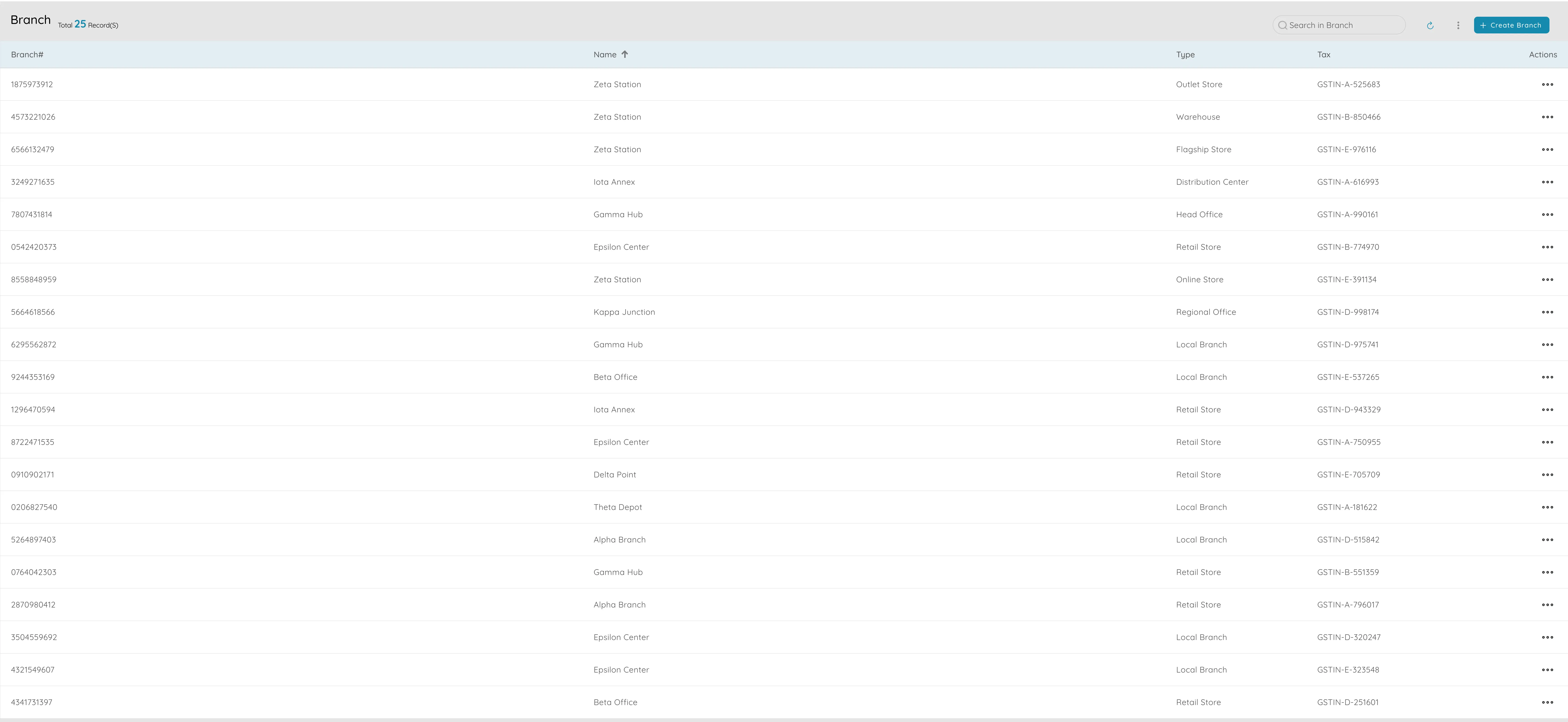
- Set up depots, hubs, and branches as locations — each with name, address, type, and status
- See stock levels per location: what's available, incoming, outgoing, and on threshold
- Receive inbound stock or fulfil orders by selecting the right location — warehouse updates automatically
- Transfer stock between locations (hub to depot, inter-branch) with full transfer records
- Reports filtered by location for stock, sales, and performance per warehouse
Distribution networks run on knowing what's where. Multi-location visibility eliminates guesswork and prevents overstocking at one depot while another runs dry.
Inwards, Shipments & Item Receipts
Close the gap between dispatched and received
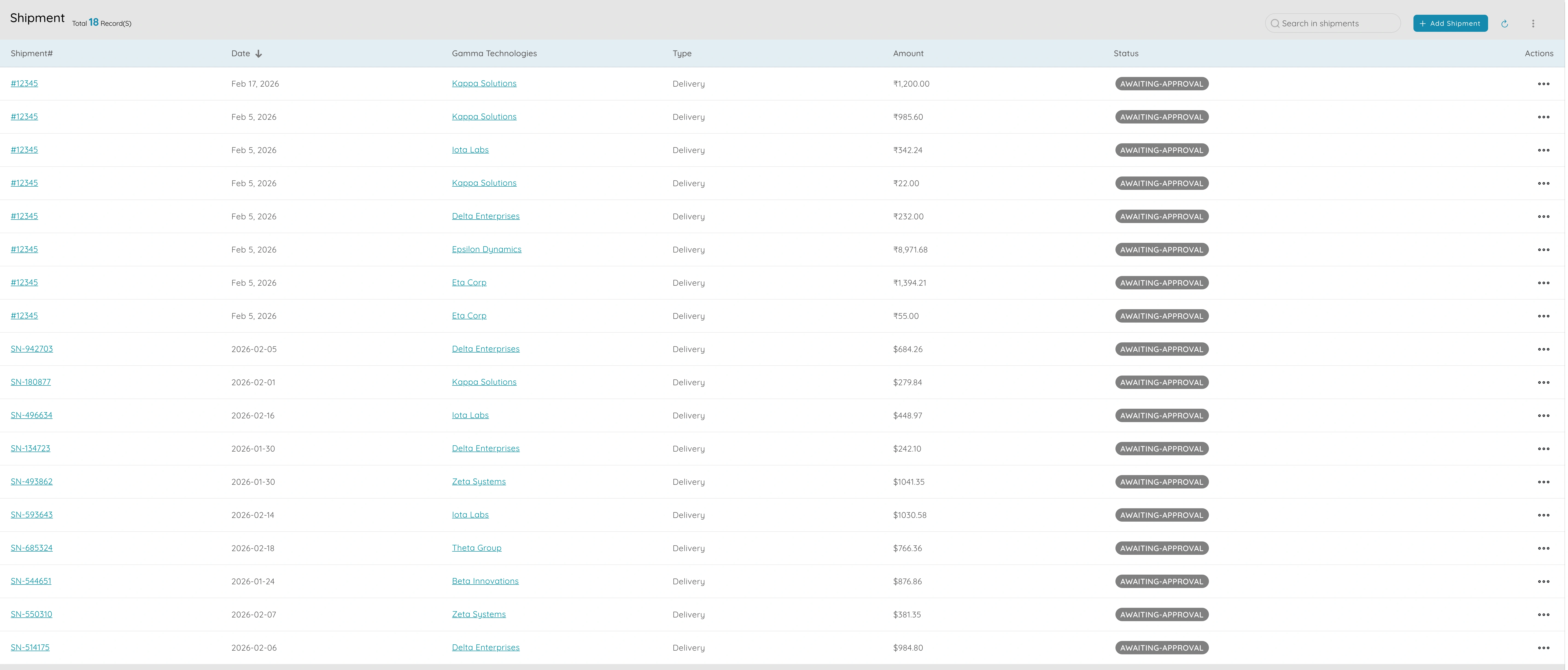
- Record inward shipments when goods arrive from vendors — match against purchase orders
- Item receipts confirm received quantities, flag shortages, and update stock in real time
- Outward shipment records with order reference, items shipped, carrier, and tracking details
- Link shipments to orders so you see which orders are fulfilled and which are open
- Delivery tracking: what left which location, when, and for which order — full audit trail
The gap between "dispatched" and "received" is where distribution loses money and trust. Tracked inwards and shipments close that gap on both sides.
Inventory — Stock, Transfers & Adjustments
Accurate counts that drive fulfilment and reorder timing
- Centralized dashboard: Available, Stock on Hand, Incoming, Outgoing, Threshold, and Status per item
- Stock transfers between warehouses and branches — recorded, reconciled, and auditable
- Stock adjustments for damages, expiry, audits, or corrections with proper references
- Inventory ledger per item: opening, purchases, issues, transfers, and closing balance
- Threshold alerts prevent stockouts before they happen
Why it matters
Inventory accuracy drives everything in distribution — fulfilment speed, reorder timing, and financial reporting. Tracked transfers and adjustments keep counts trustworthy.
Inventory pulse map
liveAVL
SOH
IN
OUT
THR
Transfers today
19
Low stock alerts
7
Sync lag
< 2m
Purchase Orders & Vendor Management
Structured procurement from PO to payment
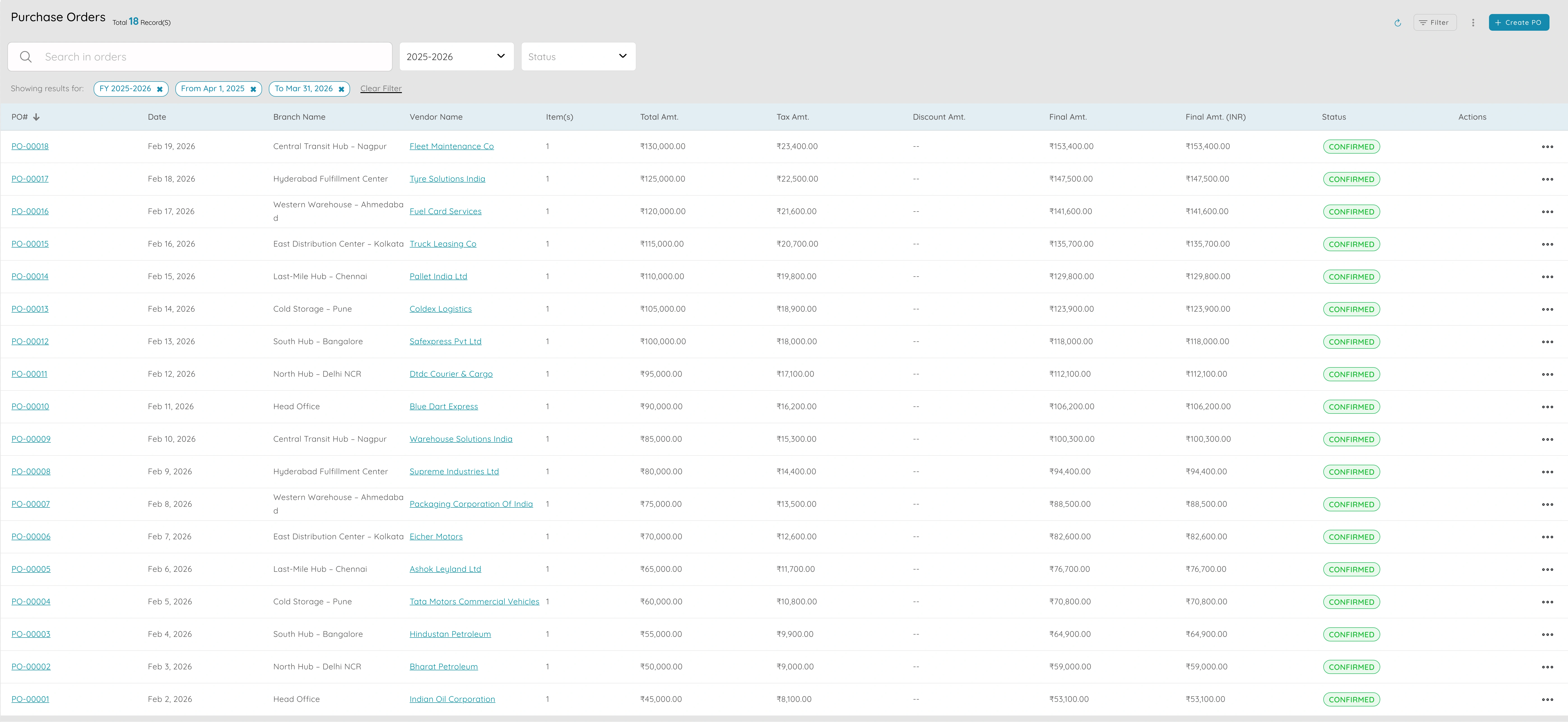
- POs for goods, supplies, and services with vendor, items, quantities, and delivery dates
- Track PO status: Draft → Sent → Partially Received → Fully Received → Billed
- Vendor profiles with tax, payment terms, and purchase history
- Vendor bills with three-way matching: PO → Receipt → Bill
- Debit notes for returns or short shipments
- Payment debits record every outgoing vendor payment
Uncontrolled procurement means duplicate orders and vendor disputes. A connected PO → Receipt → Bill flow keeps costs disciplined.
Invoicing & Payments
Clear billing and collections on credit terms
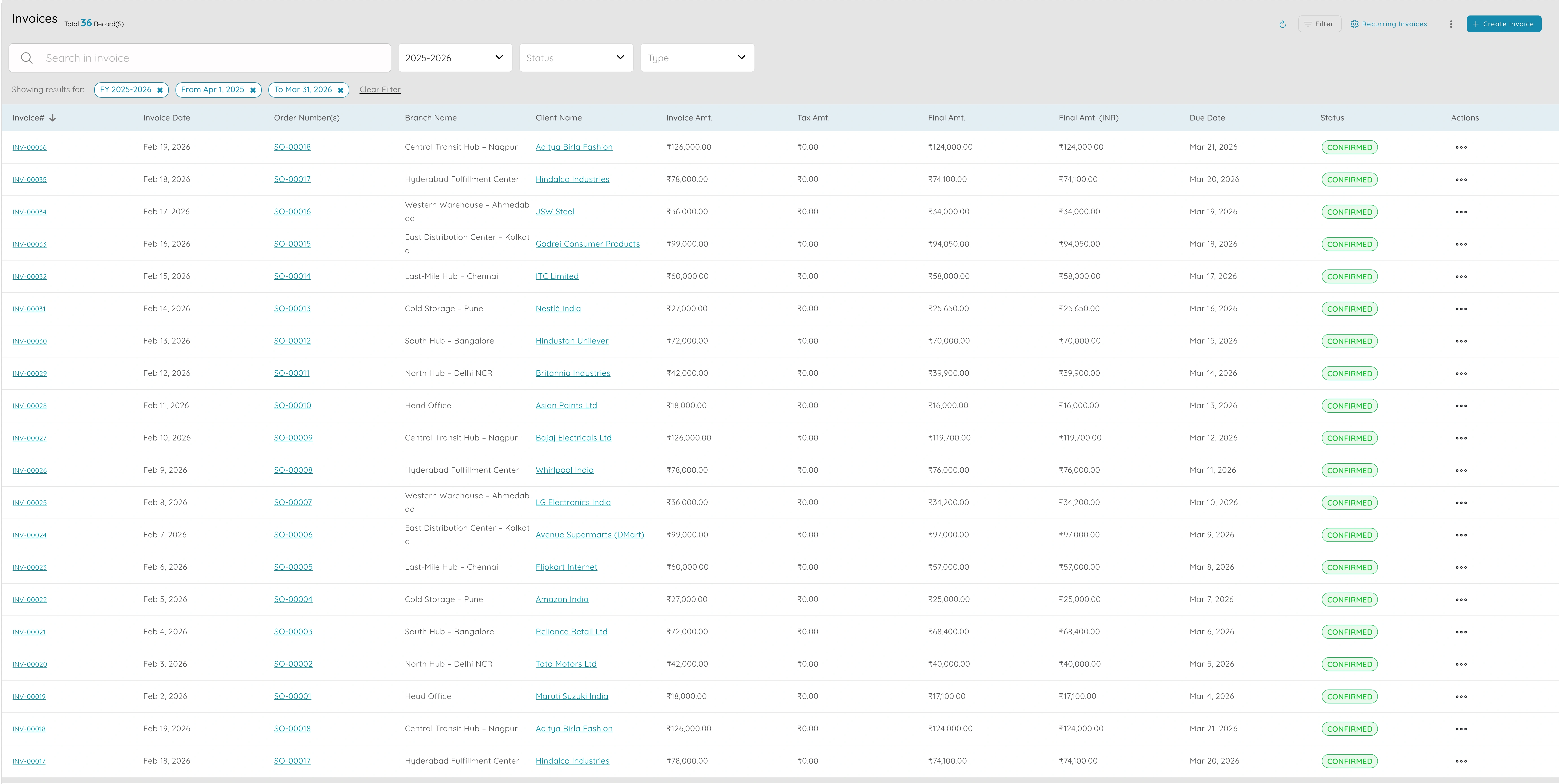
- Professional invoices with tax, payment terms, and bank details
- Record payments by method (card, transfer, cash) and link to invoices
- Client ledger with ageing (30/60/90 days) for credit sales and collections
- Split payments across invoices or apply multiple payments to one invoice
- Automated email reminders for overdue invoices
Distribution often runs on credit terms. Clear invoicing, payment tracking, and automated reminders keep cash flowing and collections on track.
Bank & Account Transfers
Every movement between accounts — tracked and reconciled
- All company bank accounts in one view — name, number, currency, balance
- Tag payments and receipts to the right bank account
- Record inter-account and inter-branch transfers with both sides updating
- Bank reconciliation: match feeds to vouchers line by line
- Clear audit trail for every movement
Why it matters
Distribution companies move money between accounts constantly — collections, vendor payments, inter-branch transfers. Tracked transfers and reconciliation keep the books clean.
Bank & transfers stream
liveReports & Tax Compliance
Live data for route planning, reorder points, and filing
.webp)
- Sales by product, category, client, and period for route and network planning
- Stock reports filtered by location for inventory optimisation
- P&L, balance sheet, and trial balance from live ledger data
- GST/VAT compliant invoicing and tax reports for filing
- Export reports for leadership reviews and compliance
Distribution decisions — routes, reorder points, pricing — need data. Live reports from the same system that runs operations mean decisions are grounded in fact, not guesswork.
Run your distribution network on one platform
- Orders from placement to fulfilment to payment
- Multi-location warehouses and stock transfers
- Inwards, shipments, and item receipts
- Purchase orders with three-way matching
- Invoicing, collections, and bank reconciliation
- Live reports and GST/VAT compliance