Sell in-store and online — from one connected stack
QuikBilling POS for fast counter billing, one-click ecommerce, multi-branch inventory, customer wallets, memberships, and GST-compliant invoicing — every sale synced to your books.
 Retail · In-store POS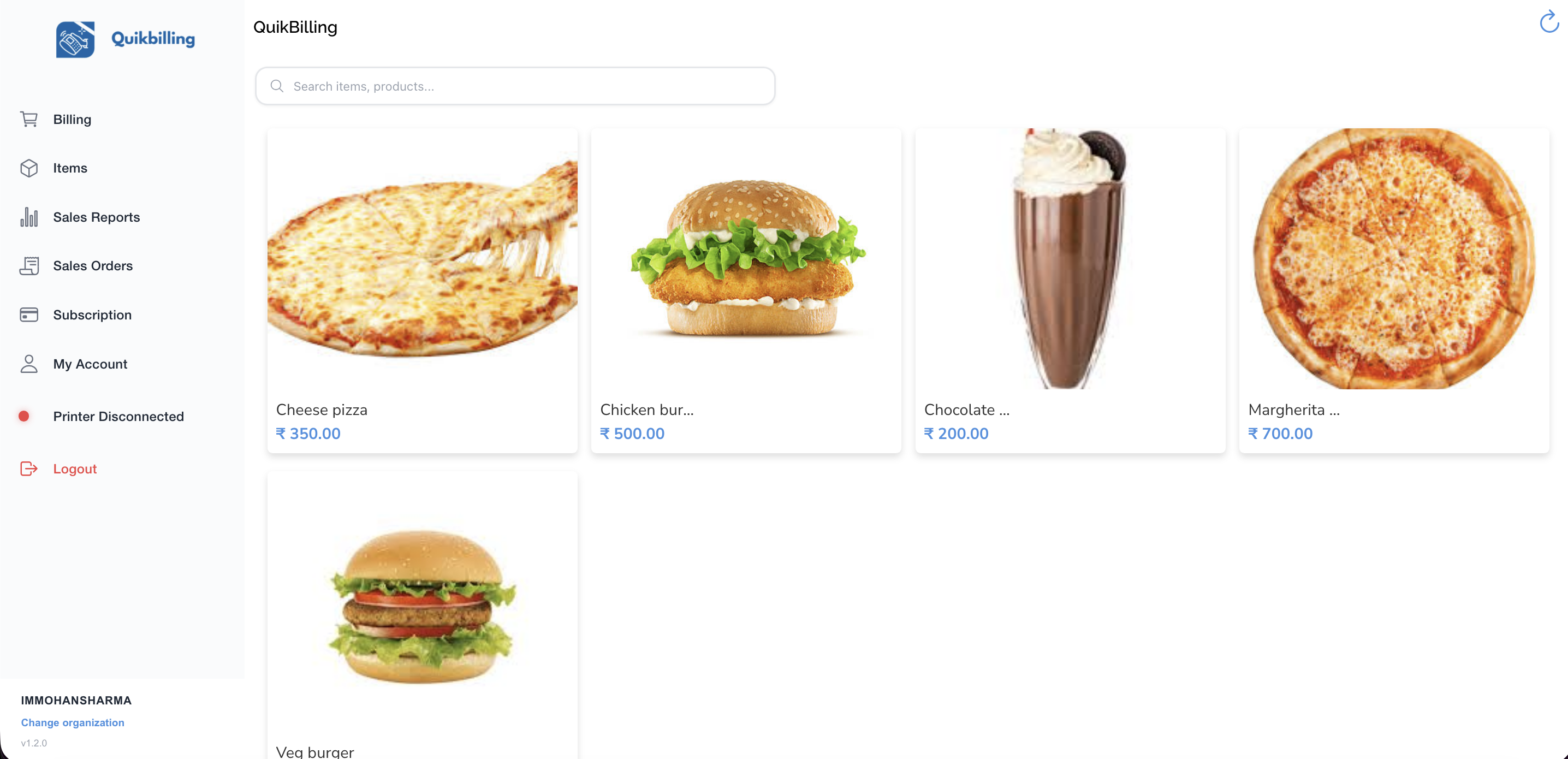
Counter today
₹2.8L synced
The retail stack
Seven capabilities. One connected store.
QuikBilling POS
Fast In-Store Billing
See screens 02
Launch Ecommerce
One-Click Online Store
See screens 03Multi-Branch Inventory
Stock Across Every Location
See screens 04Catalogue Management
One Product List for Every Channel
See screens 05Wallets, Memberships & Loyalty
Turn Buyers into Advocates
See screens 06Customer Portal
Self-Service Your Customers Expect
See screens 07Invoicing, Tax & Reports
Month-End Close in Hours
See screensOmnichannel sync
Counter and online — same catalogue, same stock
Every in-store sale and online order updates inventory and books instantly — no duplicate entry between channels.
QuikBilling POS
Tap → Pay → Print → Sync
Fast counter billing with UPI, cards, and wireless receipts — every sale flows to inventory and your ledger.
QuikBilling · CounterReceipt printed ✓
Online Store
Order → Stock → Invoice
Branded storefront synced with your catalogue — online orders fulfil through the same pipeline as in-store sales.
Order placed
Online checkout
Synced
Inventory updated
Fulfilled
Invoice created
01 · Fast In-Store Billing
QuikBilling POS
- Lightning-fast POS: UPI, cards, cash, and split payments at the counter
- Wireless Bluetooth receipt printing — no cables, no slowdowns
- GST-compliant invoices generated at checkout automatically
- Every sale syncs to catalogue, inventory, and client ledger in real time
- Works on web, Android, and iOS — one subscription, all devices
- Multi-outlet support: manage products and pricing across all your stores
Retail moves fast. QuikBilling closes the gap between counter sales and back-office finance — so billing, stock, and books stay in sync without manual entry.
View product page02 · One-Click Online Store
Launch Ecommerce
- Launch a branded online store synced with your catalogue in minutes
- Orders flow straight into proposals, orders, and invoices — no double entry
- Integrated payments via Razorpay and other gateways
- Inventory and pricing stay in sync across POS and ecommerce
- Customise storefront look and feel without a developer
- Scale from first online sale to high-volume ecommerce on the same platform
Go from idea to live storefront fast — with every online sale connected to the same fulfilment, billing, and inventory as your physical stores.
View product page
03 · Stock Across Every Location
Multi-Branch Inventory
- Centralized dashboard shows stock across all branches and warehouses
- Track Available, Stock on Hand, Incoming, Outgoing, and Threshold per item
- Set minimum thresholds — get alerts before stock runs out at any location
- Transfer stock between branches without re-ordering from vendors
- Stock adjustments for damages, audits, and corrections — fully auditable
- Inventory ledger per item: opening, purchases, issues, transfers, closing
Retail with multiple locations can't afford blind spots. See what's where, move excess stock, and reorder before shelves run empty.
View product pageAndheri
2,840
units on hand
Saket
1,920
units on hand
Indiranagar
3,105
units on hand
04 · One Product List for Every Channel
Catalogue Management
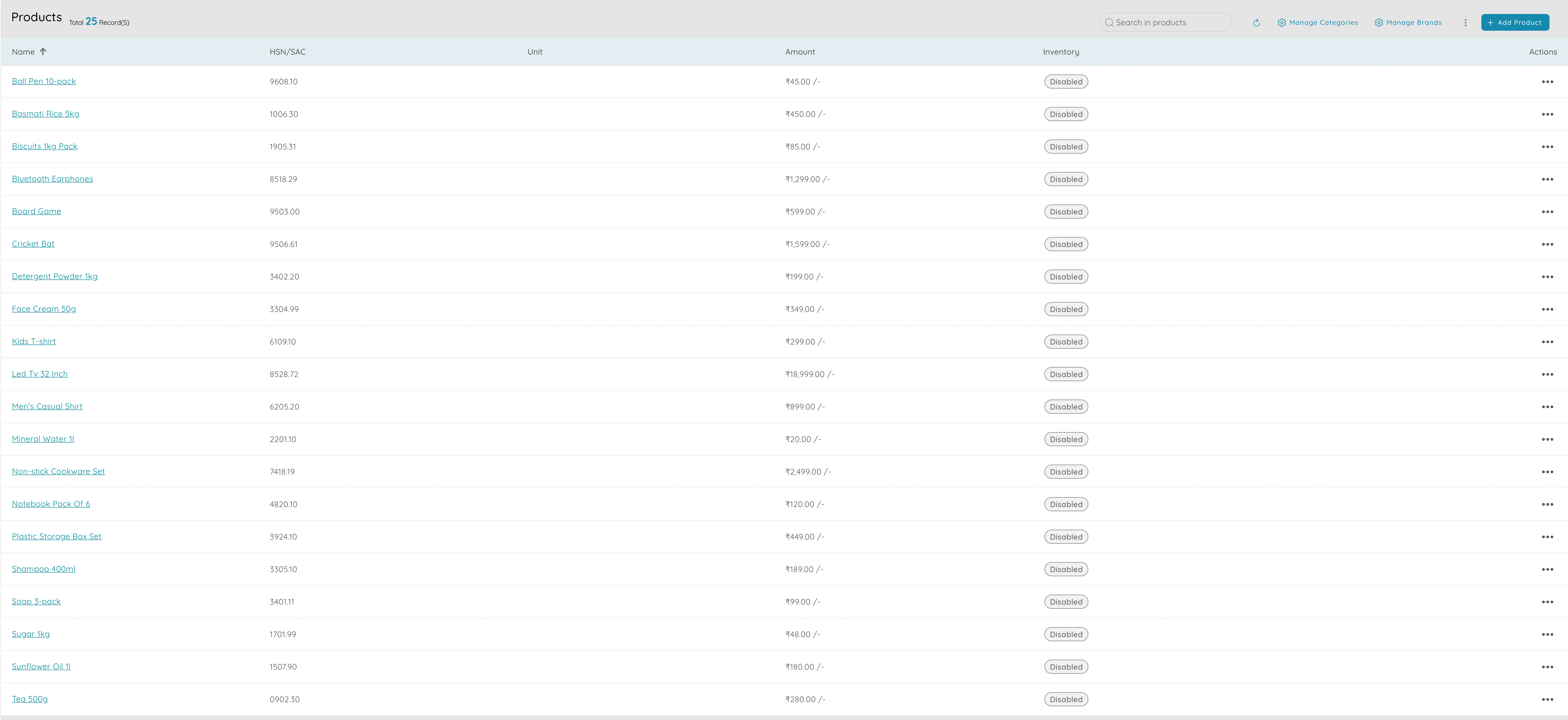
- Single product catalogue used by POS, ecommerce, invoices, and reports
- Organise by categories for range reviews and reporting (Apparel, Electronics, etc.)
- Set prices, tax rules, units, and descriptions once — consistent everywhere
- Create bundles that combine multiple SKUs at a fixed or dynamic price
- Pull catalogue items into proposals, orders, invoices, and POS with one tap
Why it matters
One catalogue = one source of truth. No pricing mismatches between counter and online, no "Service A – revised" on random invoices.
05 · Turn Buyers into Advocates
Wallets, Memberships & Loyalty
Store wallet balance
₹1,850
+ 340 loyalty points
Bronze
120 pts
Silver
480 pts
Gold
1,200 pts
- Customer wallets hold prepaid balance or store credit — redeemable at checkout
- Award loyalty points on purchases: in-store, online, or via portal
- Membership tiers (Bronze, Silver, Gold) with perks: discounts, priority, free delivery
- Auto-upgrade members based on spend or tenure
- Wallet and points balances sync with the client ledger — every credit tracked
Why it matters
Repeat customers are retail's best asset. Wallets and memberships drive loyalty without the friction of third-party reward programs.
06 · Self-Service Your Customers Expect
Customer Portal
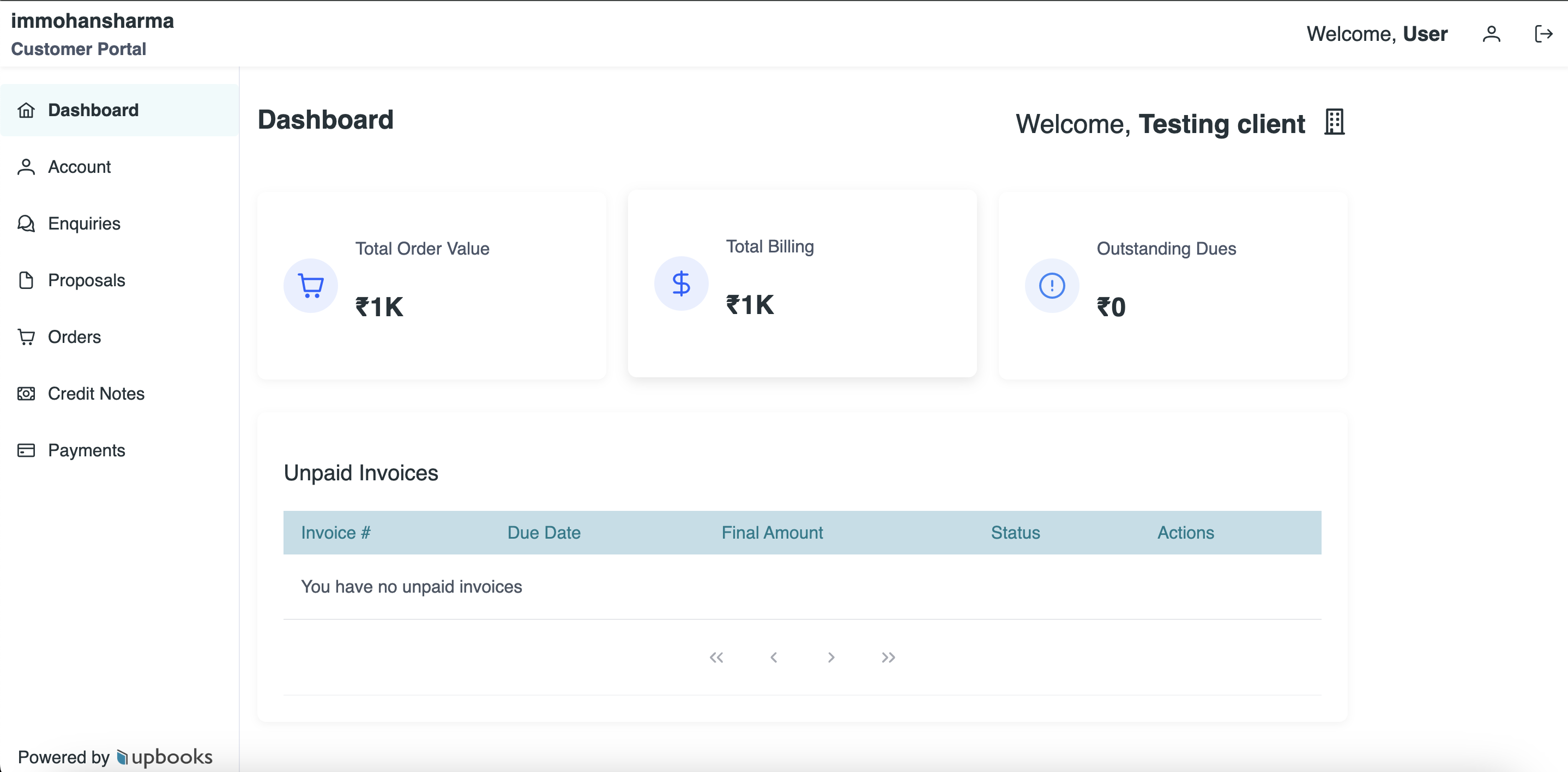
- Customers log in to view orders, invoices, and delivery status
- One-click online payments for outstanding invoices
- Account balance, payment history, and credit notes in one dashboard
- Mobile-friendly and synced in real time with your ERP
Self-service reduces support calls and gives customers the transparency they expect from modern retail.
07 · Month-End Close in Hours
Invoicing, Tax & Reports
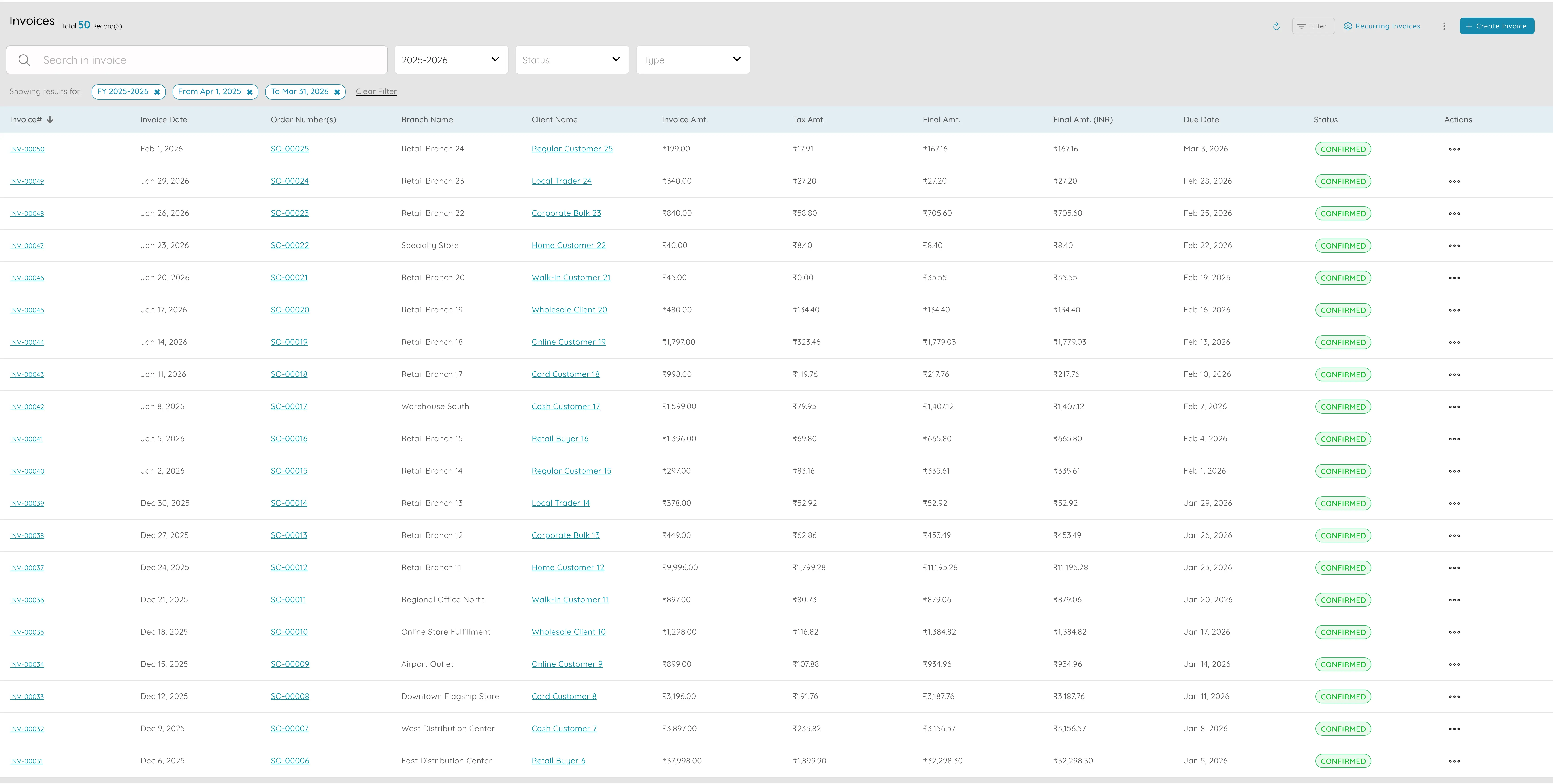
- GST/VAT-compliant invoicing with correct tax calculated automatically
- Sales by product, category, month — see bestsellers, trends, and slow movers
- Client ledger with ageing (30, 60, 90 days) for credit sales and collections
- P&L and balance sheet from live data — no manual exports
- Bank reconciliation: match till takings to bank feeds line by line
Why it matters
Retail generates high transaction volume. Automated tax, live reports, and bank reconciliation mean month-end close is hours, not days.
Sell more, stock smarter, close books faster
Run counter sales, online orders, and back-office finance on one platform — with GST compliance built in.