HR solutions built for modern people teams
Org charts, onboarding, payroll, leave, assets, Employee Connect, TalentFlow recruitment, and UpLog timesheets — one connected stack for HR.
People ops hub
Headcount
48
Open roles
6
On leave
3
Assets tracked
112
People ops stack
Everything HR teams need — in one connected platform
Org charts, onboarding, payroll, assets, recruitment, and timesheets — with live app screenshots where it matters.
Org charts that stay live
Beautiful reporting trees connected to your employee directory — not a static diagram you redraw every quarter.
Chief Executive
Alex Rivera · CEO
72 people · 4 divisions
People & HR
M. Chen
12
Engineering
J. Patel
28
Revenue
S. Okonkwo
18
Operations
L. Kim
14
Onboarding & exit — without the email chase
Parallel workflows route tasks to HR, IT, and managers. Every step tracked on one timeline.
Joining
Onboarding pipeline
Offer accepted
Trigger checklist
Documents & KYC
Auto-collect forms
IT & assets
Laptop, access, ID
Payroll setup
Salary components
Day one
Policies & intro
Leaving
Exit pipeline
Notice period
Manager notified
Knowledge transfer
Handover tasks
Asset return
Laptop & badge
Access revoked
Same-day lockout
Final settlement
Pay & docs
Structured onboarding and exit flows mean every joiner gets a consistent experience and every leaver is processed completely — without chasing emails across departments.
 Employee Connect
Self-service in your people's pocket
Leave, payslips, claims, and profile — without flooding HR's inbox.
Employee ConnectAnnual leave
Apply for time off
From
Mon, 30 Jun
To
Fri, 4 Jul
Leave approved by Alex Rivera
2m ago
June payslip is now available
1h ago
Leave management
Apply, track approvals, and view balances — any device, any time.
Payslip access
Monthly payslips with salary breakdown, filtered by month and year.
Expense claims
Submit with receipts, track reimbursement status in real time.
Profile management
Personal details, documents, and emergency contacts self-served.
Push notifications
Approvals, pay runs, and policy updates delivered instantly.
Download the app

Payroll & salary structure
Define once, run every month. Components flow into pay runs automatically — no manual formulas.
Step 1
Define salary structure
Step 2
Confirm pay run
Calculating...
4 employees · Jun 2025
Total outflow
₹3,23,000
Step 3
Pay slips generated
Priya S.
Designer
Alex M.
Engineer
Jordan P.
HR Lead
Sam T.
Sales
All pay slips dispatched via Employee Connect
Payroll in one place means consistent pay cycles, fewer manual errors, and a clear audit trail. Salary components turn pay policy into a reusable structure that scales as headcount grows.
Employees & directory
One master record for every person — linked to payroll, leave, assets, and the org chart.
Priya S.
Product Designer
Dept
Product
Since
2022
Alex M.
Sr. Engineer
Dept
Engineering
Since
2021
Jordan P.
HR Manager
Dept
People
Since
2020
Sam T.
Sales Rep
Dept
Revenue
Since
2023
Morgan L.
Data Analyst
Dept
Product
Since
2022
Riley K.
DevOps Eng.
Dept
Engineering
Since
2023
A single directory means HR never maintains duplicate lists — every module works from the same source of truth.
Leave & policies
Balance tracking, approval chains, and carry-forward rules — all policy-driven.
Annual Leave
12 days remaining
Sick Leave
7 days remaining
Casual Leave
3 days remaining
Policy features
Team leave map — 2025
Jan
Feb
Mar
Apr
May
Jun
Jul
Aug
Sep
Oct
Nov
Dec
Approval flow
Employee submits
Manager reviews
HR approves
Balance updated
Expense & spend policies
Employees claim, policies auto-check, approvers decide — all in one traceable flow.
Recent claims
Jun 2025Priya S.
Mumbai travel
Alex M.
Team offsite
Sam T.
Client dinner
Jordan P.
Laptop bag
Travel ≤ ₹10,000
Manager
Meals ≤ ₹2,000
Auto-approve
Any > limit
HR review
Spend by category
Asset management
Every laptop, phone, and monitor — assigned, tracked, and returned without the spreadsheet.
112
Total assets
94
Assigned
14
Available
4
Return pending
MacBook Pro 16"
Since Mar 2022
MBP-2024-01
Priya S.
In useiPhone 15 Pro
Since Jan 2024
IP15-002
Alex M.
In useLG 34" Monitor
Since —
LG34-003
—
AvailableMacBook Air 13"
Since Aug 2023
MBP-2023-04
Riley K.
In useiPhone 14
Since Nov 2022
IP14-005
Sam T. (exit)
Return pendingDell Monitor 27"
Since Feb 2023
DELL-006
Morgan L.
In useAsset tracking closes the loop between IT procurement and people lifecycle — equipment is accounted for from handover to return.
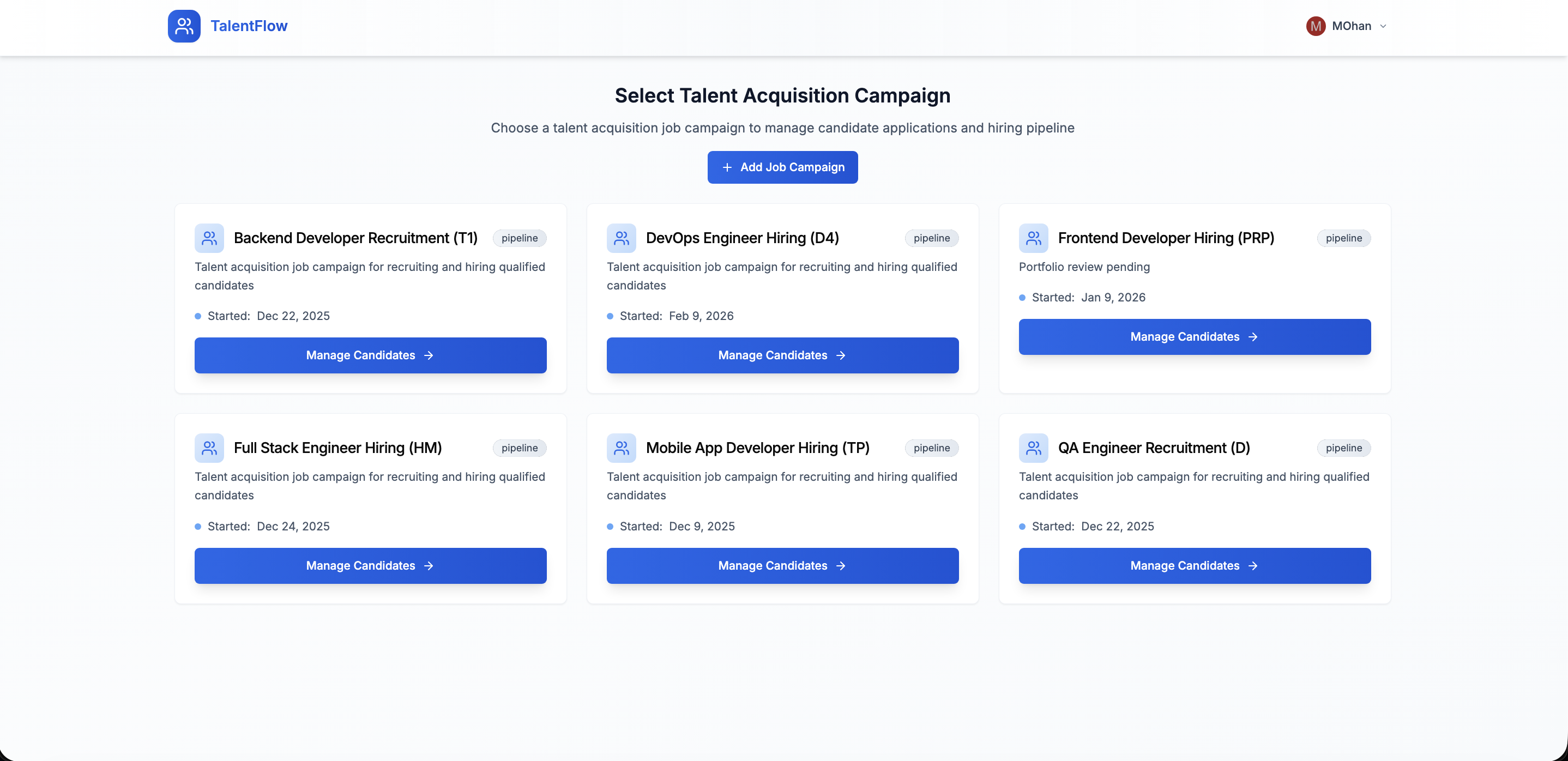
 TalentFlow
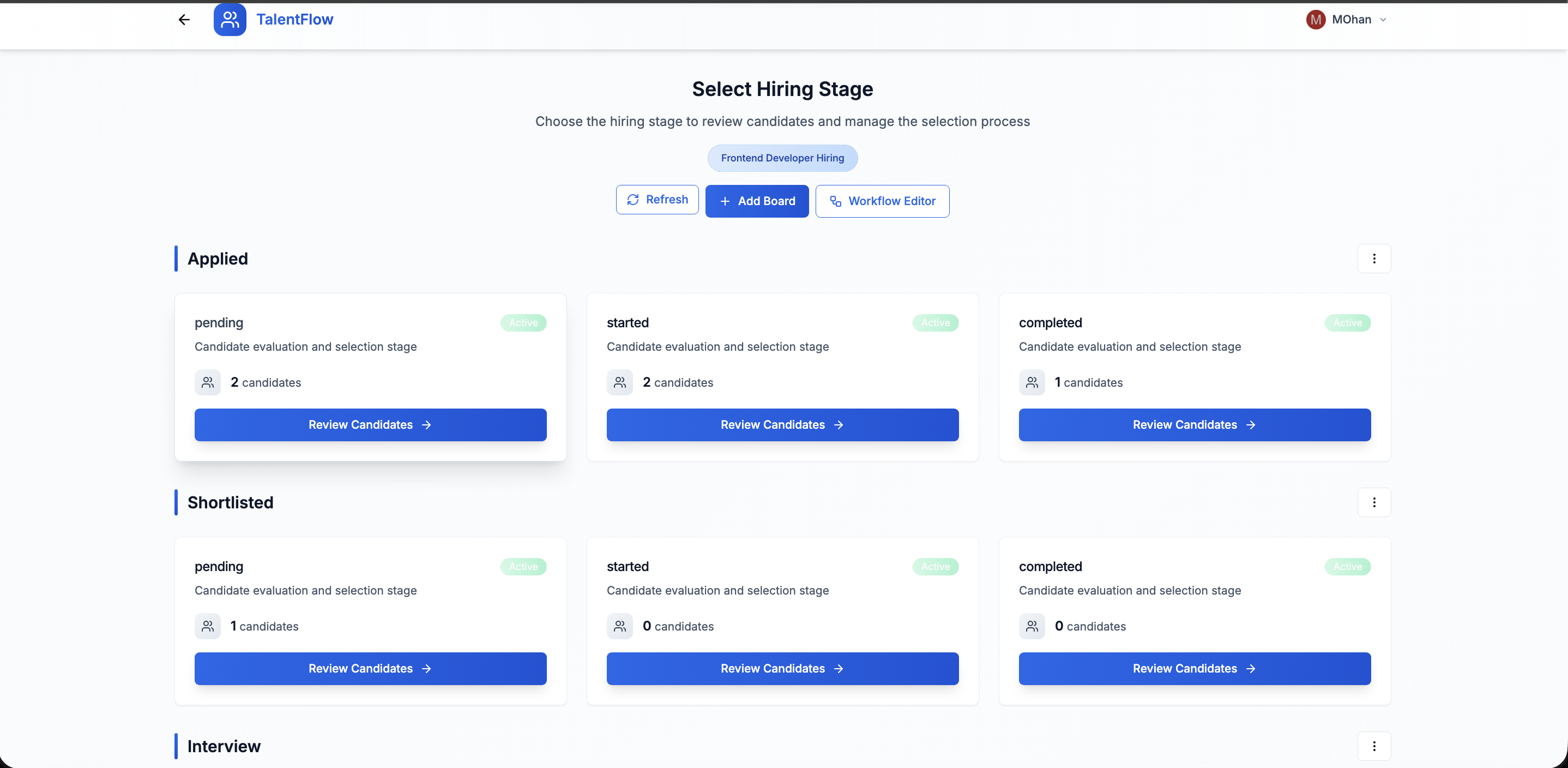
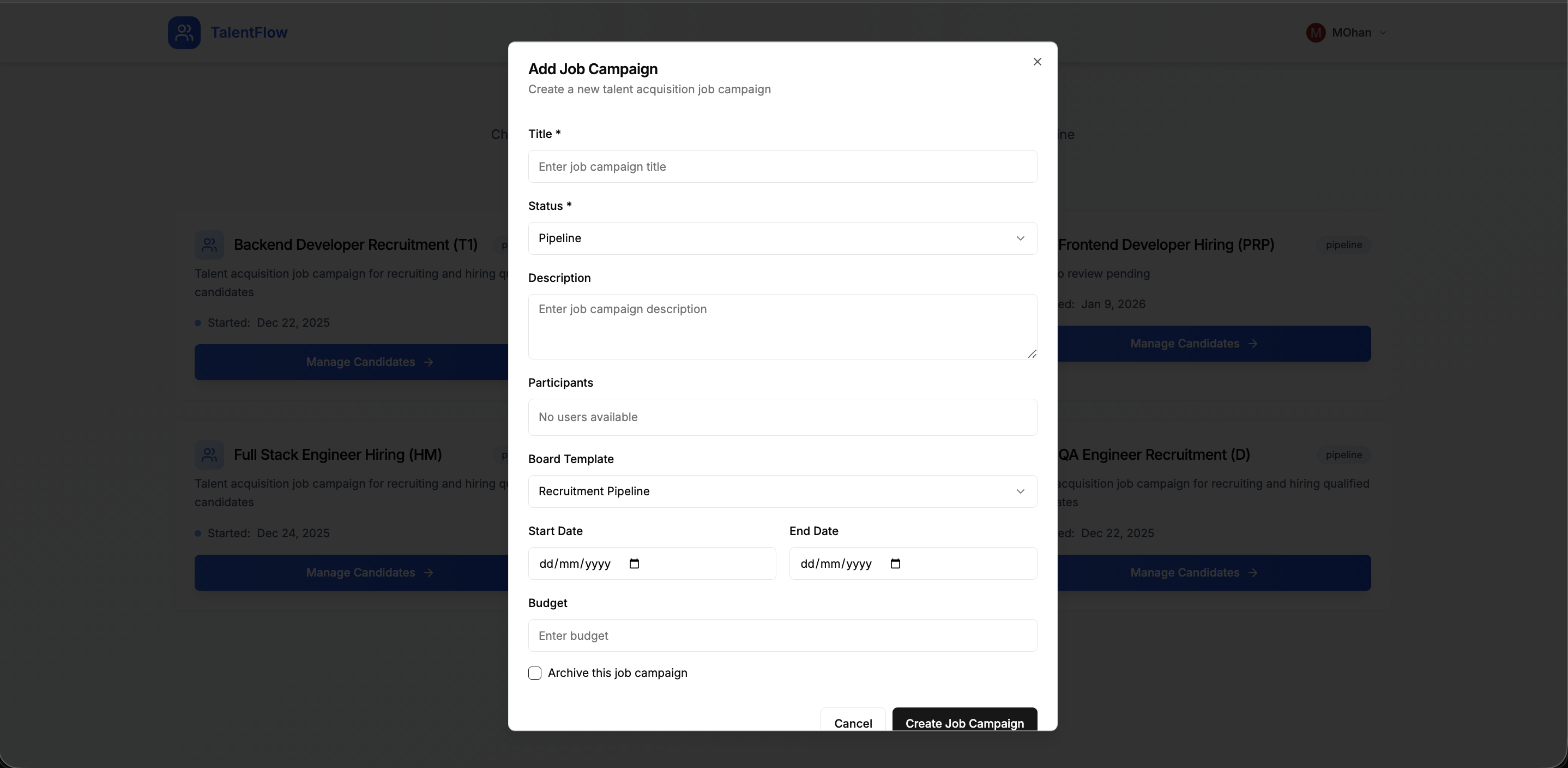
Hiring campaigns, pipelines & candidate evaluation
From application to offer — without scattered spreadsheets
- 1Create hiring campaigns with custom stages, pipelines, and evaluation criteria
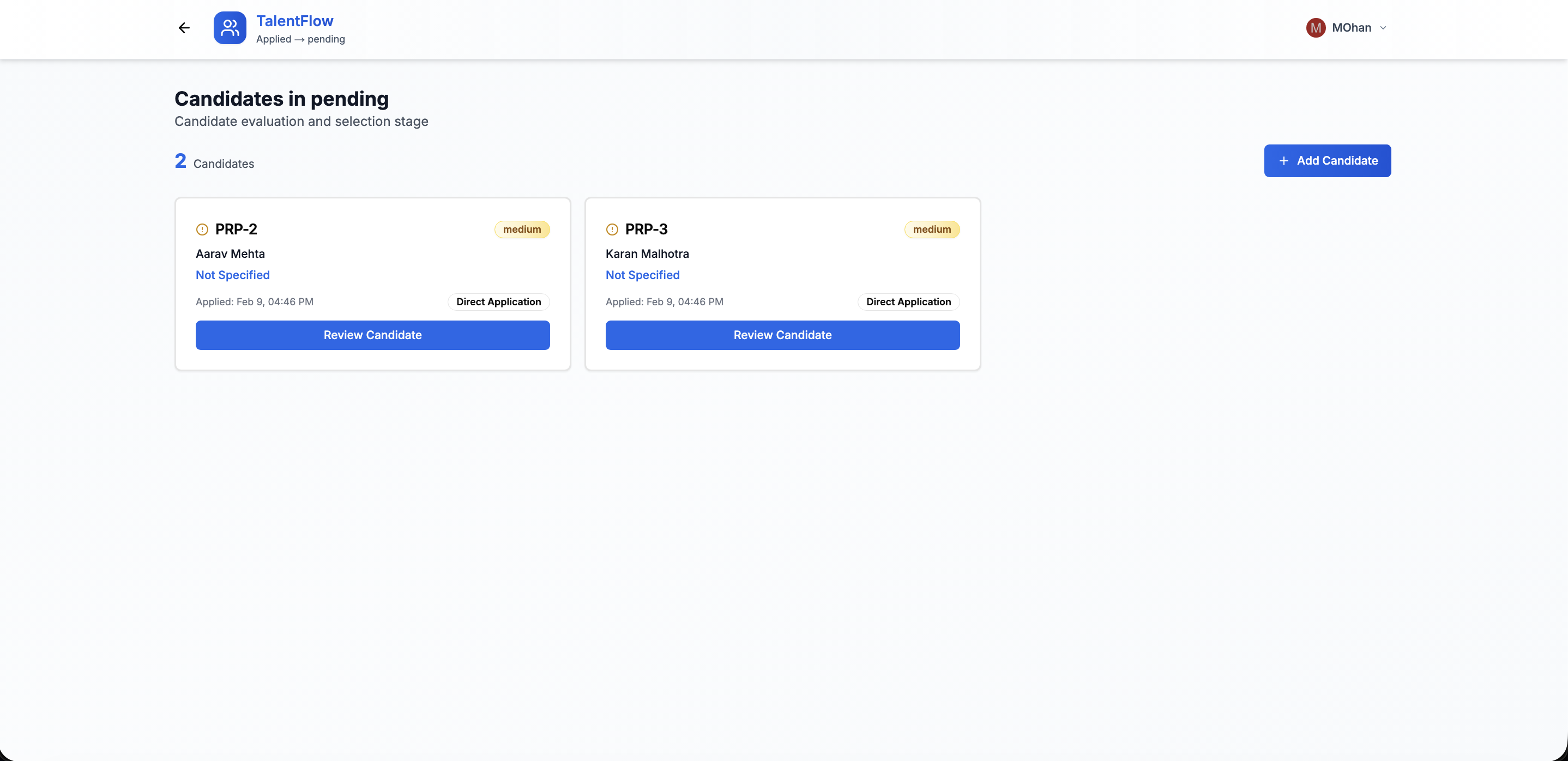
- 2Track candidates from application through screen, interview, offer, and hire
- 3Use custom fields and scorecards for structured, fair evaluation
- 4Collaborate with hiring managers on shortlists and feedback in one place
- 5Convert hired candidates into employee records without re-entering data
- 6Report on time-to-hire, source effectiveness, and pipeline health
TalentFlow turns recruitment from scattered emails into a visible pipeline — so HR and hiring managers move faster with better candidate experience.
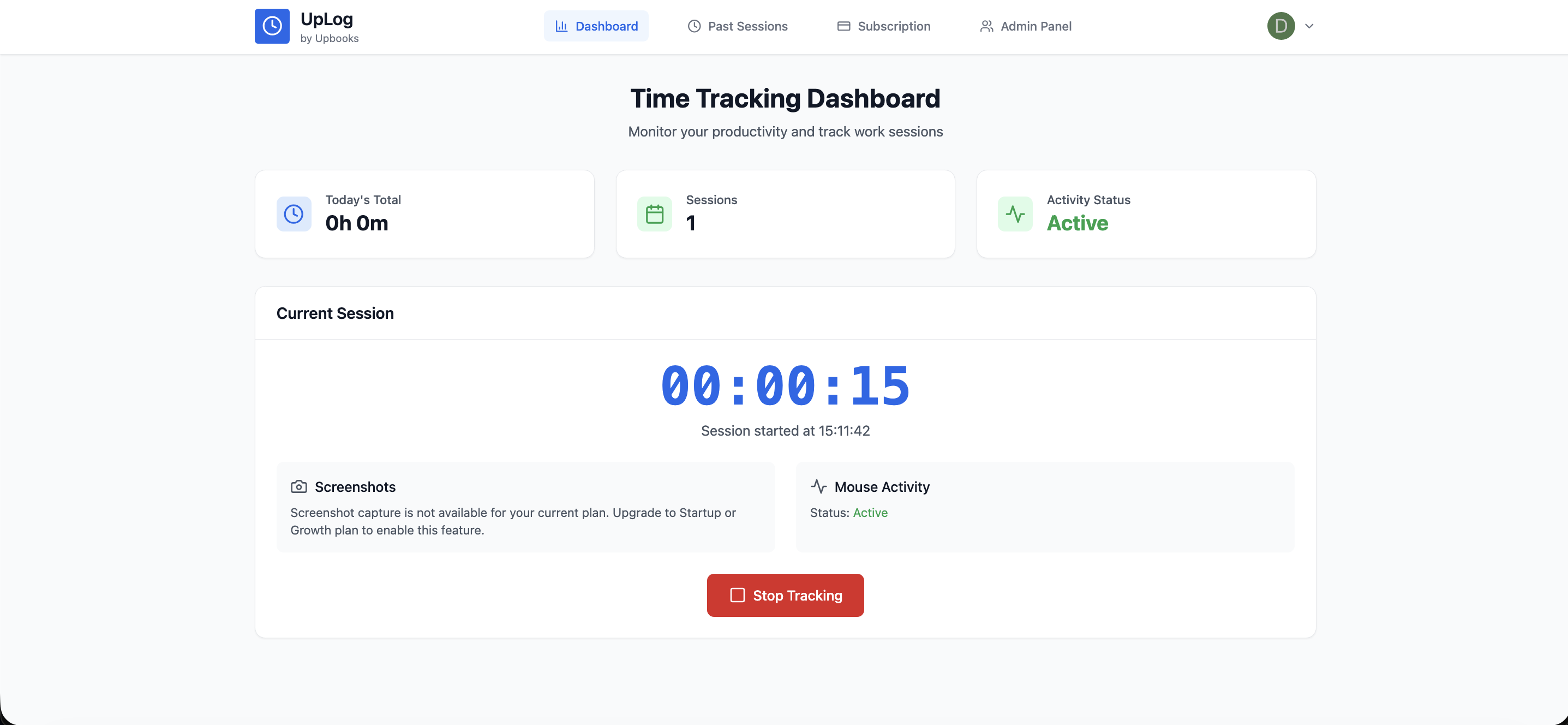
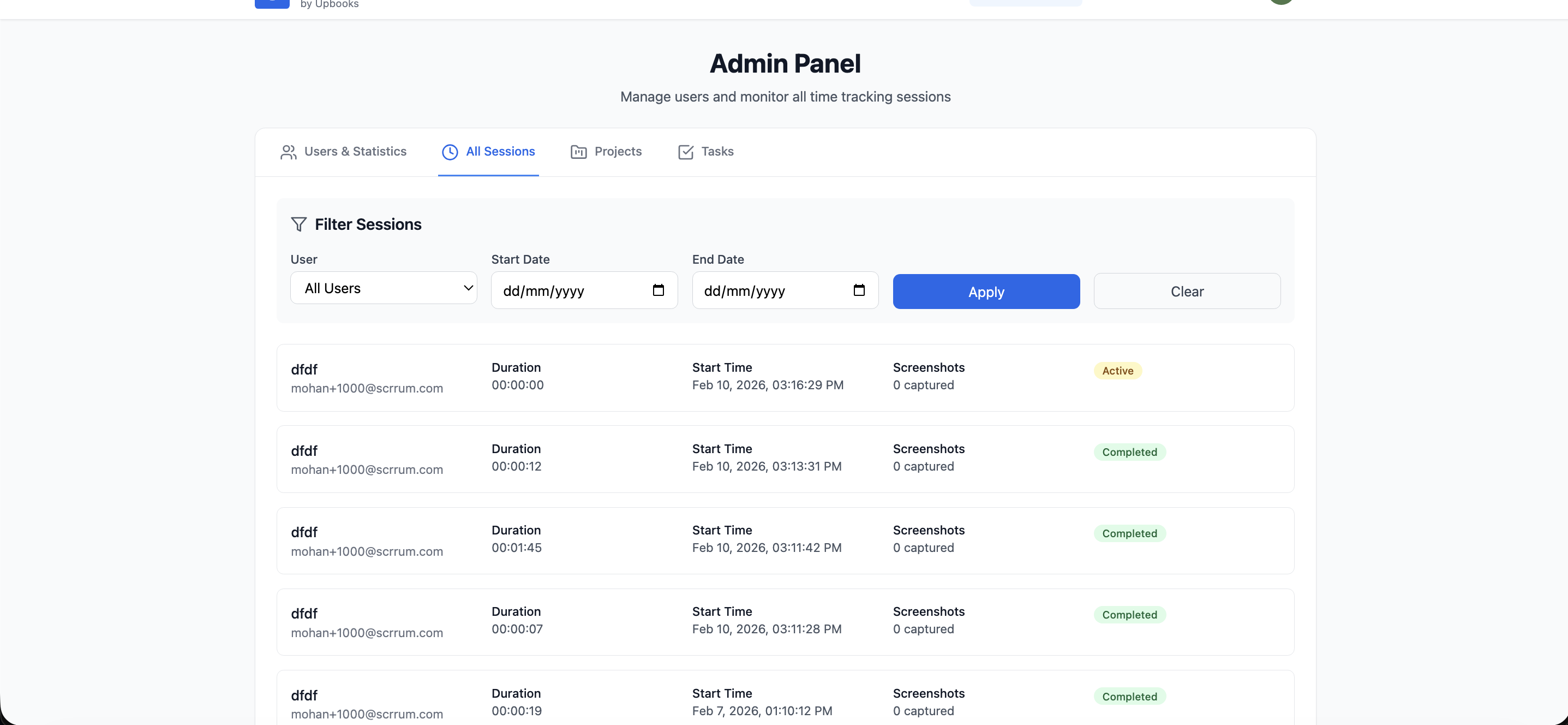
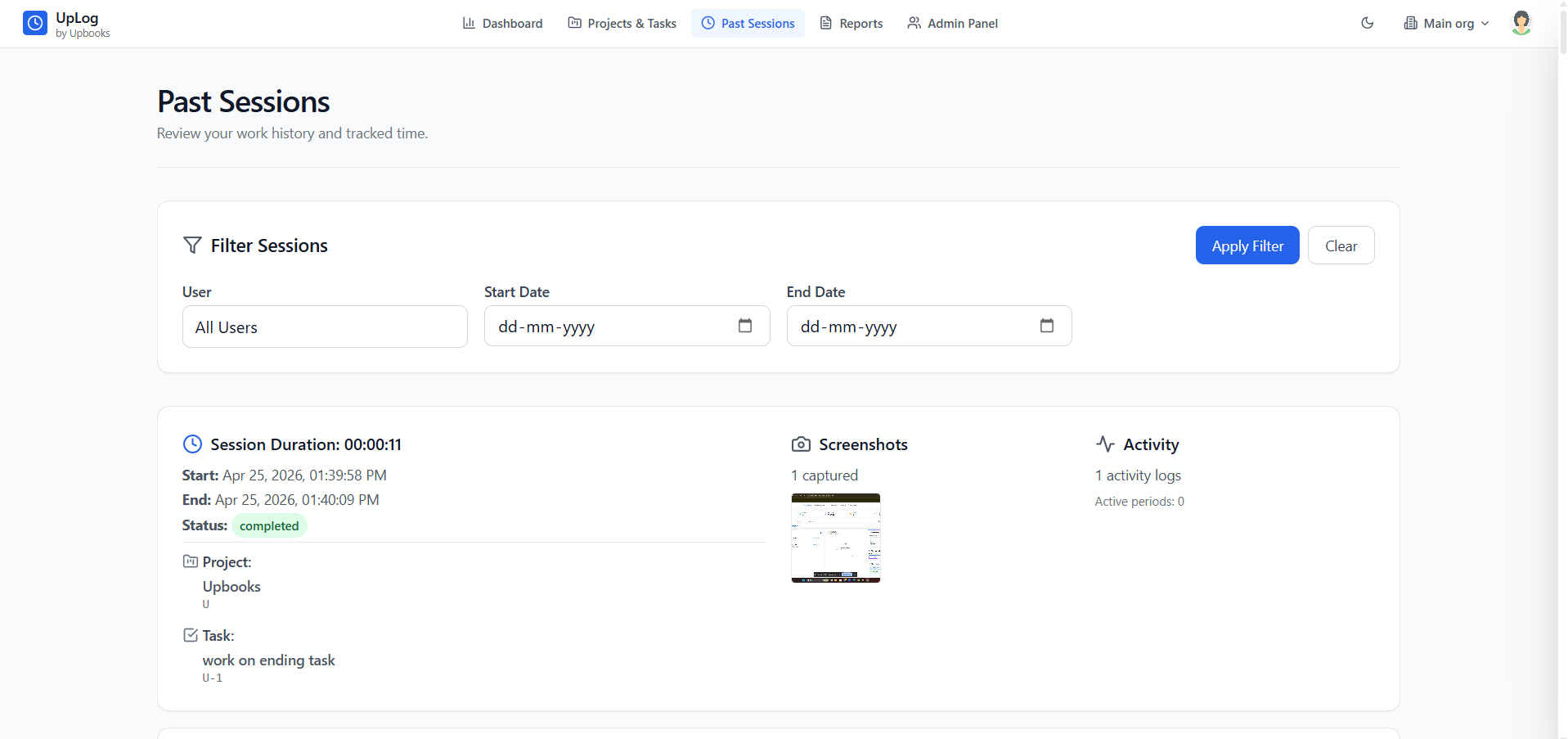
 UpLog
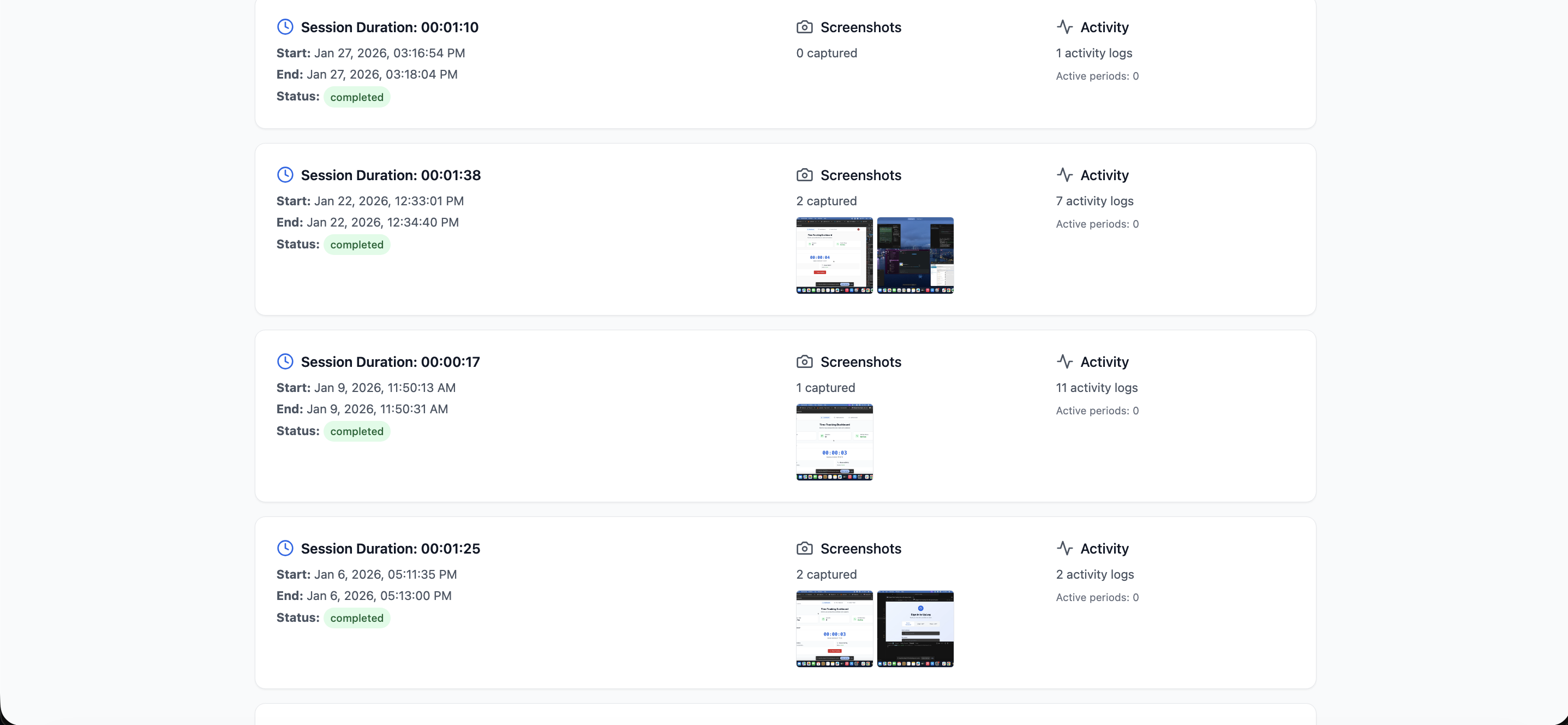
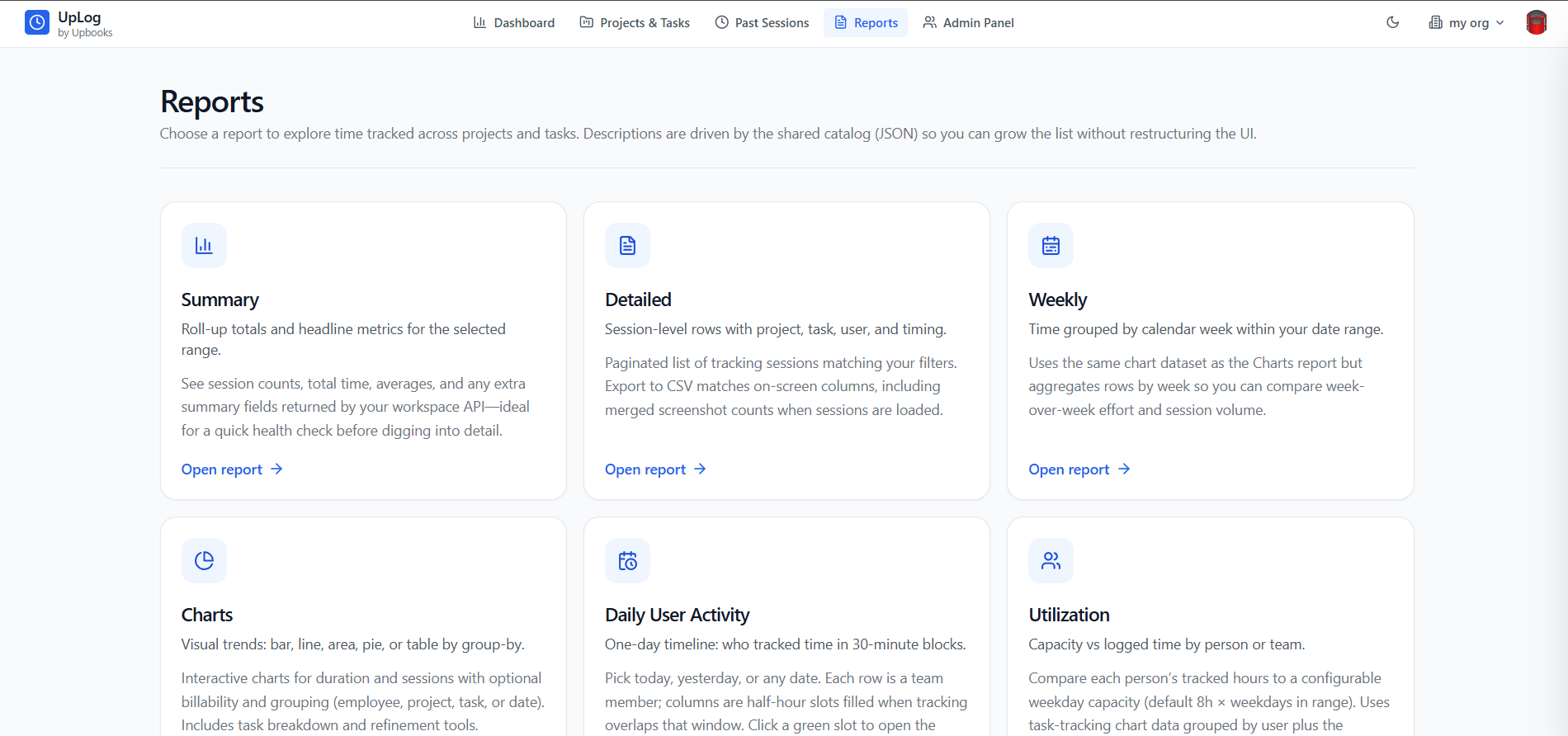
UpLogTimesheets, time tracking & visual work proof
Automatic capture — HR-ready reports, not manual entry
- 1Capture work hours automatically — no manual timesheet entry for employees
- 2Visual work proof with periodic screenshots for remote and hybrid teams
- 3Log time against projects and tasks; data feeds capacity and payroll reporting
- 4Build custom HR flows: approval chains, overtime rules, and billing exports
- 5Generate timesheet reports filtered by employee, project, or date range
- 6Integrate with payroll for accurate hour-based or contractor pay
UpLog replaces guesswork with verified time data — so HR gets accurate timesheets and payroll runs on facts, not estimates.
Users & access control
Role-based permissions so the right people see the right things — and nothing more.
How access works
Linked to employee records
Every user ties to a person — no orphan logins.
Instant offboarding
Disable access the moment someone exits.
Salary confidentiality
Pay data visible only to authorised HR and finance roles.
Manager-level approvals
Managers approve leave without seeing full payroll.
Empower your HR team
From org charts to offboarding — people ops, recruitment, and timesheets in one place.