Solutions for Operations teams
Inventory, procurement, and fulfilment — one connected operations hub
Track stock across branches, manage inwards and shipments, process vendor bills and item receipts, run purchase orders, control expenses, and coordinate delivery — all flowing into one ledger.
AVL
1,240
SOH
980
IN
+340
LOW
12
Connected hub
PO → Receipt → Bill
Operations stack
Eight capabilities. One connected hub.
Inventory, procurement, fulfilment, transfers, boards, expenses, and factory production — linked to one ledger.
Inventory Dashboard & Stock Tracking
Real-time stock visibility across every branch and warehouse
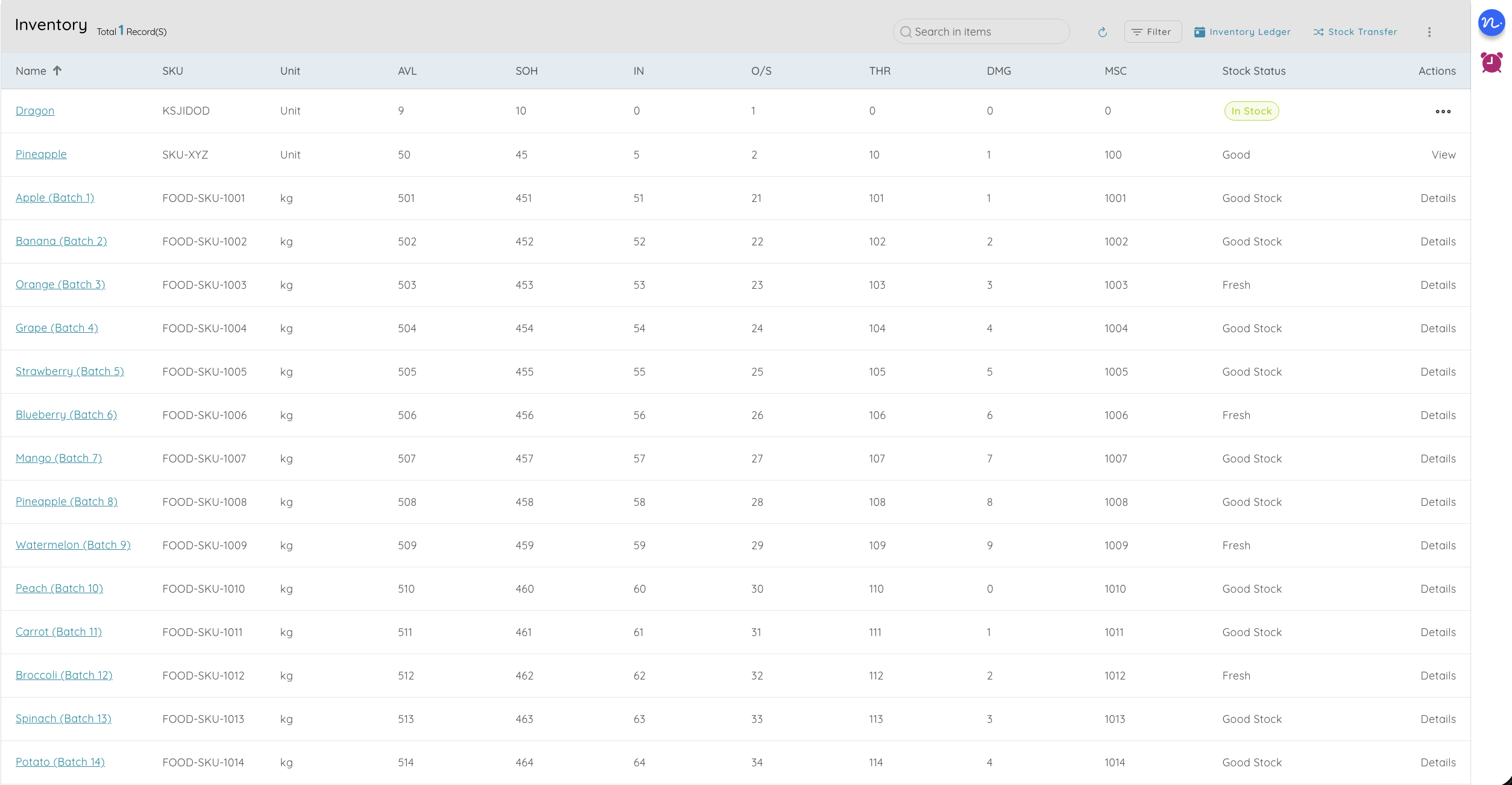
- Centralized inventory dashboard shows stock health across all locations in real time
- Track six key indicators: Available (AVL), Stock on Hand (SOH), Incoming (IN), Outgoing (O/S), Threshold (THR), and Stock Status
- Set minimum threshold levels per item — get alerts before stock runs out
- SKU-level tracking with categories, units, tax rules, and pricing from your catalogue
- Stock status flags items as healthy, low, excess, or out-of-stock so you act before it's a problem
- Multi-branch visibility eliminates guesswork about what's where
Operations teams can't afford stockouts or overstocking. A centralized dashboard with threshold alerts means you catch problems early and keep fulfilment running smoothly — across every location.
Inwards, Shipments & Item Receipts
Track every item from vendor dispatch to warehouse shelf
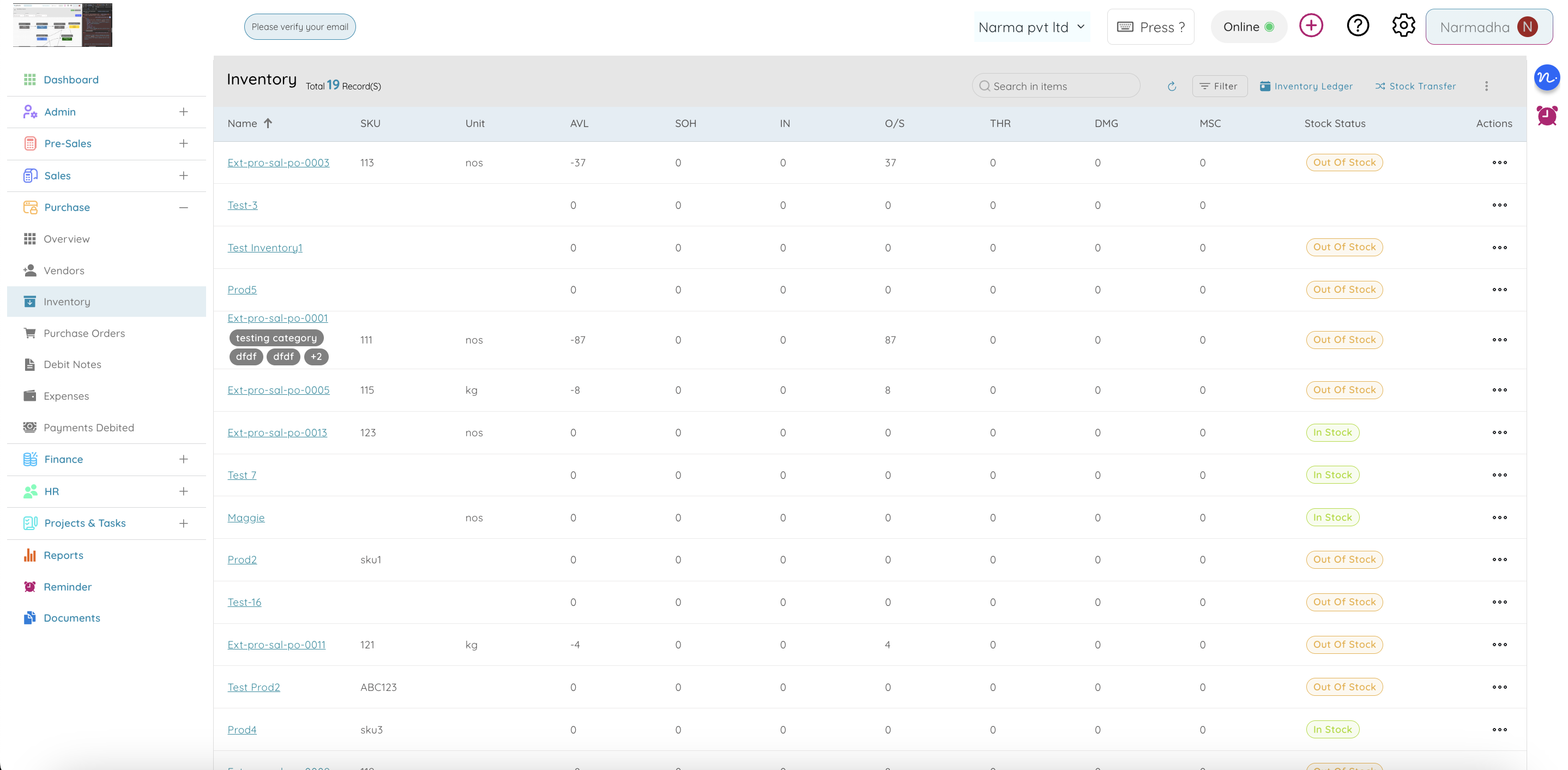
- Record inward shipments when goods arrive — match against purchase orders automatically
- Create item receipts to confirm received quantities, flag shortages, and update inventory in real time
- Track shipment status from dispatched to delivered with reference numbers and dates
- Link every receipt to the originating PO and vendor for a full procurement-to-receipt audit trail
- Discrepancies between ordered and received quantities are flagged for investigation or debit notes
- Outward shipment tracking for customer deliveries — linked to sales orders and invoices
The gap between "ordered" and "received" is where operations loses money. Item receipts and inward tracking close that gap — every unit is accounted for from vendor dispatch to your warehouse shelf.
Purchase Orders & Procurement
From purchase request to vendor payment — structured and trackable
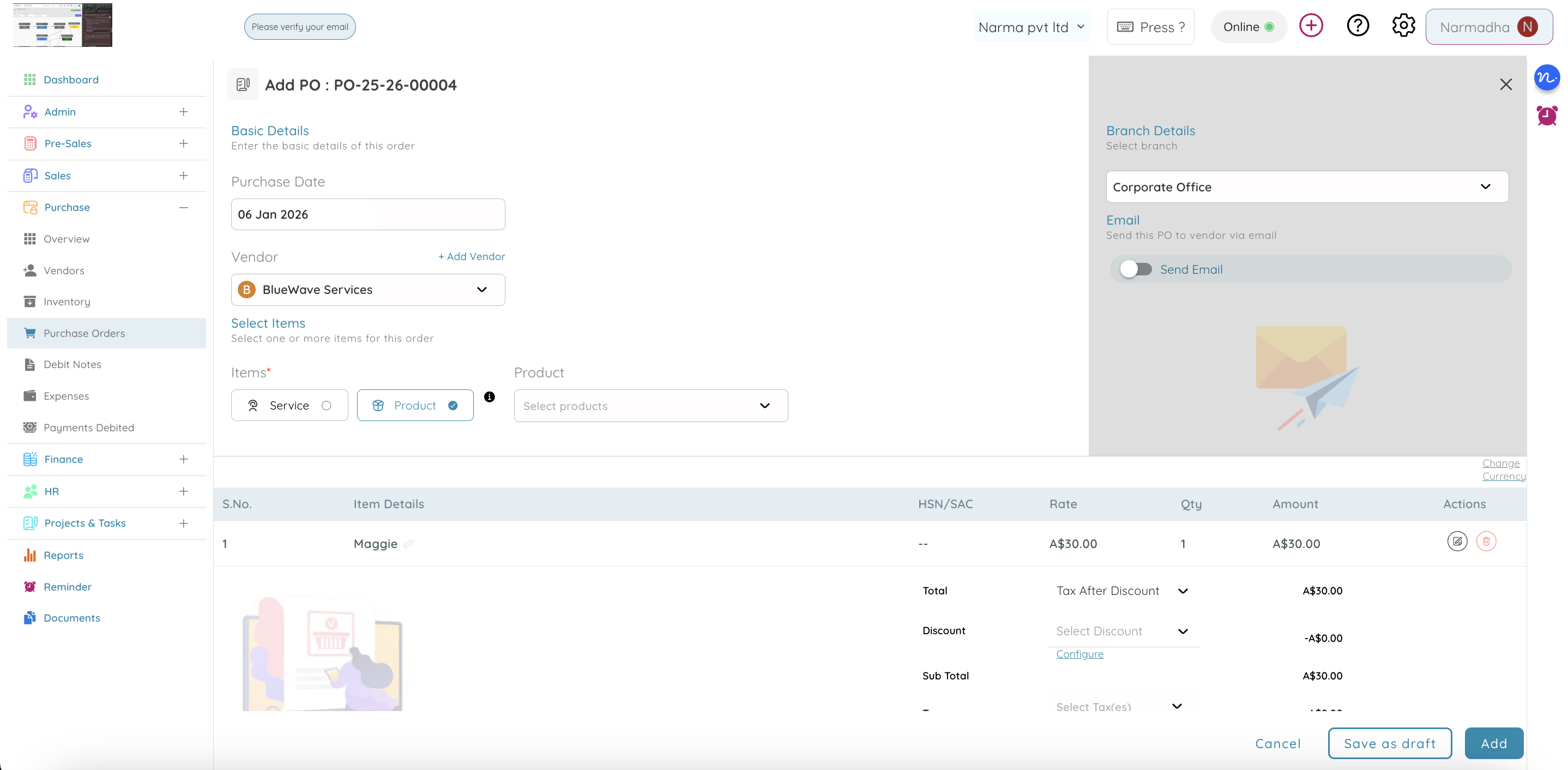
- Create purchase orders with vendor, items, quantities, pricing, tax, and delivery dates
- Convert approved POs into vendor bills and item receipts without re-entering data
- Track PO status: Draft → Sent → Partially Received → Fully Received → Billed
- Vendor management with profiles, tax details, payment terms, and purchase history
- Link POs to projects and cost centers so procurement spend maps to the right budget
- Debit notes for returns, short shipments, or pricing corrections — linked to the original PO and vendor bill
- Payment debits record every outgoing payment with reference, method, and date
Unstructured procurement means duplicate orders, missed deliveries, and vendor disputes. A connected PO → Receipt → Bill → Payment flow keeps operations disciplined and finance happy.
Vendor Bills & Accounts Payable
Every vendor bill matched to POs, receipts, and payments
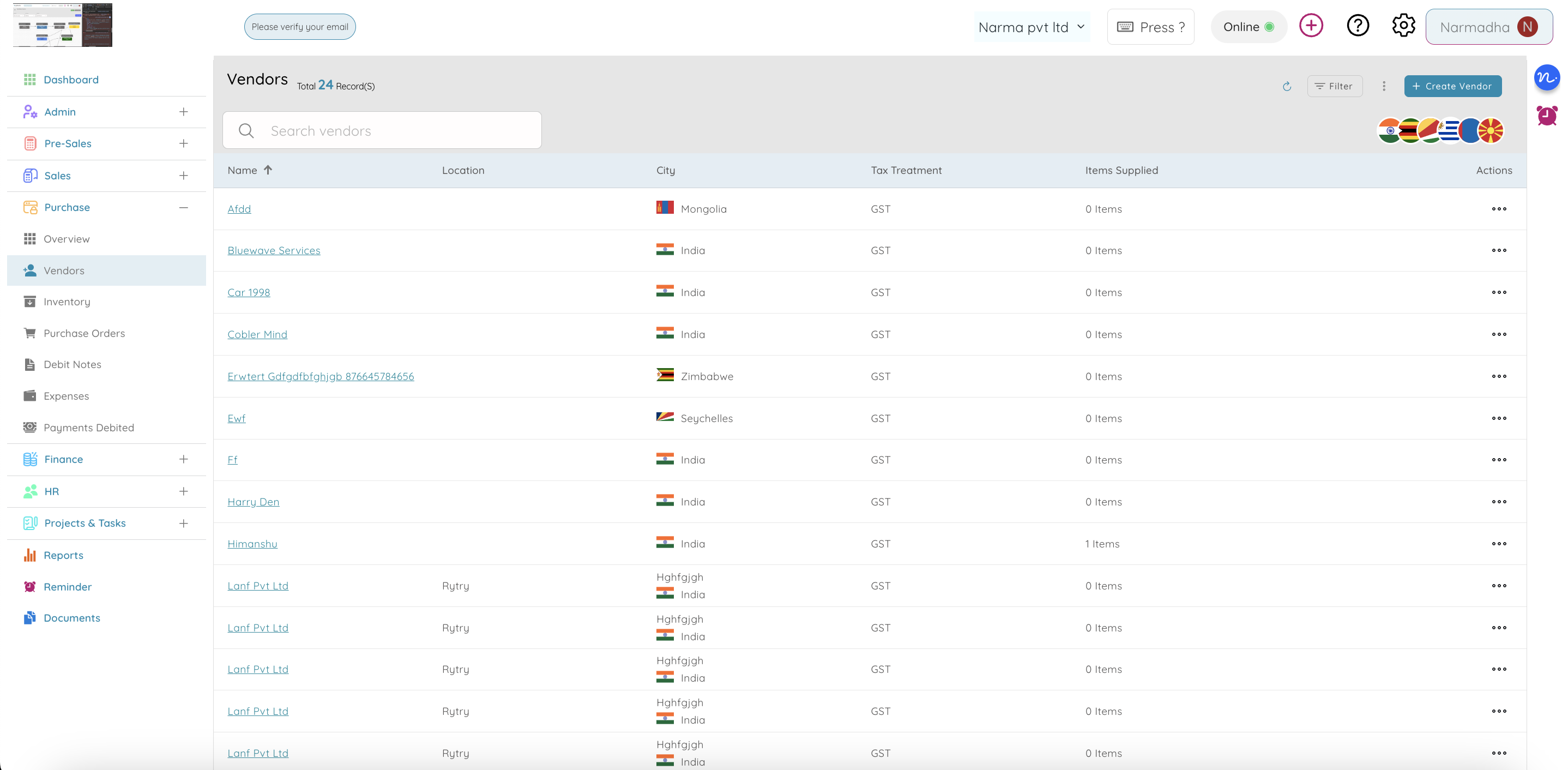
- Create vendor bills linked to purchase orders and item receipts — three-way matching built in
- Record bill details: vendor, items/services, amounts, tax, due date, and payment terms
- Track bill status from draft to approved to paid — see outstanding payables at a glance
- Issue debit notes against vendor bills for returns, overcharges, or credit adjustments
- Payment debits capture every outgoing vendor payment with amount, method, and reference
- Bills post to the general ledger automatically — AP balances stay in sync with finance
- Filter and report by vendor, due date, status, or amount to manage cash flow and payment runs
Operations processes the bills, finance pays them. When bills are linked to POs and receipts, there's no back-and-forth about what was ordered, what arrived, and what's owed — everyone trusts the same data.
Stock Transfers & Adjustments
Move inventory between branches — recorded, reconciled, and auditable
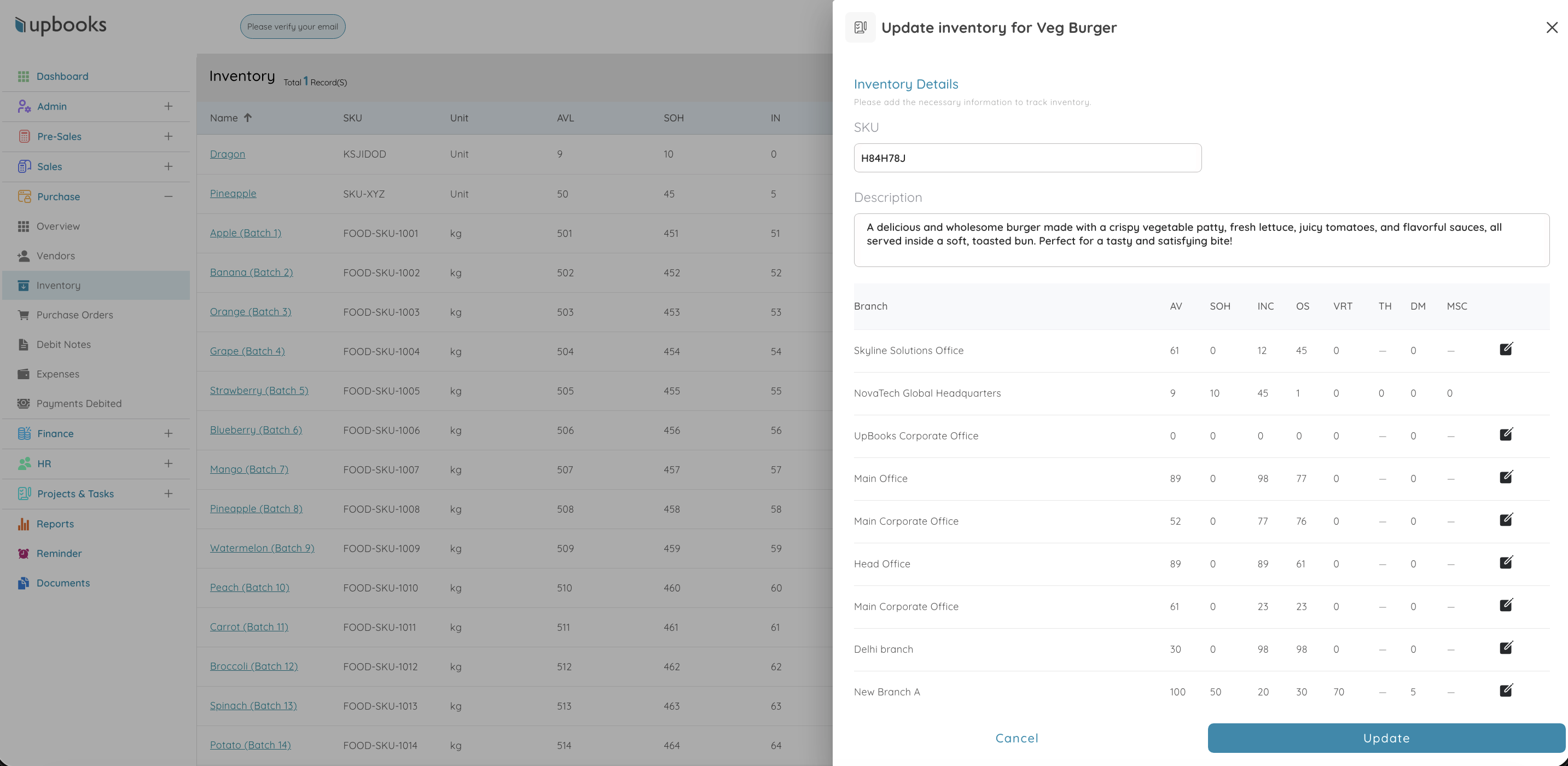
- Transfer stock between warehouses, branches, or project sites with a few clicks
- Each transfer records source, destination, items, quantities, and reference — fully auditable
- Stock adjustments for damaged goods, expired products, audit corrections, or manual fixes
- Positive and negative adjustments with proper references ensure every change is traceable
- Inventory ledger per item tracks opening stock, purchases, issues, transfers, and closing balance
- Eliminate unnecessary reordering by moving excess stock from one branch to another
Without tracked transfers, branch inventory becomes a black box. Recorded transfers and adjustments mean your stock counts are always trustworthy — and your auditors can verify every movement.
Custom Boards for Operations
Kanban boards for fulfilment, logistics, maintenance, and more
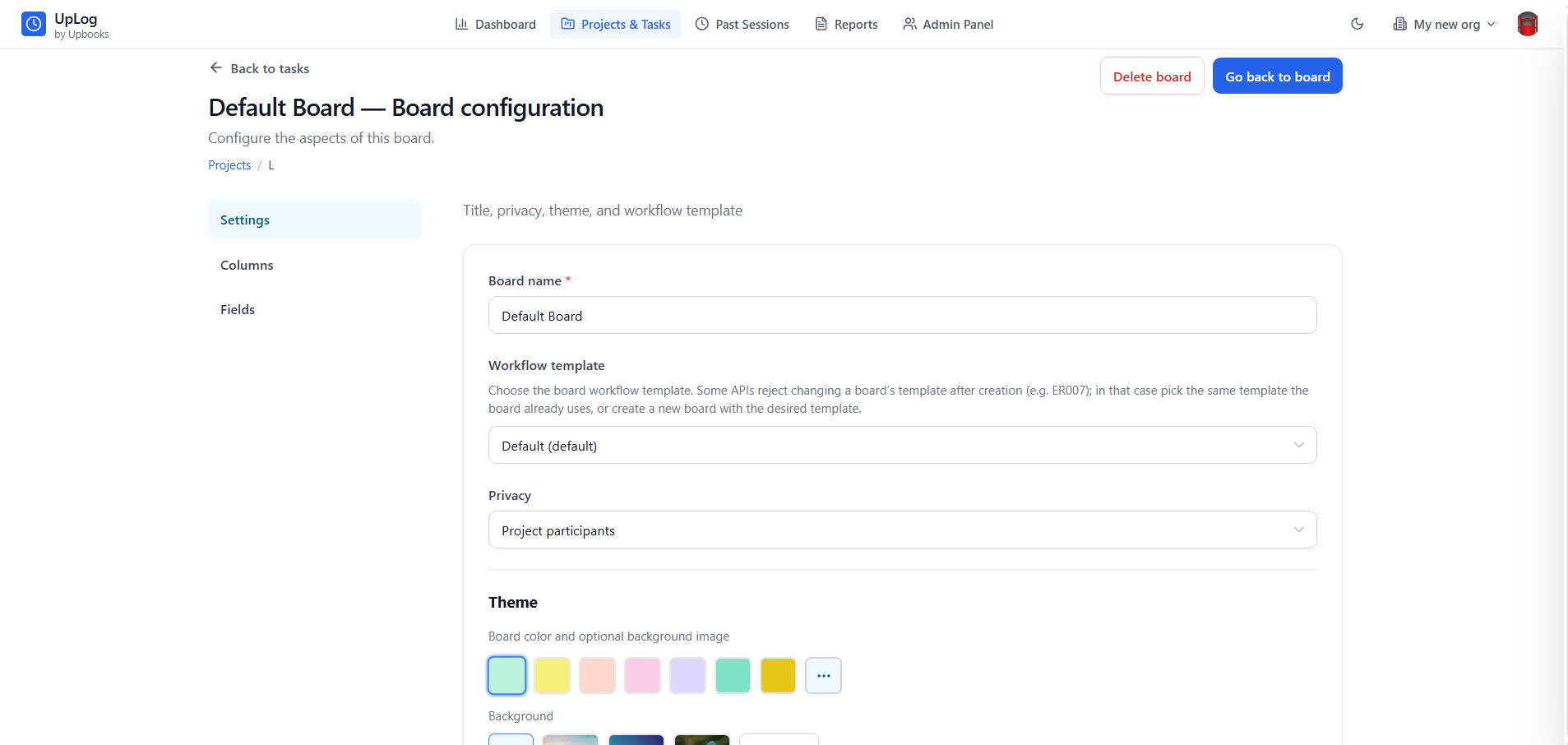
- Build custom boards for any operations workflow — fulfilment pipelines, maintenance schedules, vendor onboarding
- Design columns that match your process: Requested → Approved → Ordered → Received → Stocked
- Add custom fields per board: warehouse location, priority level, expected delivery date, carrier
- Assign tasks to team members with due dates and dependencies for clear ownership
- Drag-and-drop cards for quick status updates during warehouse stand-ups or shift handovers
- Multiple boards per project — separate fulfilment tracker, quality check board, and vendor board
- Timeline views for long-running operations projects like facility rollouts or system migrations
Operations work is inherently cross-functional. Custom boards let warehouse, logistics, and procurement teams each run their workflow their way — while leadership gets a unified view of what's moving and what's stuck.
Expense Management
Track operational spend — logistics, maintenance, facilities, and vendor costs
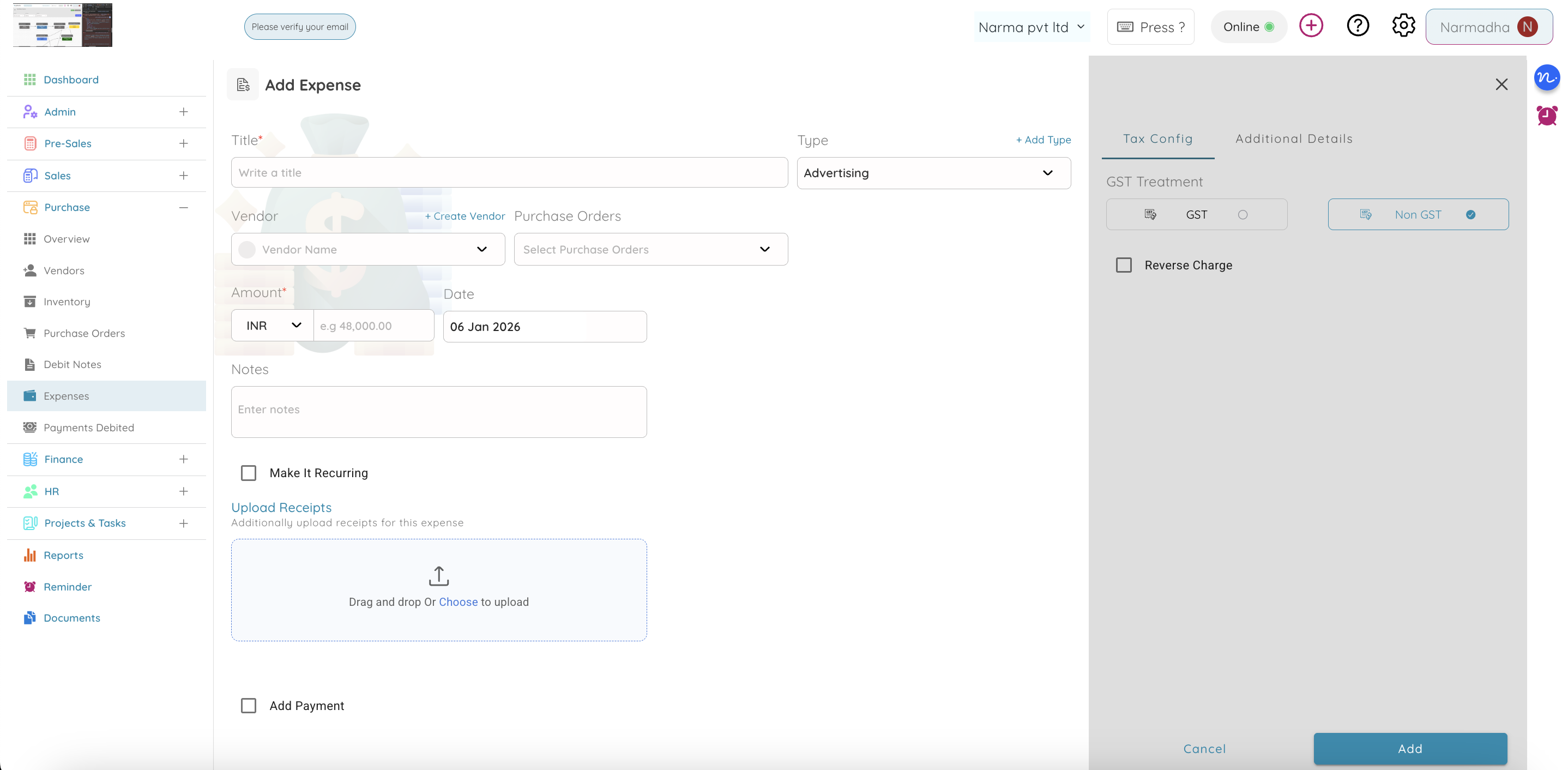
- Log operations expenses with category, branch, purpose, and supporting documents
- Unique reference numbers per expense for easy tracking and reconciliation
- Attach receipts, vendor invoices, and approval notes to each record
- Track status from draft → submitted → approved → paid — no more chasing spreadsheets
- Multi-currency support for international logistics and vendor payments
- Filter by branch, expense type, or date range to see where operations budget is going
- Expenses flow into the general ledger for real-time financial visibility
Operations spends across dozens of categories — shipping, maintenance, consumables, contractor fees. Capturing every expense with proper categorization and approval means you control costs without slowing the team.
 FlowForge
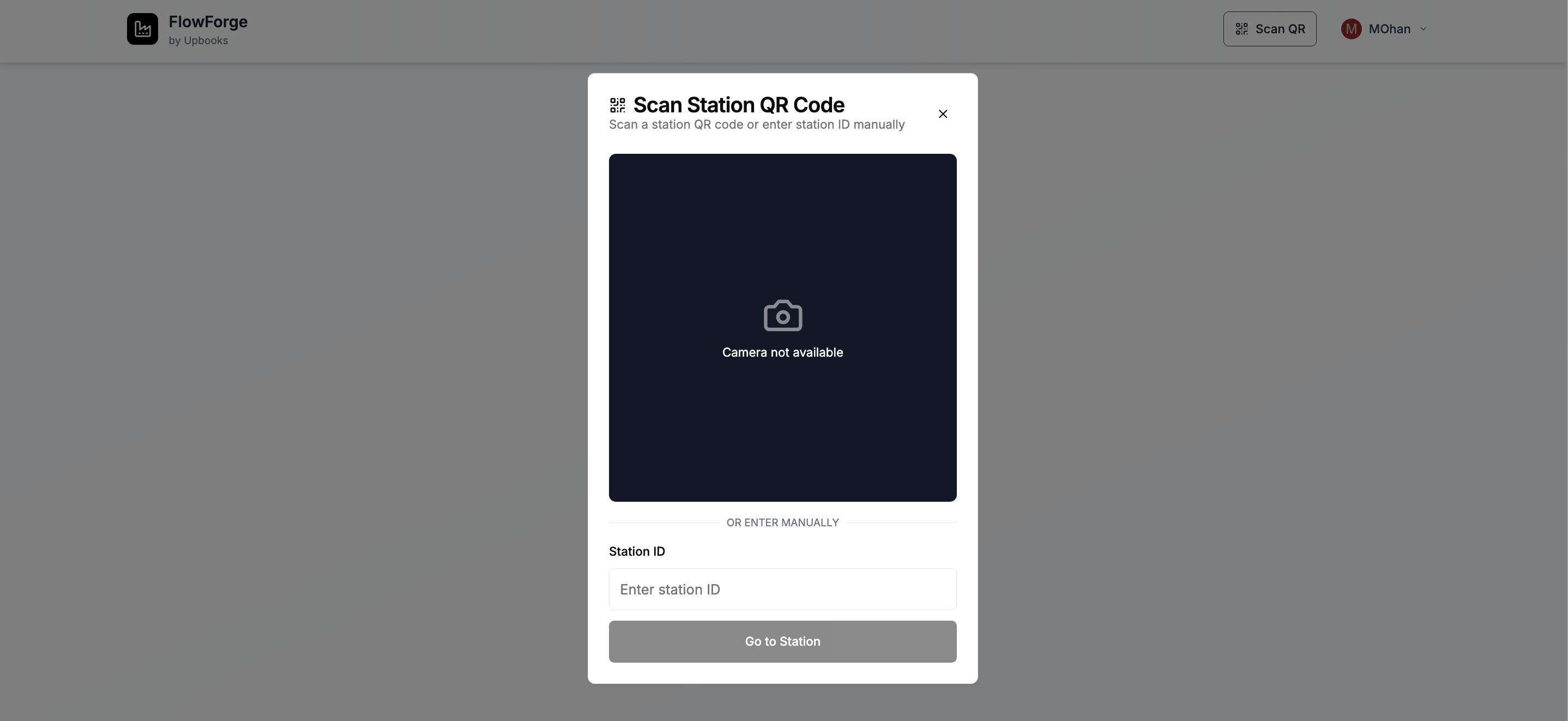
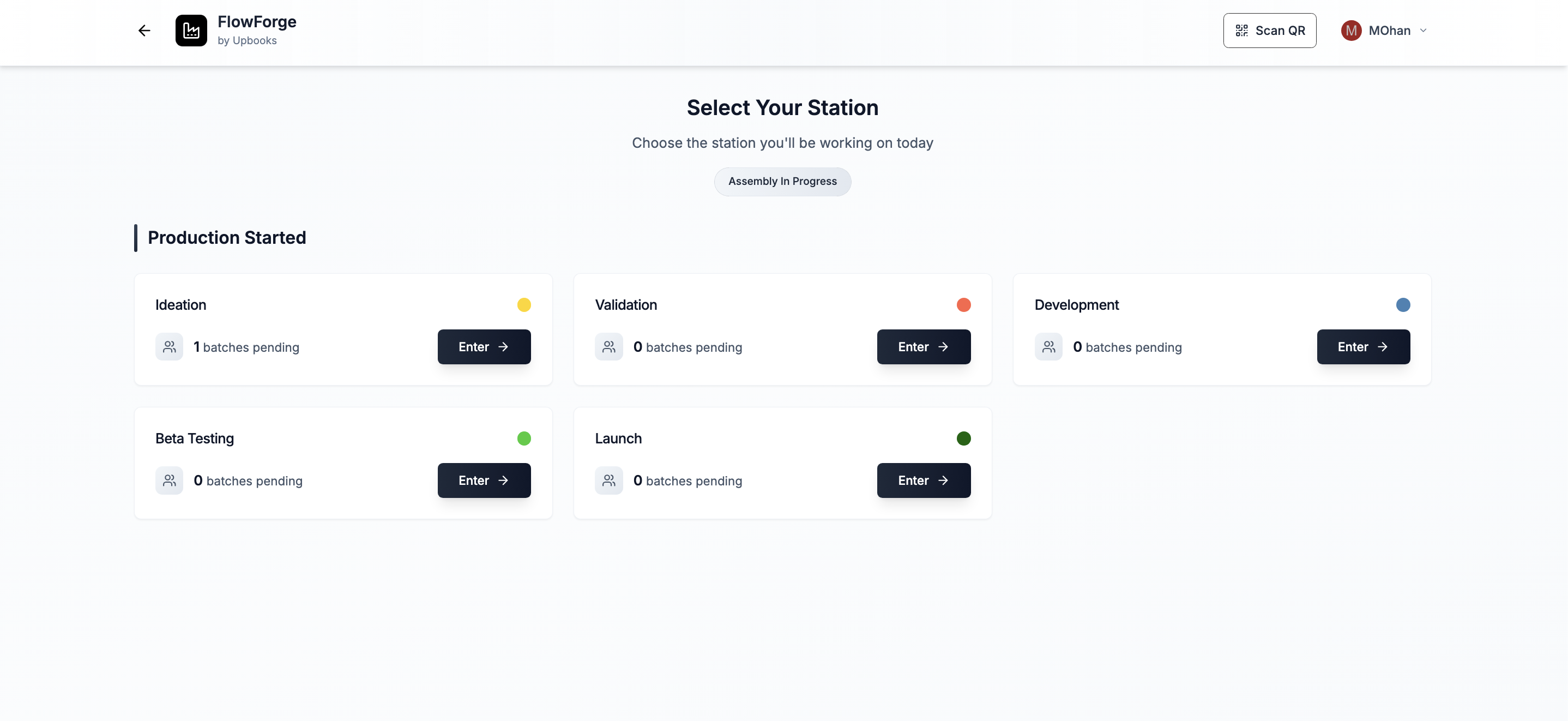
Factory and production management — from station to batch completion
Shop-floor workflows, batch tracking, and stage-by-stage traceability
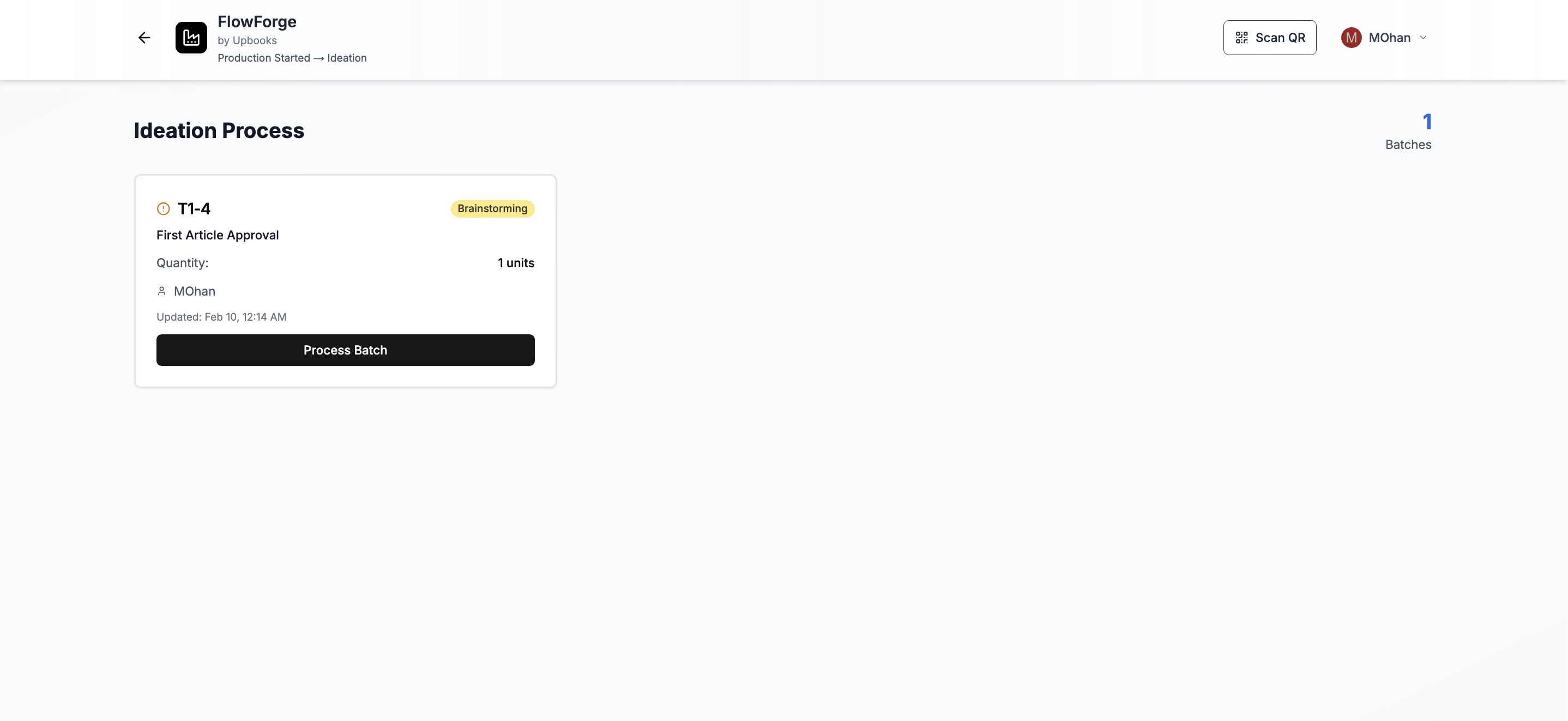
- 1Station-based workflows — operators see exactly which batches are waiting at each workstation
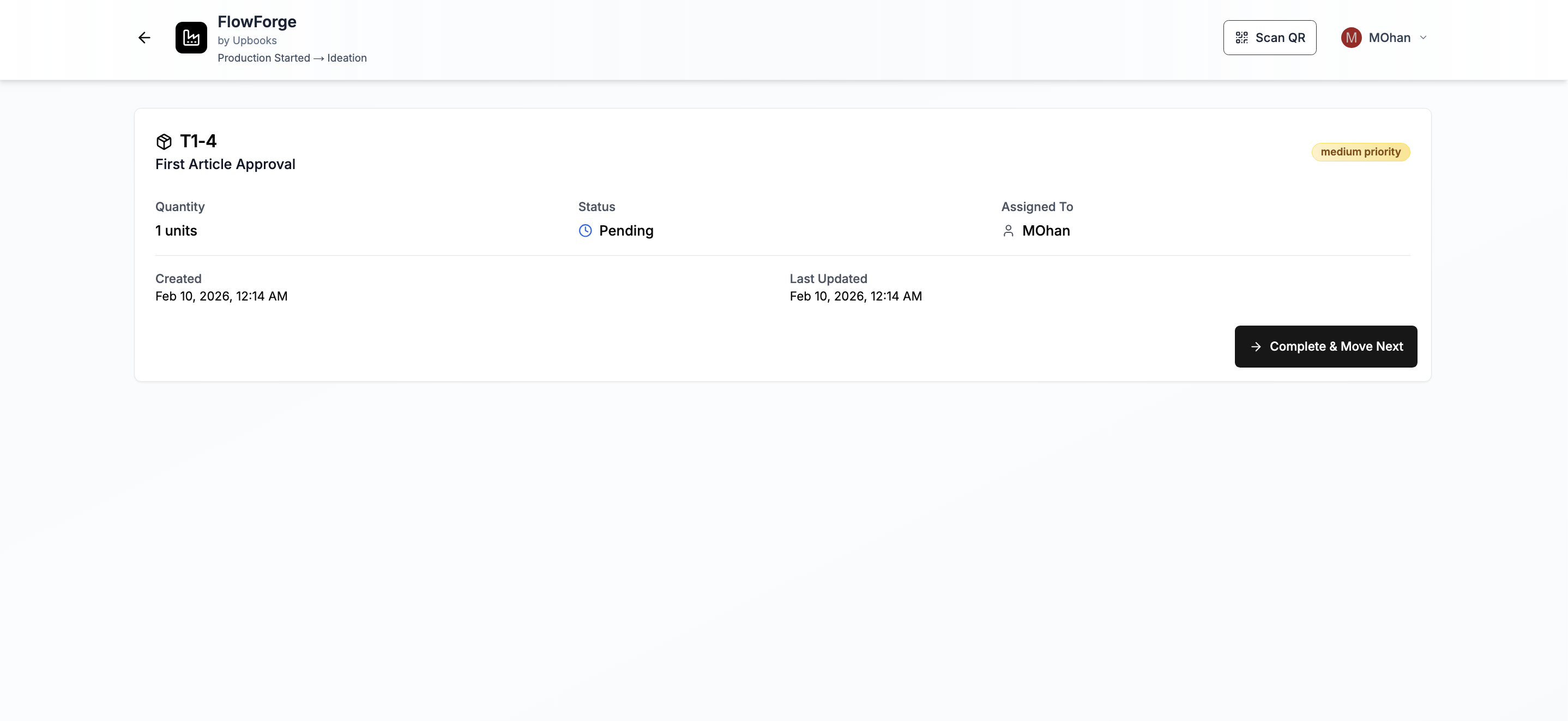
- 2Process batches with structured forms at every stage — text, numbers, dates, and checklists
- 3QR code scanning jumps operators straight to the right station on the factory floor
- 4Visual pipeline from project → station → batch → complete → next stage
- 5Tablet and mobile optimized for shop-floor environments — touch-friendly and camera-ready
- 6Traceability data at every step connects production flow to inventory and procurement
Manufacturing operations need more than back-office inventory — they need the shop floor in sync. FlowForge gives operators clarity on what to work on, captures quality data at each stage, and moves batches through your process without paper handoffs.
Run your operations on one connected platform
- Real-time inventory across every branch
- Inwards, shipments, and item receipts
- Purchase orders to vendor bills to payment
- Stock transfers and adjustments
- Custom boards for any operations workflow
- FlowForge for factory and production management