UpDial — Call, Track, Record & Transcribe
Call on the go, transcribe and upload in background. A utility tool for LeadTrackr by Upbooks
What it does
The calling companion for LeadTrackr
UpDial is a utility tool for LeadTrackr by Upbooks. Make the call, record it, and keep the recording and transcript on the lead.
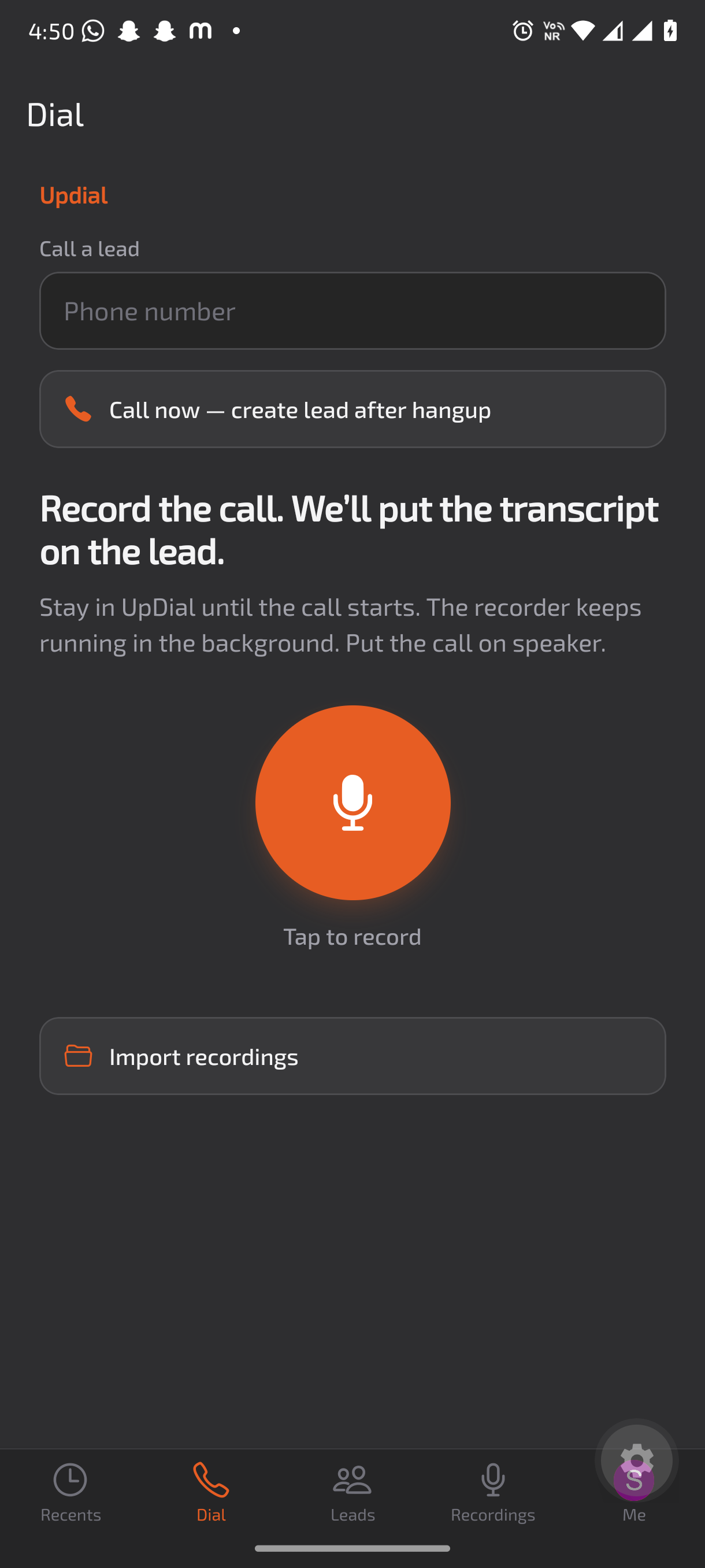
Dial and record
Call a lead from the app, or tap to record. The recorder keeps running in the background.
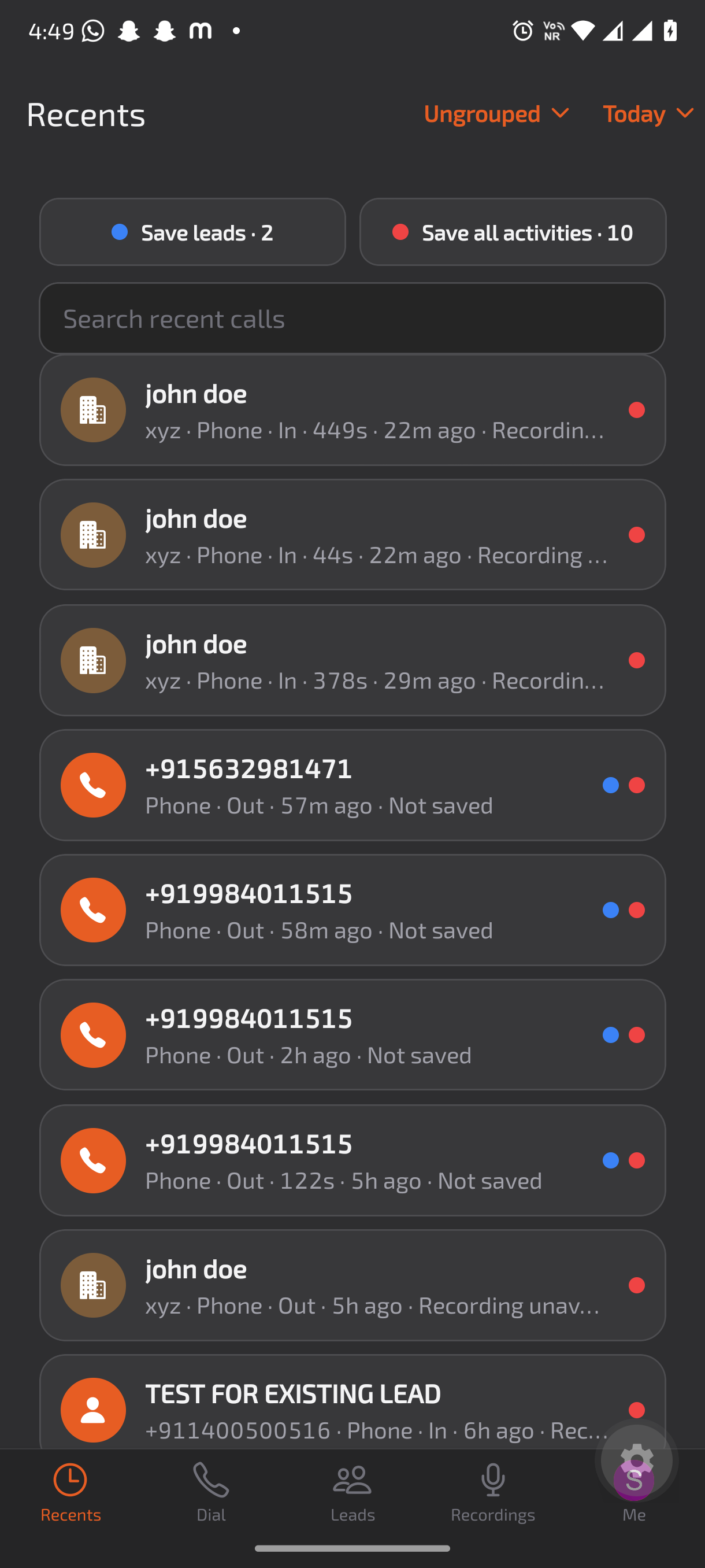
Recents
See every call with its direction, duration, and whether a recording is saved.
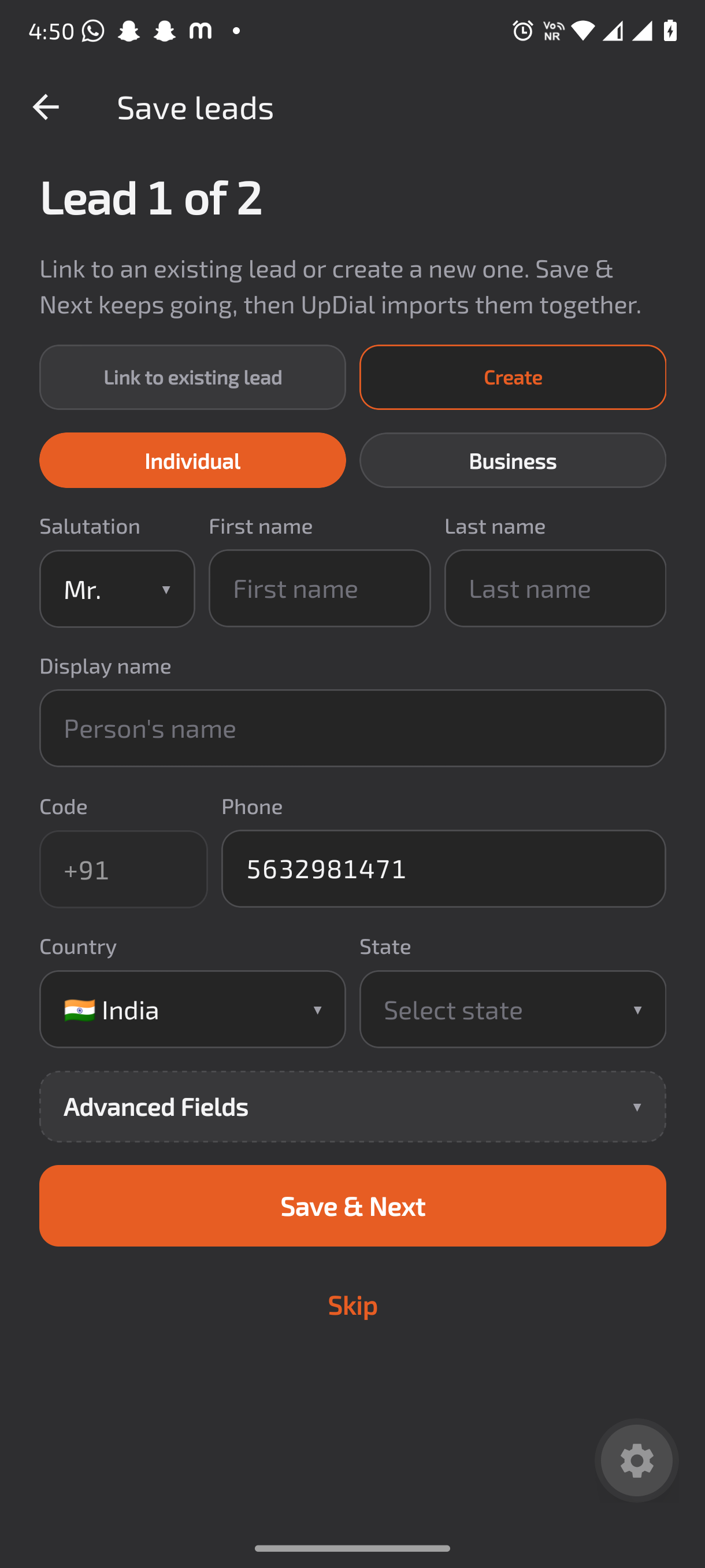
Save leads
Link a call to an existing lead or create a new one. Save & Next moves through the list.
Import recordings
Bring in a call recording you already have, or upload a call file on a lead.
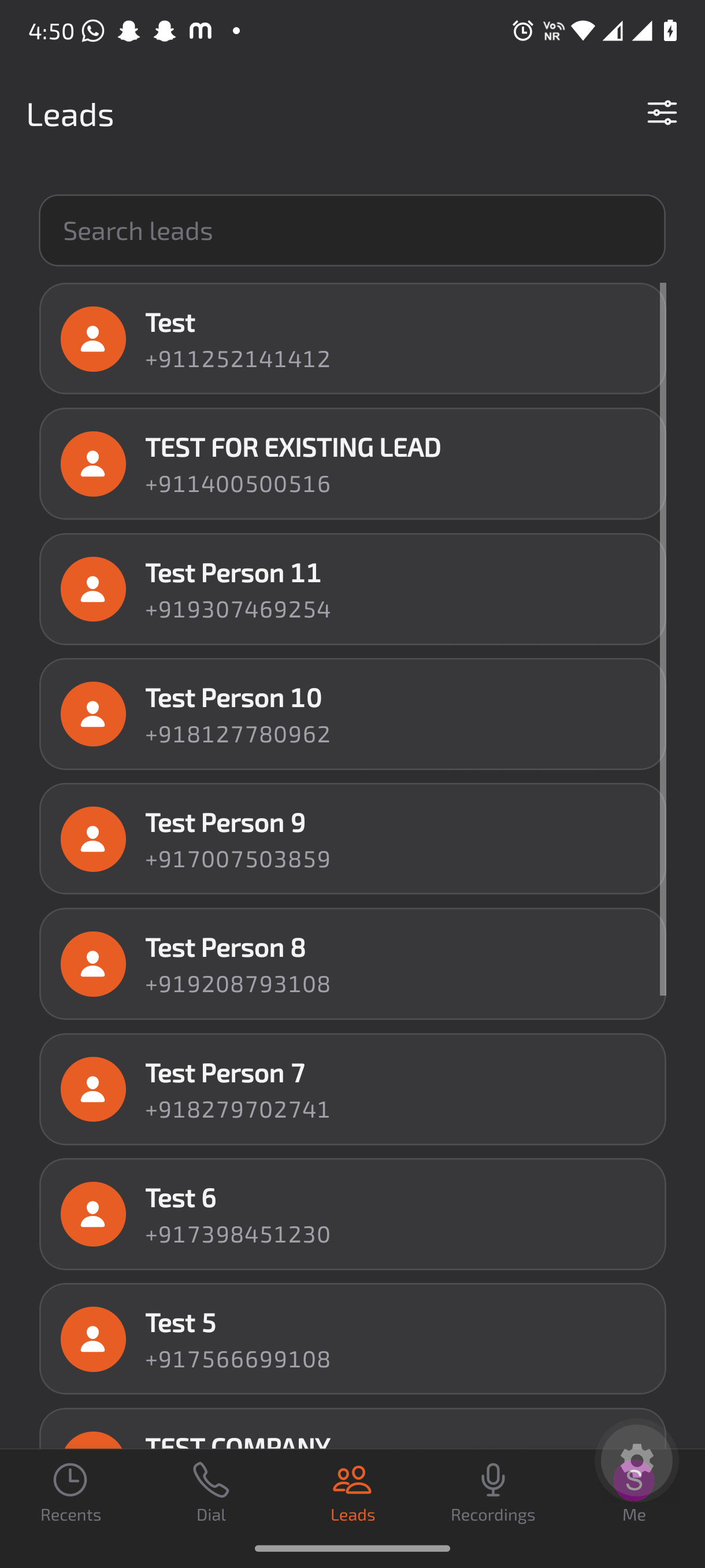
Your leads
Search the leads in your LeadTrackr workspace from your phone.
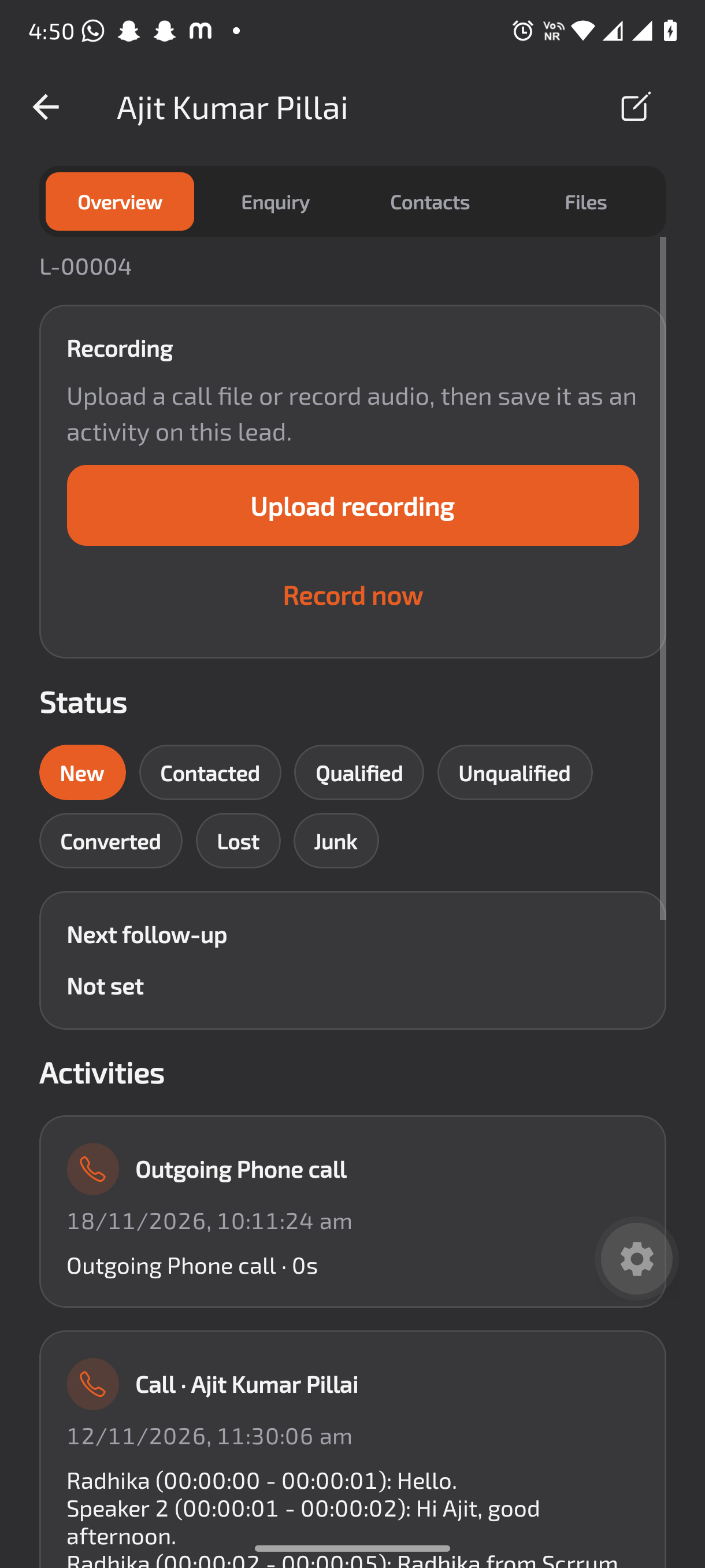
Activity and transcript
A recorded call shows on the lead as an activity, with the transcript.
See it in the app
From the first call to the lead record
How it works
Record the call. The transcript goes on the lead.
Five steps from dialing to a lead record that already has the conversation on it.
- Open UpDial and go to Dial. Enter the lead’s number, or tap to record.
- Stay in UpDial until the call starts, and put the call on speaker. The recorder keeps running in the background.
- After the call, find it in Recents. Choose Save leads or Save all activities.
- Link the call to an existing lead or create a new one. Save & Next keeps going, then UpDial imports them together.
- Open the lead to see the call as an activity, with its transcript.
Keep every call on the lead
UpDial works with LeadTrackr. Start with LeadTrackr, or talk to us about your setup.