
DineOS
by Upbooks
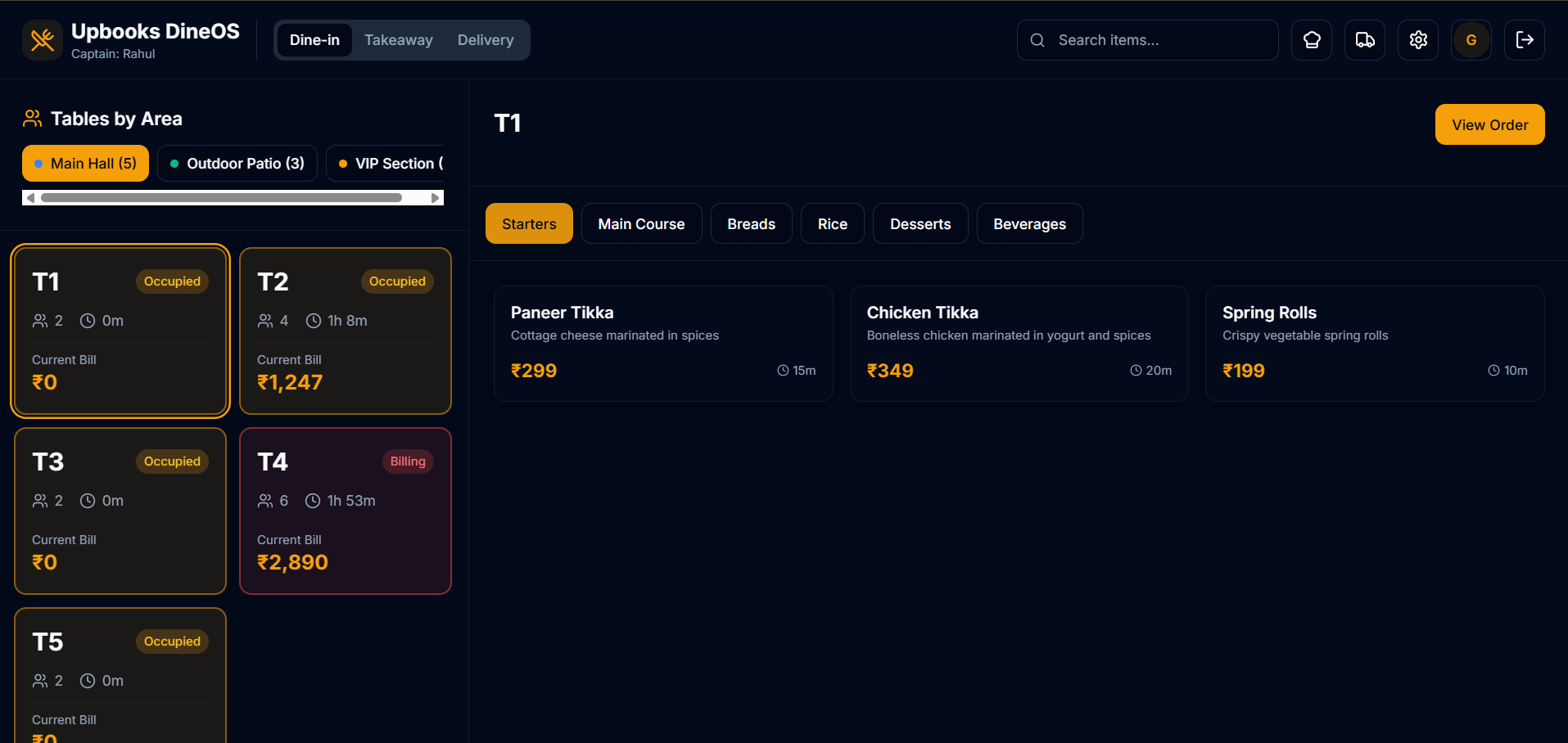
Run your restaurant from table to kitchen to delivery
One connected platform for dine-in POS, kitchen tickets, delivery, menu management, taxes, and aggregator integrations.
Dine-in orders, split bills, and instant kitchen routing.
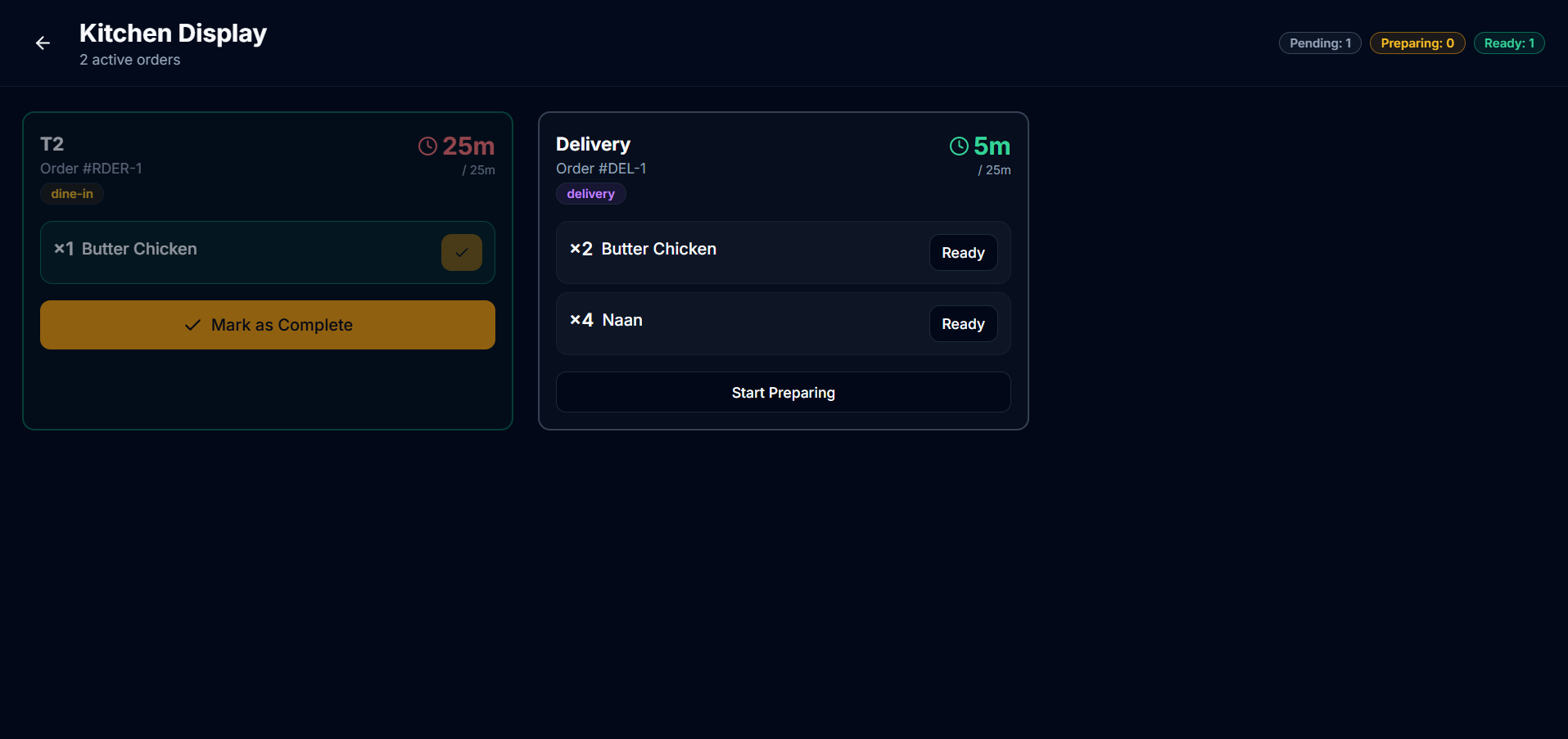
Live tickets, prep status, and zero missed orders.
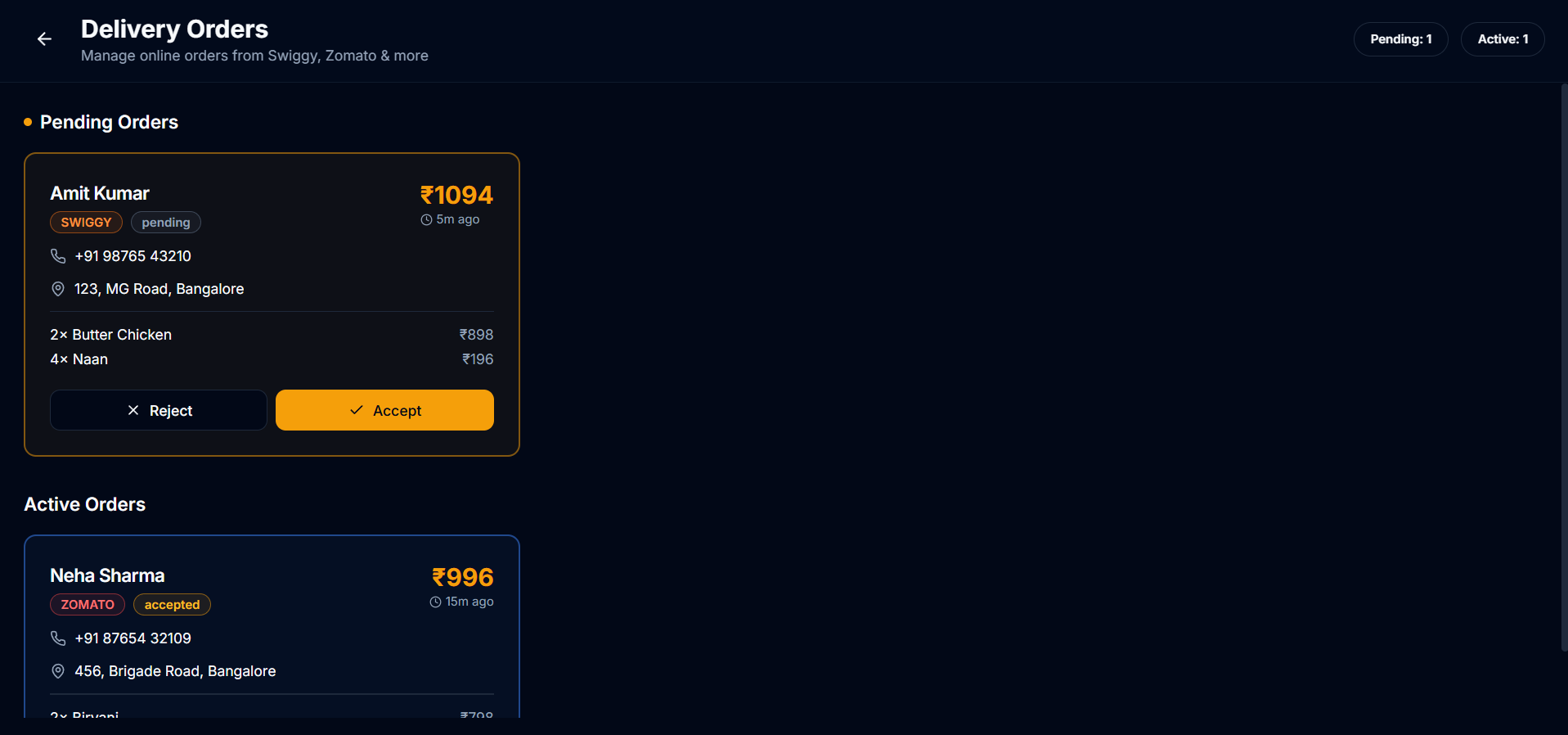
Delivery ops and aggregator orders in one queue.
Kitchen
3 tickets live
Delivery
2 riders en route
13+
Unified screens
3
Order channels
1
Kitchen queue
0
Duplicate entry
End-to-end flow
From first tap to final bill
Every order follows one connected path—no duplicate entry, no lost tickets.
Take the order
Table POS captures dine-in, takeaway, and delivery orders with modifiers and split bills.
Fire the kitchen
Tickets appear instantly on the kitchen display—prioritized, tracked, and marked ready.
Serve or dispatch
Route to tables or delivery riders. Aggregator orders land in the same workflow.
Bill & reconcile
Taxes, charges, and discounts apply automatically. Every channel reports to one place.
Live operations
Watch orders move from kitchen to doorstep
DineOS keeps front-of-house, kitchen display, and delivery in one live queue—no radio calls, no missed tickets, no duplicate entry across channels.
- Kitchen tickets update in real time as items are fired and marked ready
- Delivery orders share the same menu and prep queue as dine-in
- Riders and aggregators sync into one dispatch view
Butter Chicken
#1042
Paneer Tikka
#1043
Garlic Naan ×2
#1044
pos → kitchen → delivery • single queue • dineos
Product tour
Explore every screen in DineOS
Switch categories to see how operations, menu, setup, and integrations work together.
Front & back of house
POS, kitchen, and delivery in sync
Take orders, fire the kitchen, and manage delivery from screens built for speed during rush hour.
- Intuitive POS for dine-in and takeaway
- Table assignment and open-order tracking
- Modifiers, combos, and special instructions
- Split bills and instant kitchen routing
Built for real restaurants
Every screen, designed for speed
A glimpse of the interfaces your team uses every day—from kitchen rush to menu updates.
Platform capabilities
Everything a modern restaurant needs
From the first order to the final receipt—one DineOS system, not five disconnected tools. Your kitchen stays in sync with every table, delivery, and aggregator order.
Kitchen Display
Live ticket board · synced with POS
Actual KDS screen
Butter Chicken
Paneer Tikka
Veg Biryani
Garlic Naan ×2
Order fired from Table POS → ticket synced to kitchen
Table POS
Dine-in ordering with tables, modifiers, split bills, and instant kitchen routing.
Kitchen Display
Real-time tickets with prep status—fewer miscommunications during rush hour.
Delivery
Delivery orders in the same workflow as dine-in, without duplicate entry.
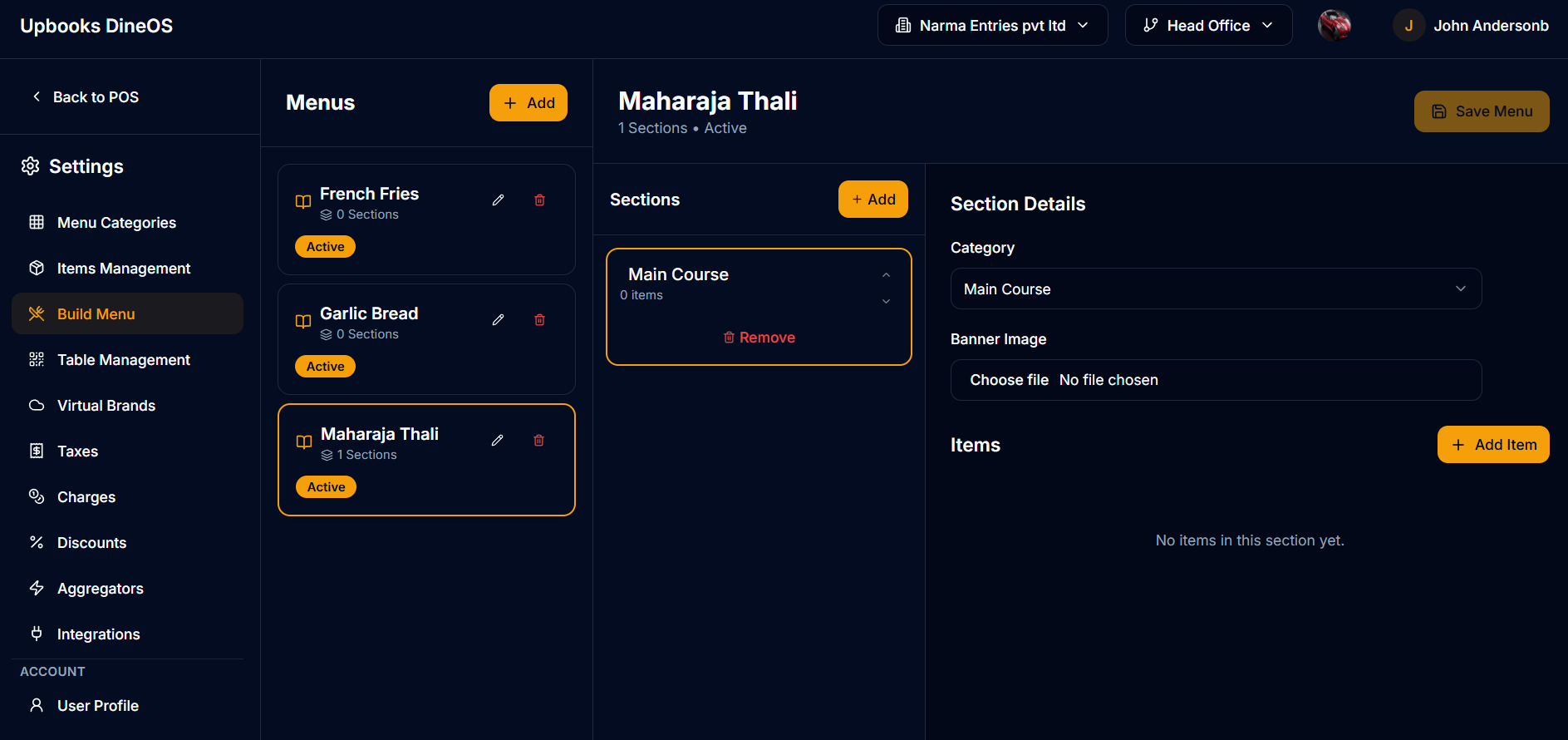
Menu Builder
Categories, items, and visual menu assembly that stays consistent everywhere.
Table & Floor Plan
Configure seating, track occupancy, and assign orders to the right table.
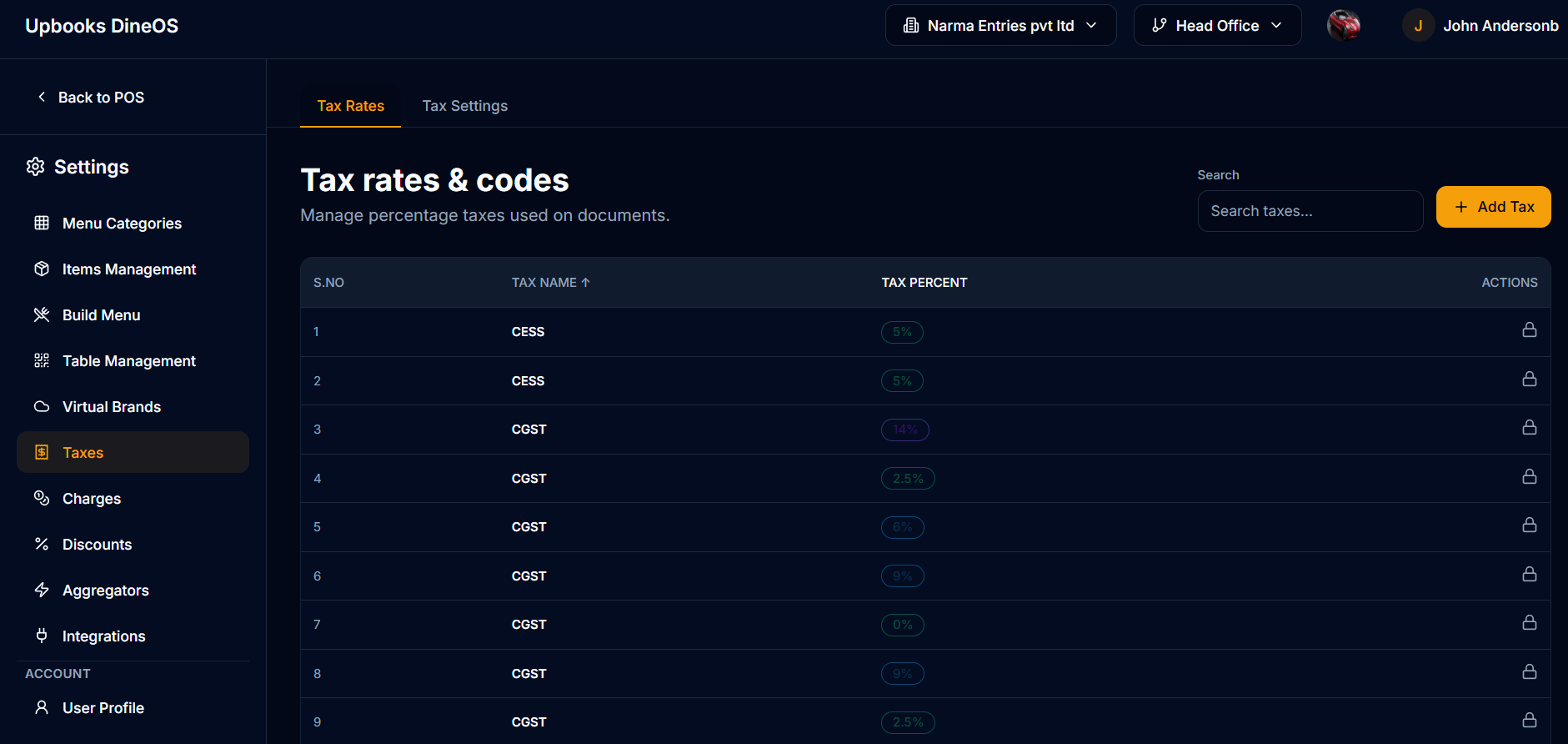
Taxes & Charges
GST, service charges, and packaging fees applied automatically on every bill.
Discounts
Promotions, happy-hour deals, and role-controlled discounting.
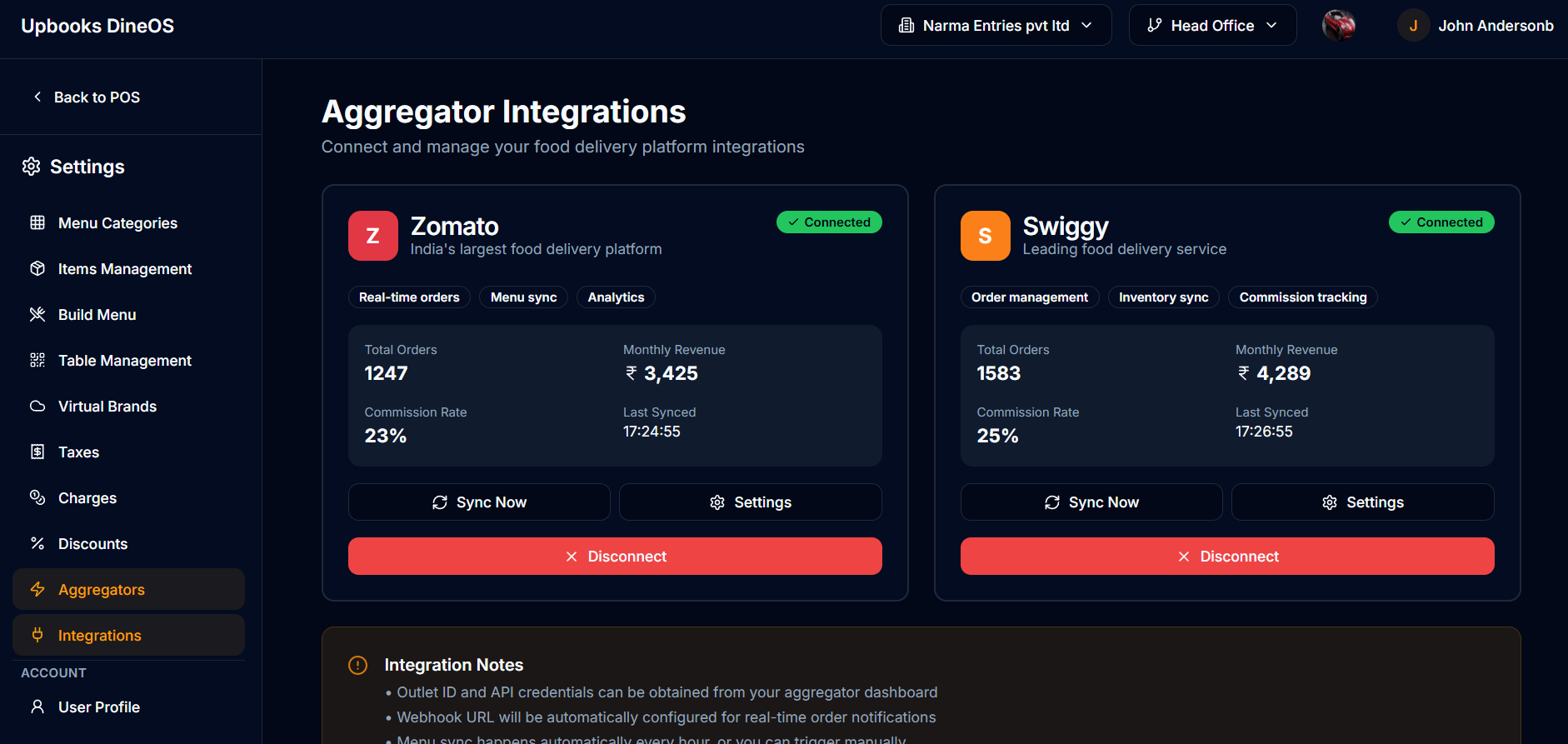
Aggregators
Swiggy, Zomato, and partners—orders sync into your kitchen queue.
Ready to modernize how your restaurant runs?
Join restaurants running dine-in, kitchen, delivery, and aggregators on DineOS. Start your free trial now - no credit card required.