
Track time accurately. Prove it with annotated screenshots and video.
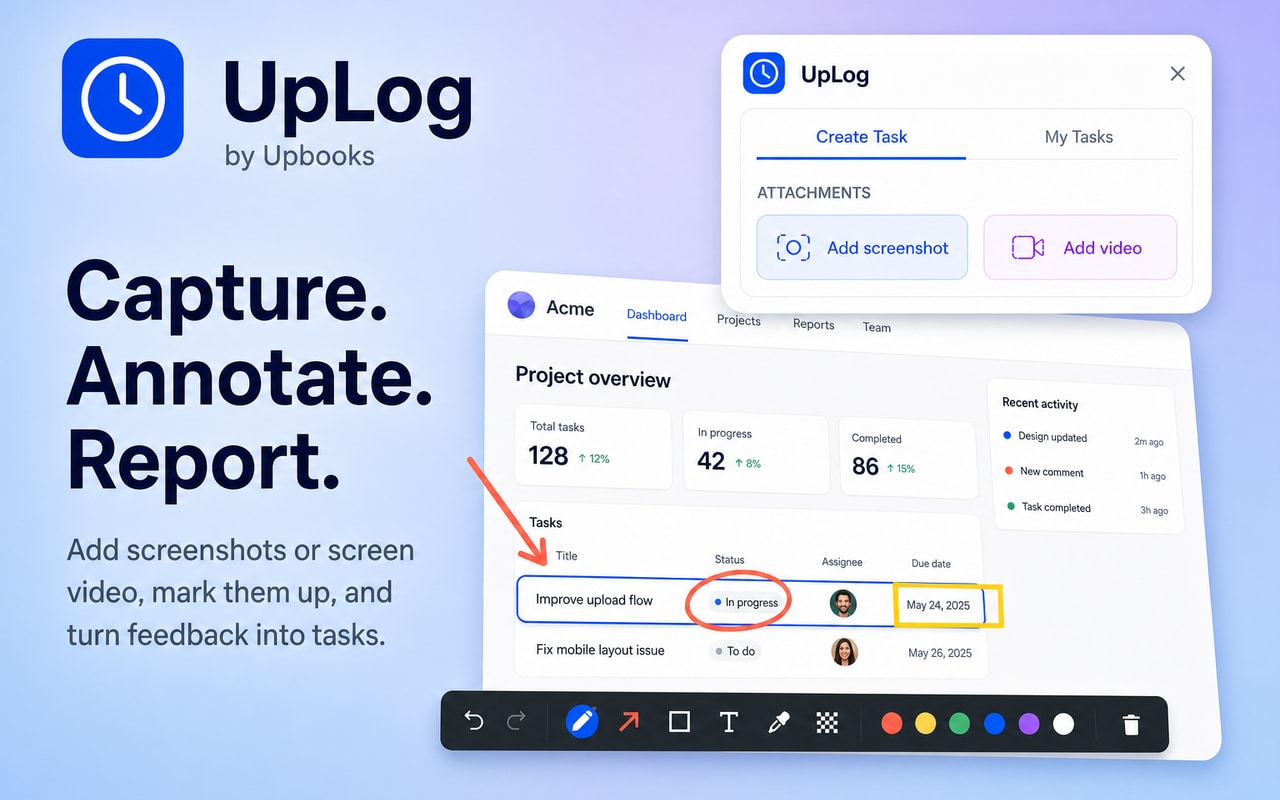
Capture a screen or record a tab, then mark it up with pen, highlight, boxes, arrows, and text. Clients and managers see the work — not just the hours. Automatic time capture and admin-level visibility for remote and hybrid teams.
✓ Screenshot annotation • ✓ Video capture with markup • ✓ Automatic time tracking
Screenshot annotation & video capture
Mark up the proof, not just the hours
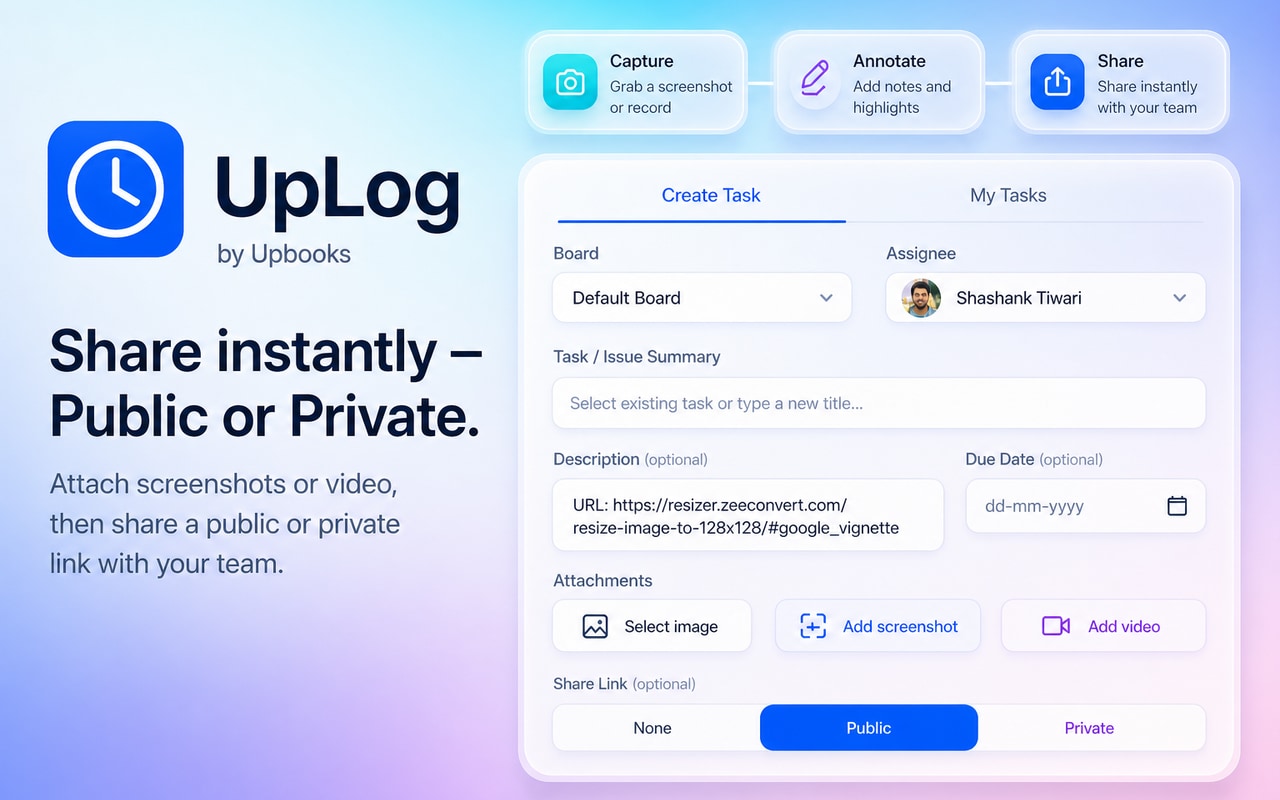
- Capture a screenshot automatically or on demand, then mark it up with pen, highlight, box, and text
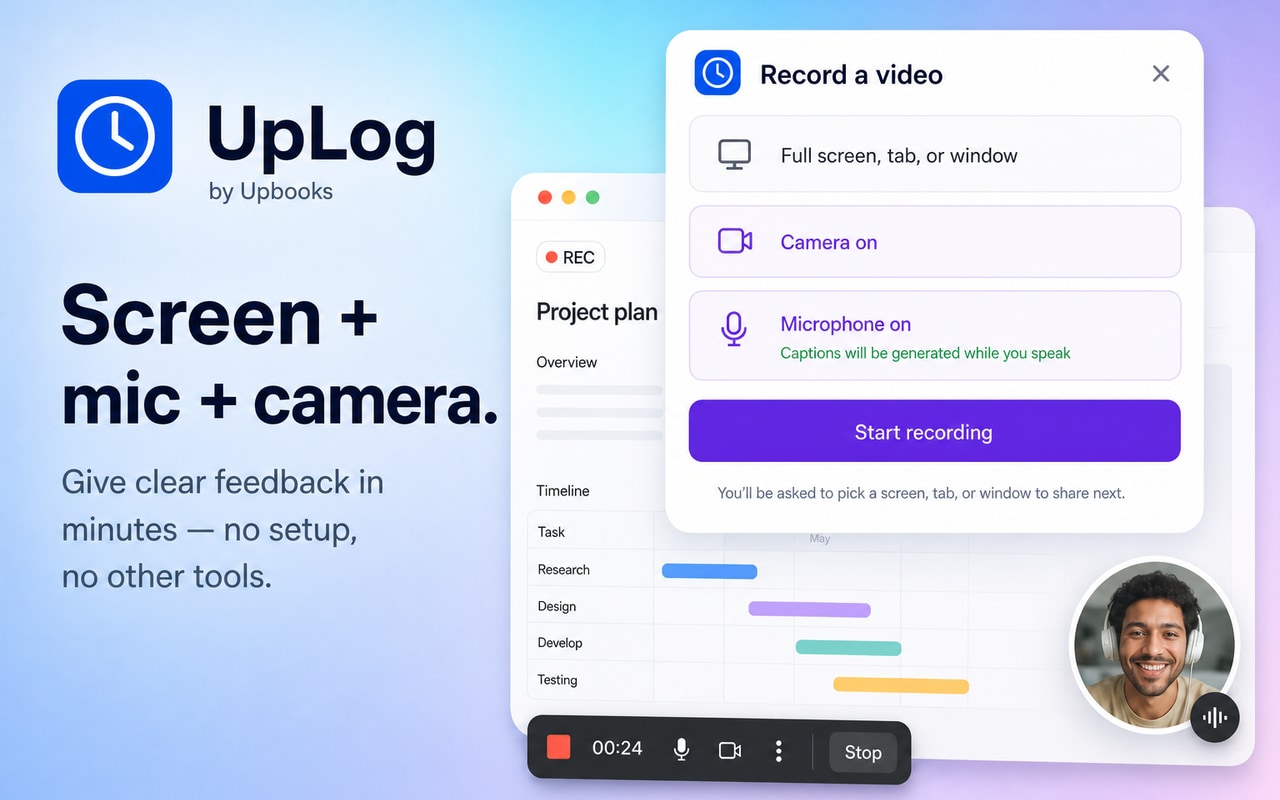
- Record a tab, window, or full screen with optional camera and microphone
- Trim the clip, then burn in arrows, boxes, highlights, and notes
- Attach annotated screenshots and videos to tasks and sessions as visual proof
Why it matters
A marked-up screenshot or a 30-second annotated recording shows the bug, the click path, or the finished work — without a meeting or a long explanation.
Ready to capture
Why Choose UpLog?
All features are designed to save time, increase transparency, and help businesses make better decisions—with annotated screenshots, video capture, automatic time tracking, and admin-level visibility.
Screenshot Annotation
Capture automatically or on demand, then mark up with pen, rectangle, and text so the work—or the bug—is obvious.
Video Capture with Annotation
Record a tab, window, or full screen with optional camera and mic. Trim the clip, then add pen, highlight, box, arrow, and text overlays.
Login & Authentication
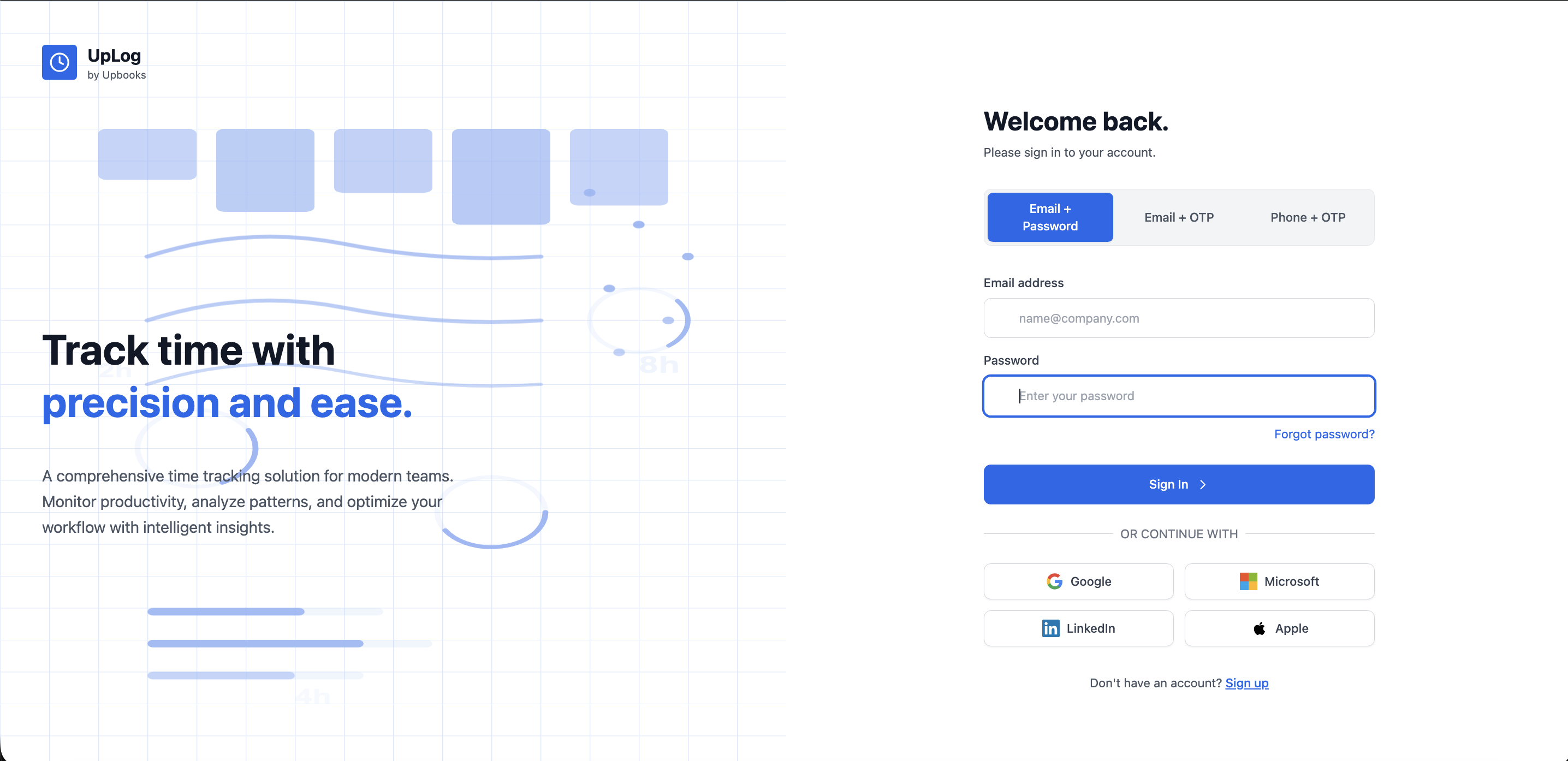
Email/password, Email OTP, Phone OTP, and social login (Google, Microsoft, LinkedIn, Apple). Organization selection for multi-company users.
Real-Time Time Tracking
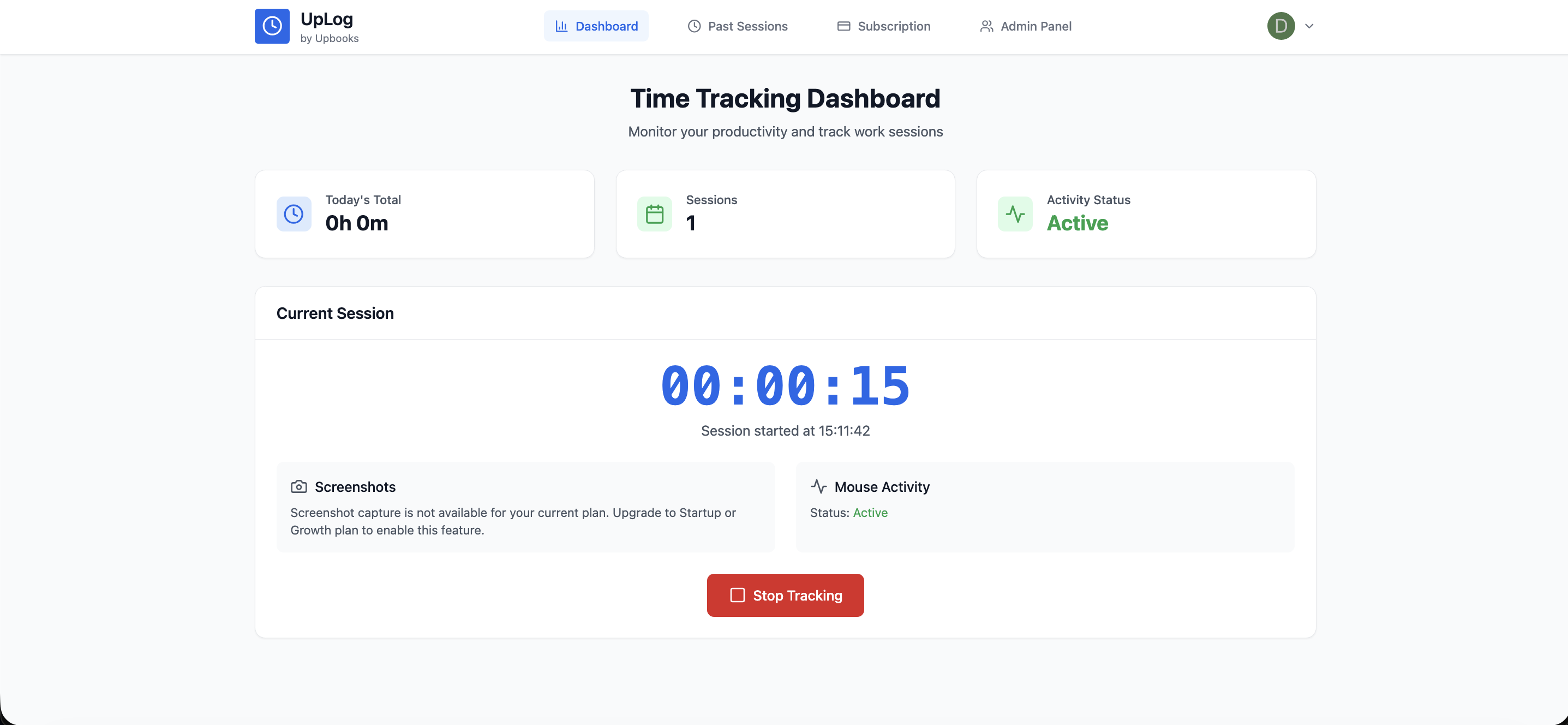
One-click start/stop, live timer, project & task selection, and automatic time capture with no manual entry.
Daily Statistics
Today's total hours, session count, and activity status indicator for quick productivity insights.
Screenshot Capture
Automatic screenshots during work sessions for work verification, client confidence, and dispute resolution.
Project & Task Organization
Organize time by project and task. Project selection, task assignment, and hierarchical organization for detailed reporting.
Past Sessions & Filtering
Complete work history with date range filtering. Session list, duration, start/end times, and status indicators.
Visual Work Proof
Screenshot gallery with annotated captures, thumbnail preview, full-screen viewer, zoom controls, and keyboard shortcuts for session proof.
Admin Panel
User & employee management, project management, task management, and organization statistics dashboard.
Projects & Tasks
List and Kanban board views with Title, Status, Priority, Assignee, and Due date. My Board, All Tasks, Team, Archived, and Starred navigation.
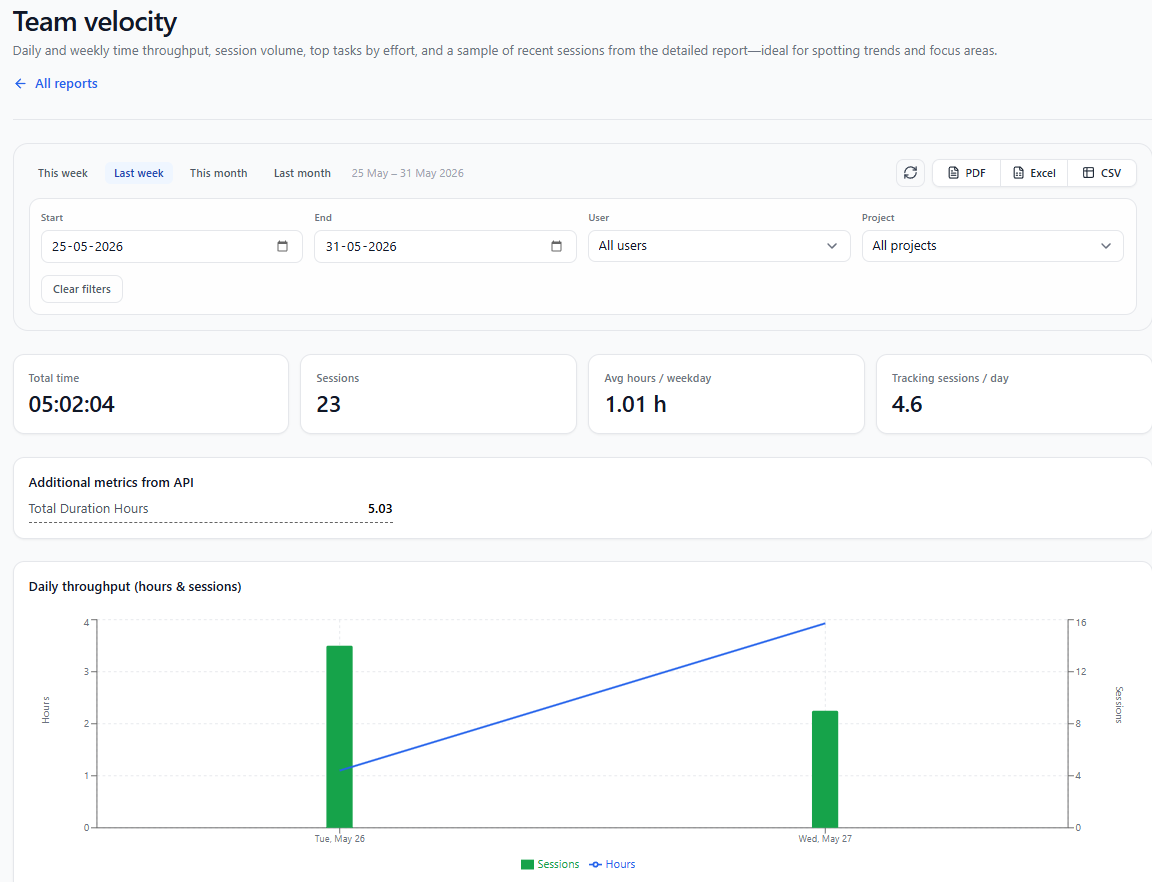
Reports
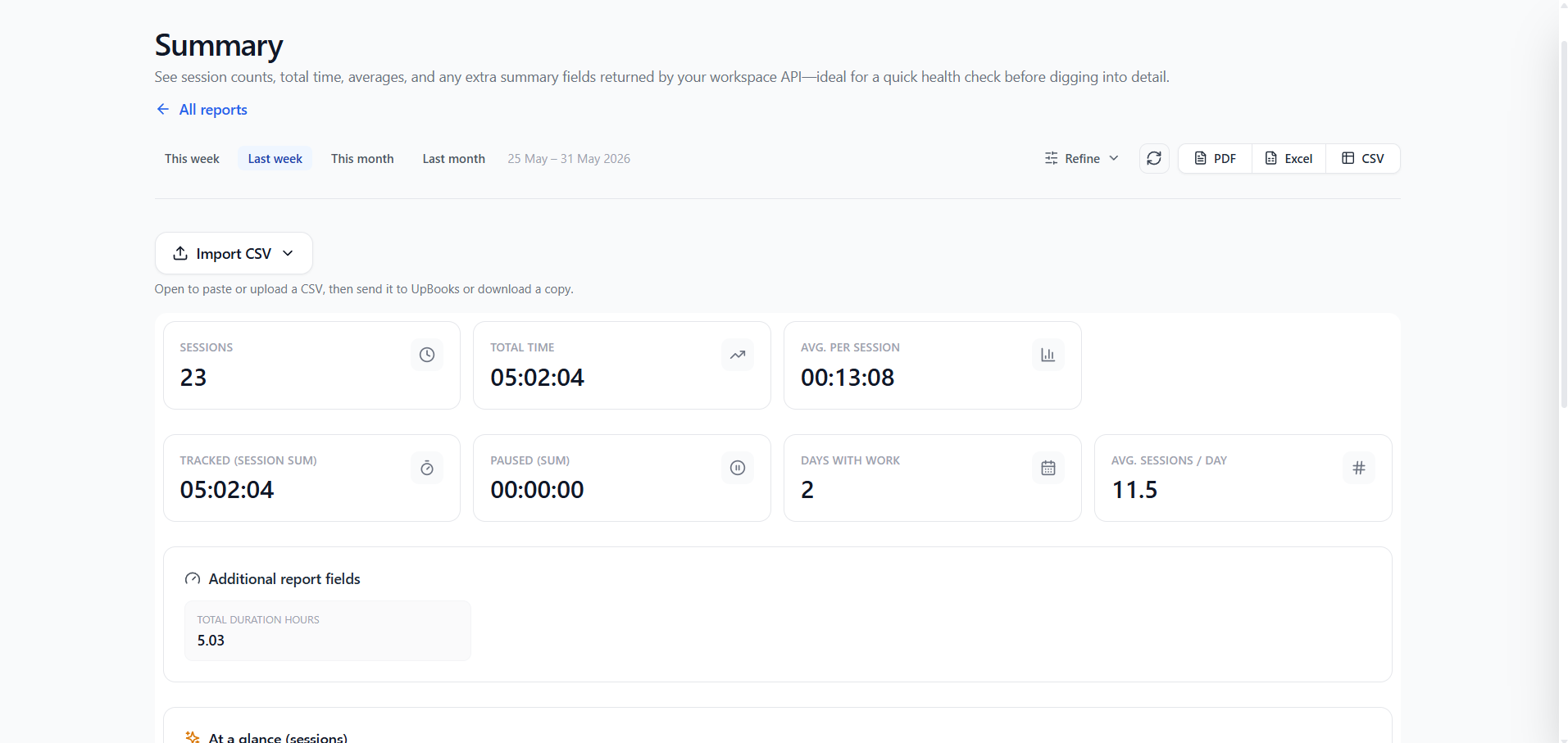
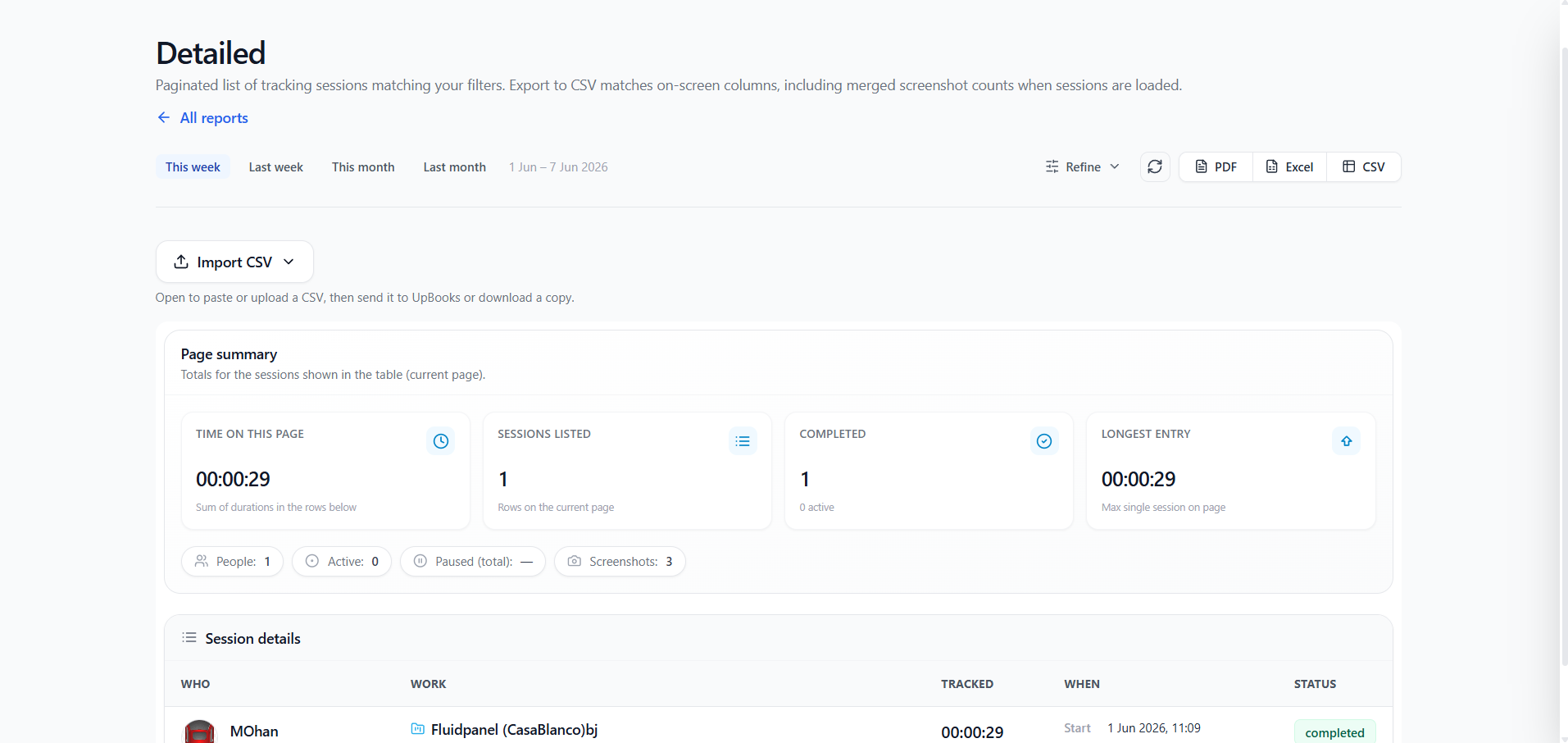
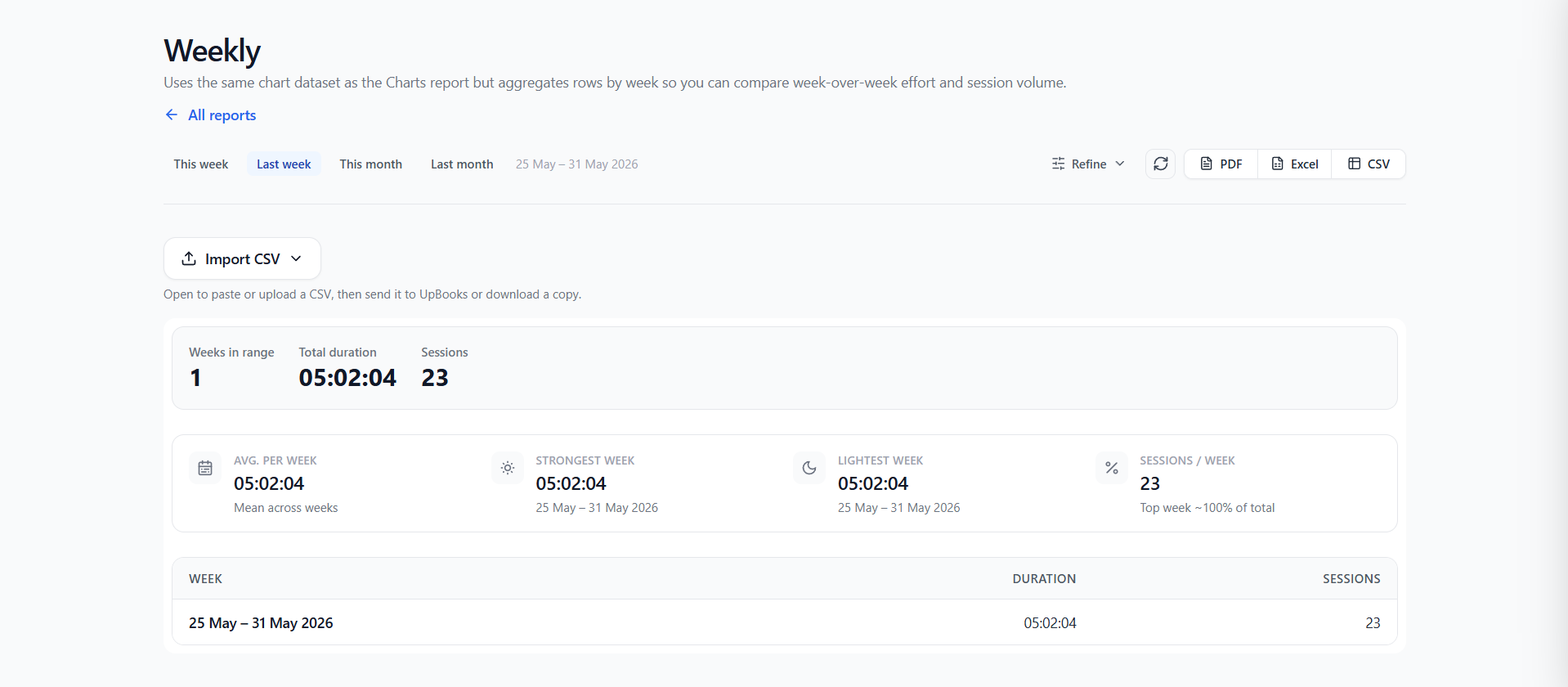
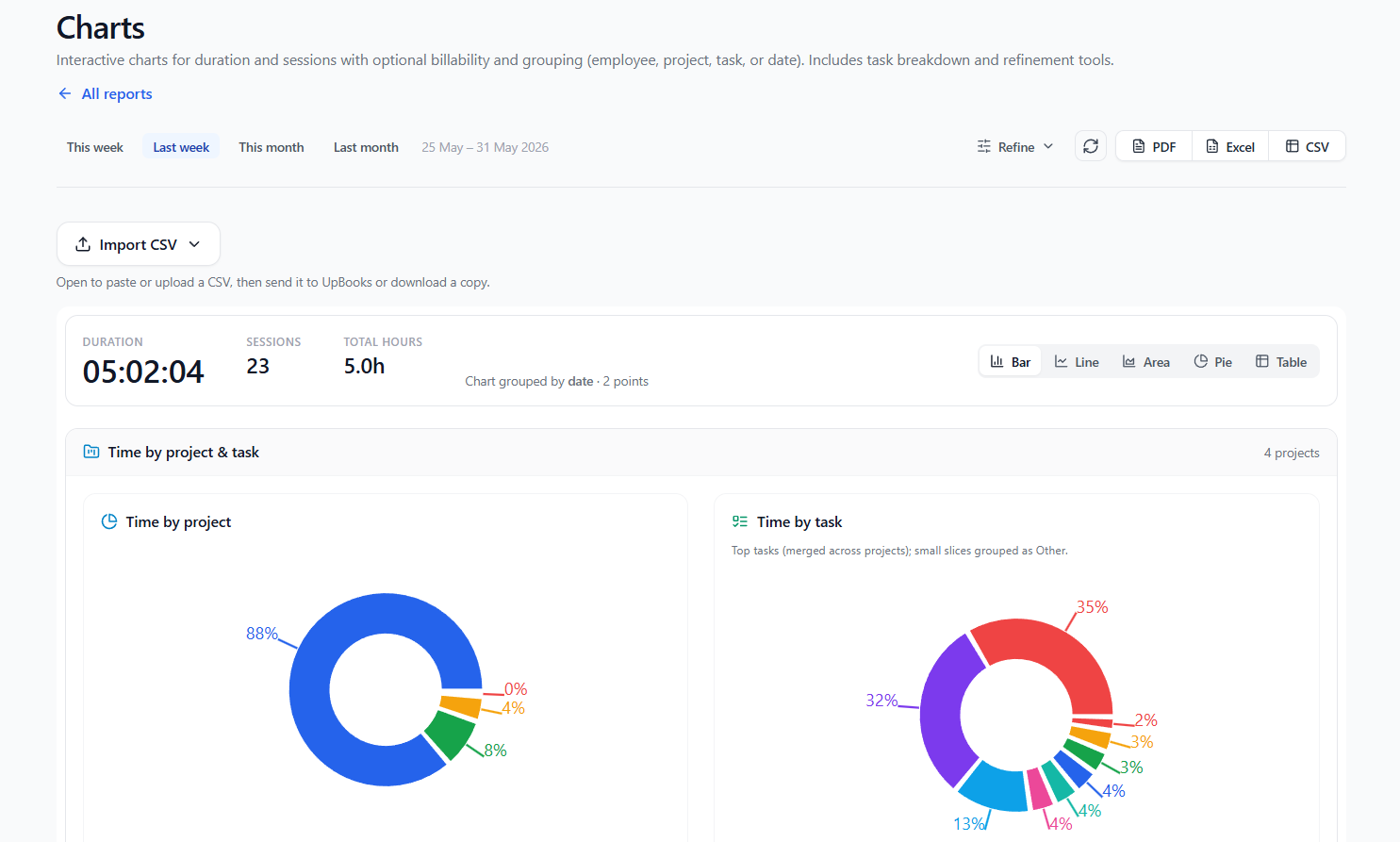
Summary, Detailed, Weekly, Charts, Daily User Activity, Utilization, Client billing, and Team velocity reports with CSV export.
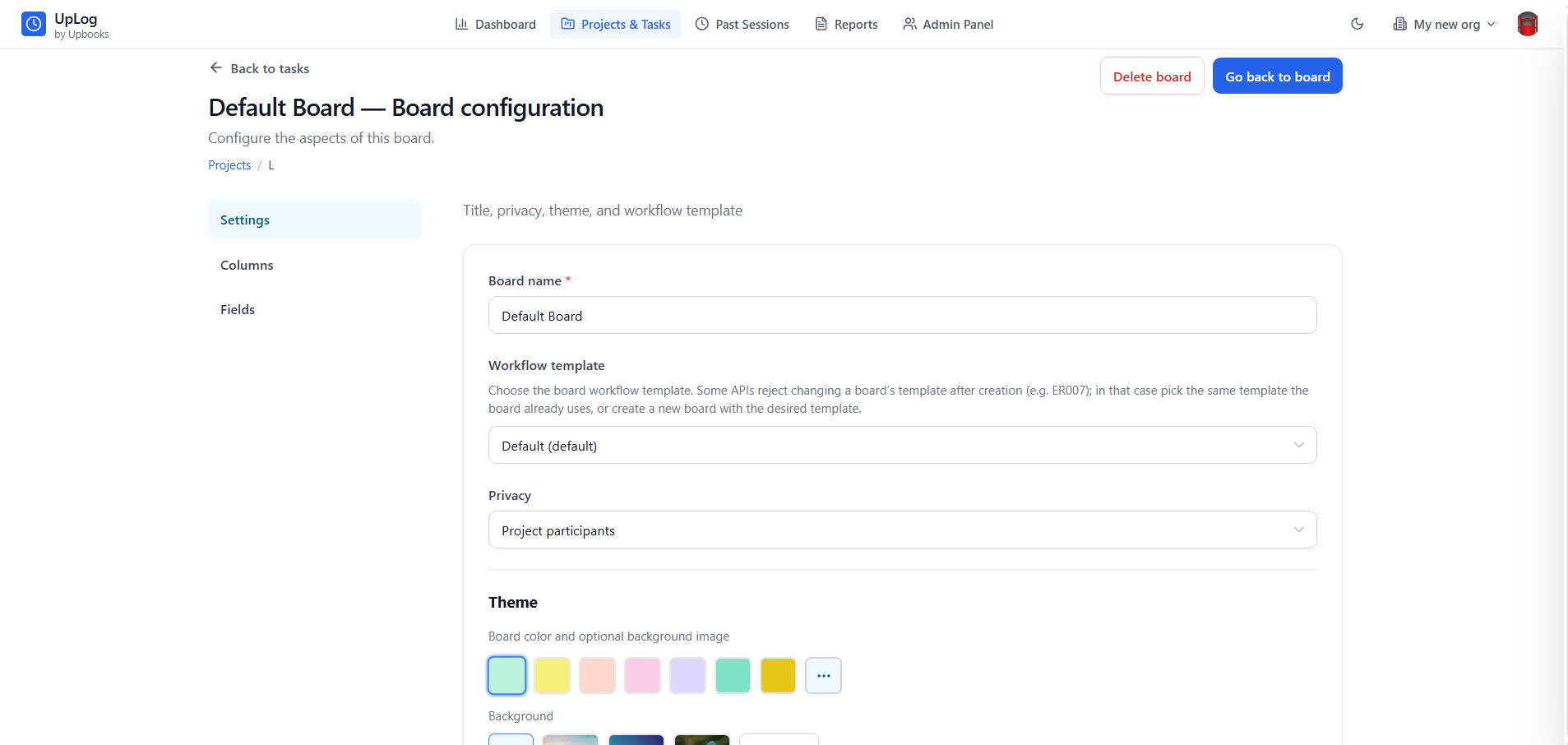
Board Configuration
Customize board name, workflow template, privacy, columns, fields, theme colors, and background images.
Multi-Organization
Switch between organizations without logging out. Perfect for consultants and employees working across multiple companies.
Login & Authentication
Multiple Login Options
- Email & Password login
- Email OTP and Phone OTP — no password needed
- Social login: Google, Microsoft, LinkedIn, Apple
- Faster access and reduced IT support
- Better security with multiple authentication methods
Why it matters
Employees get to work immediately without password reset delays; fewer forgot-password tickets and higher satisfaction.
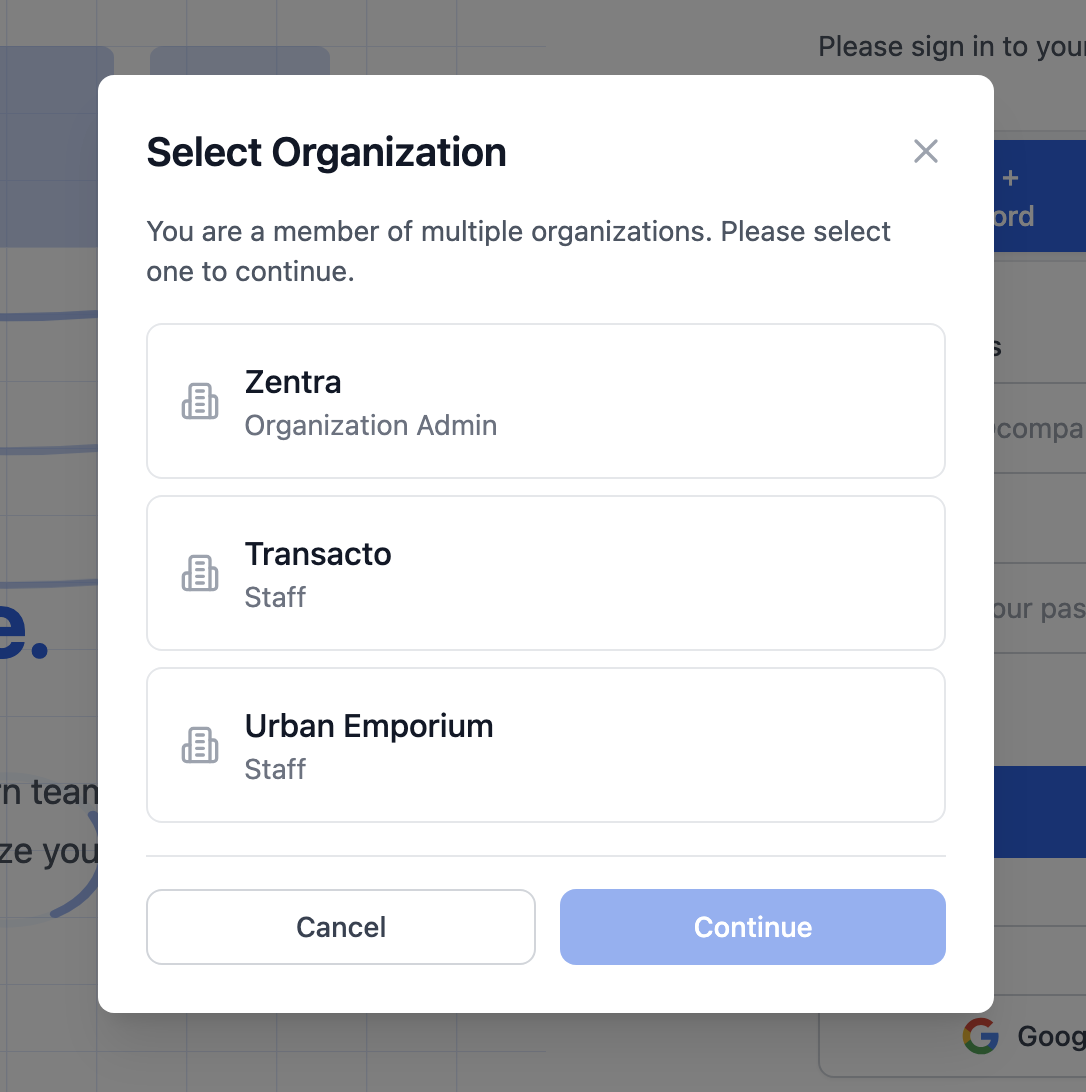
Organization Selection
Multi-Company Support
- Switch between organizations without logging out
- One account works across all your businesses
- Clear separation of time tracking per organization
- Perfect for consultants and employees on multiple projects
Why it matters
No confusion—keep time tracking for different organizations separate while using a single account.
Dashboard — Real-Time Time Tracking
One-Click Start/Stop
- Start tracking with one click; system records in the background
- Live timer display and project & task selection
- Automatic time capture — no manual entry
- Accurate billing and project costing from actual time spent
Why it matters
Know exactly how much time was spent on each project for accurate client billing and transparency.
Daily Statistics Overview
Productivity at a Glance
- Today's total hours at a glance
- Session count and activity status indicator
- Managers see team productivity without digging through reports
- Helps employees manage time and hit daily goals
Why it matters
Quick insights for managers and pattern recognition for better time awareness.
Project & Task Organization
Organize Time by Work
- Select project and task before starting the timer
- Projects contain multiple tasks for detailed tracking
- Project budgeting and resource allocation visibility
- Client reporting with time spent on specific tasks
Why it matters
Track time per project to stay within budget and understand where time is consumed.
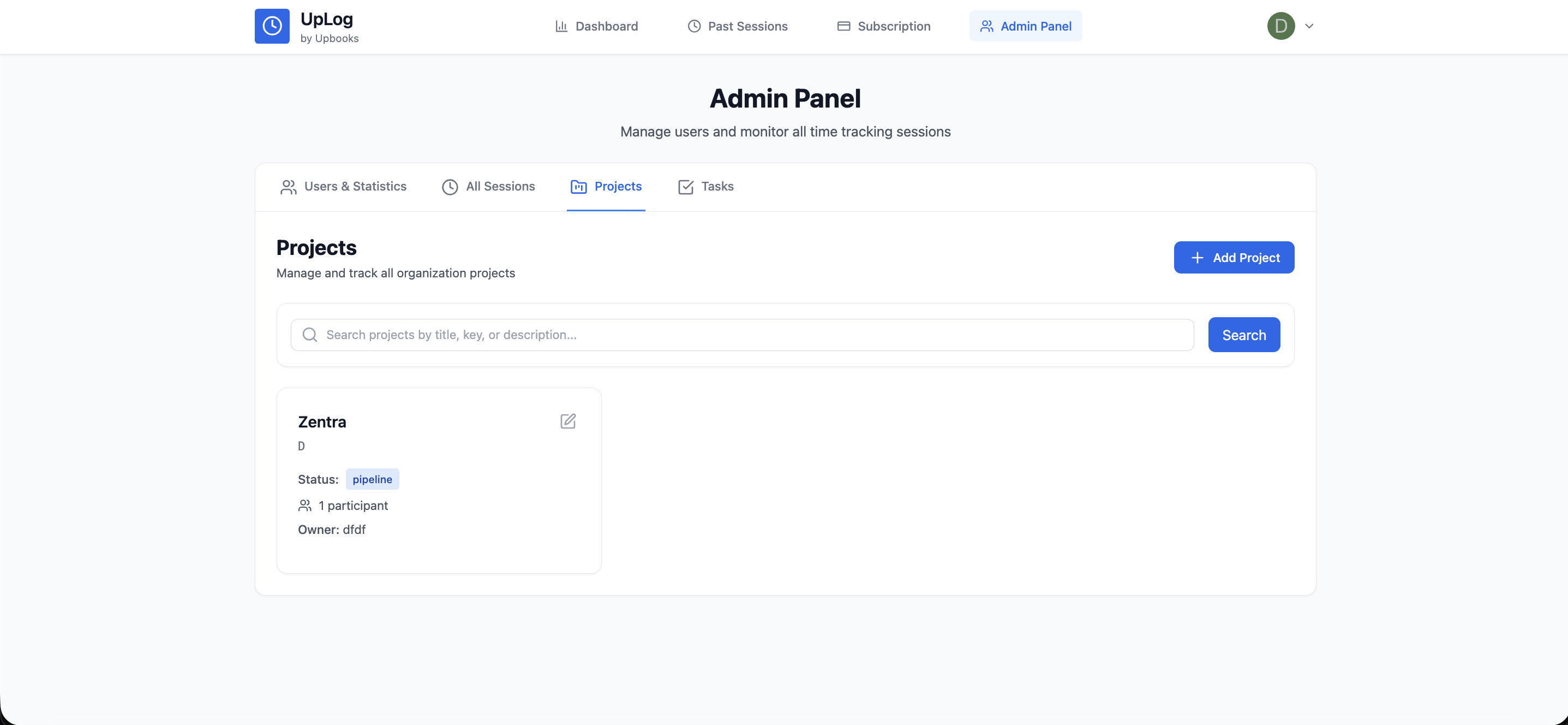
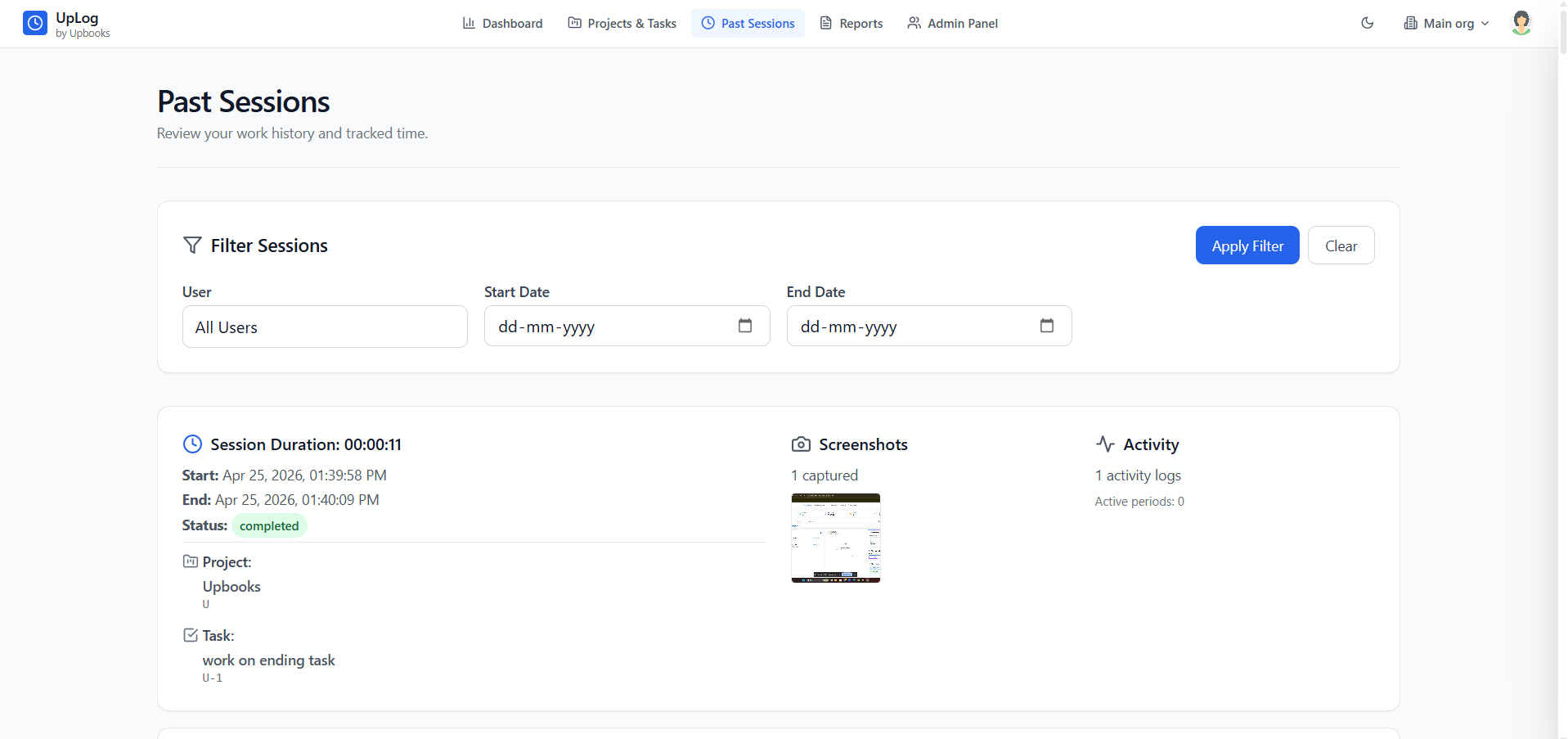
Past Sessions — Complete Work History
Review What Was Done
- View all past work sessions with duration and start/end times
- Status indicators and session list in one place
- Historical analysis for client billing and performance reviews
- Understand how long similar projects typically take
Why it matters
Accurate invoices and performance evaluations from historical time data.
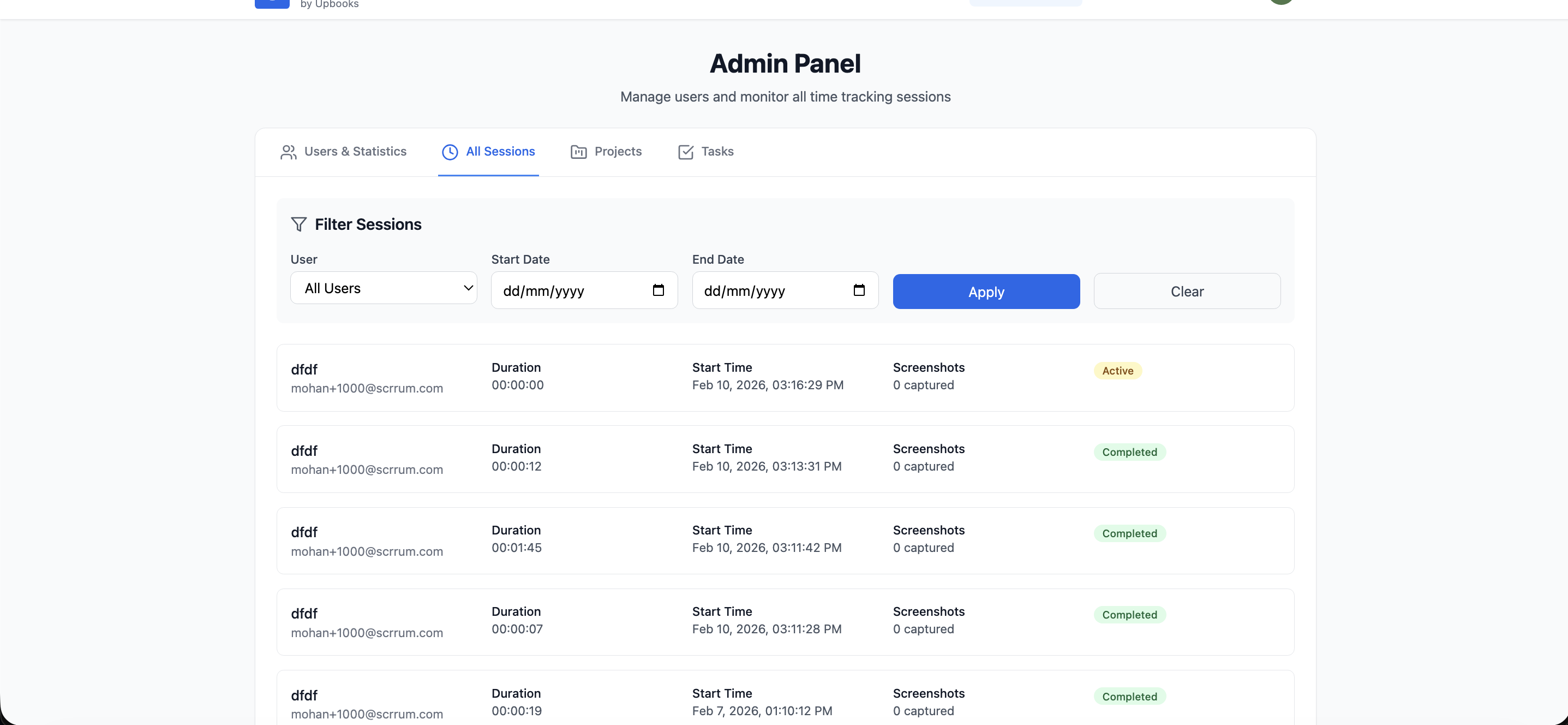
Date Range Filtering
Find Exactly What You Need
- Filter sessions by start and end date
- Quick filter application and clear filters
- Monthly reporting, pay period extraction, tax preparation
- Project period analysis for specific phases
Why it matters
Generate monthly reports and extract time data for payroll or accounting in seconds.
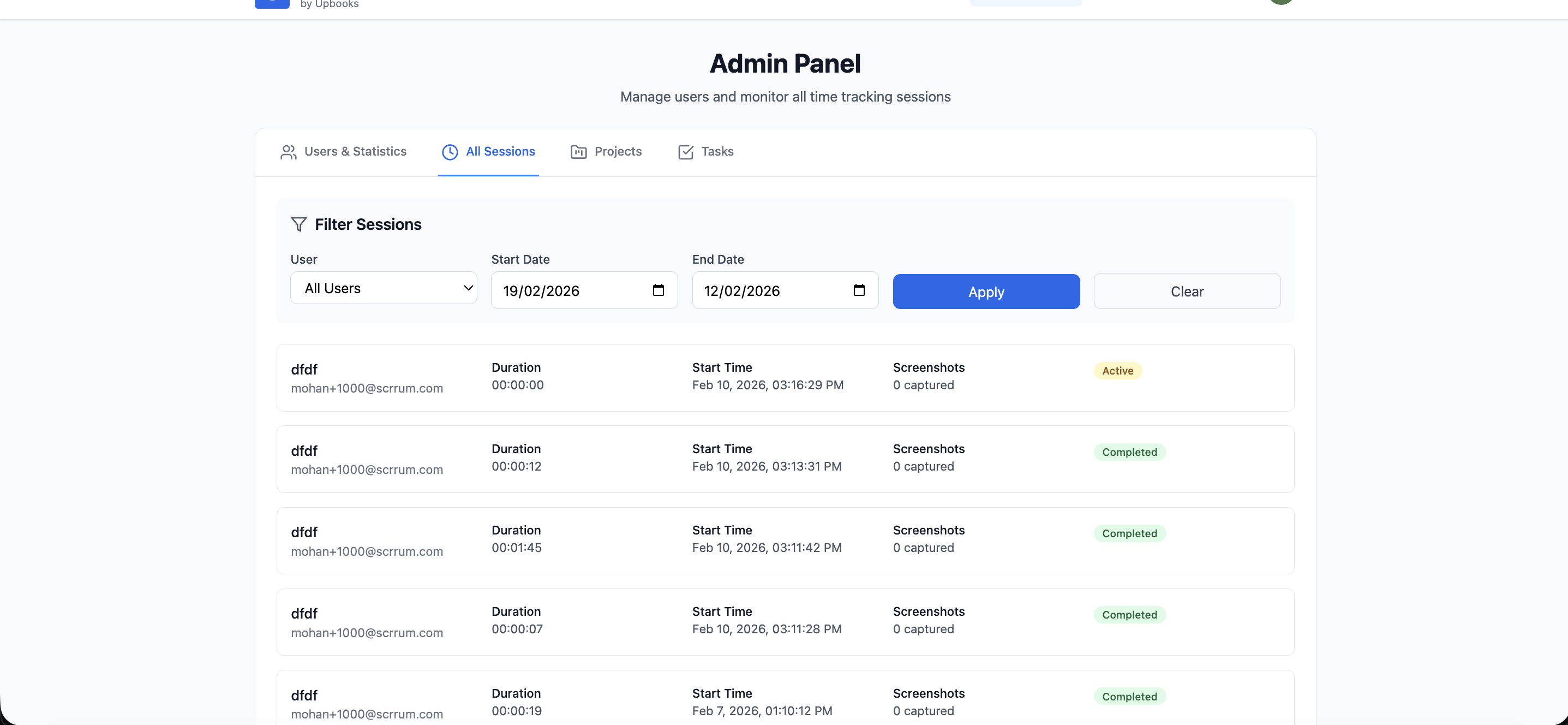
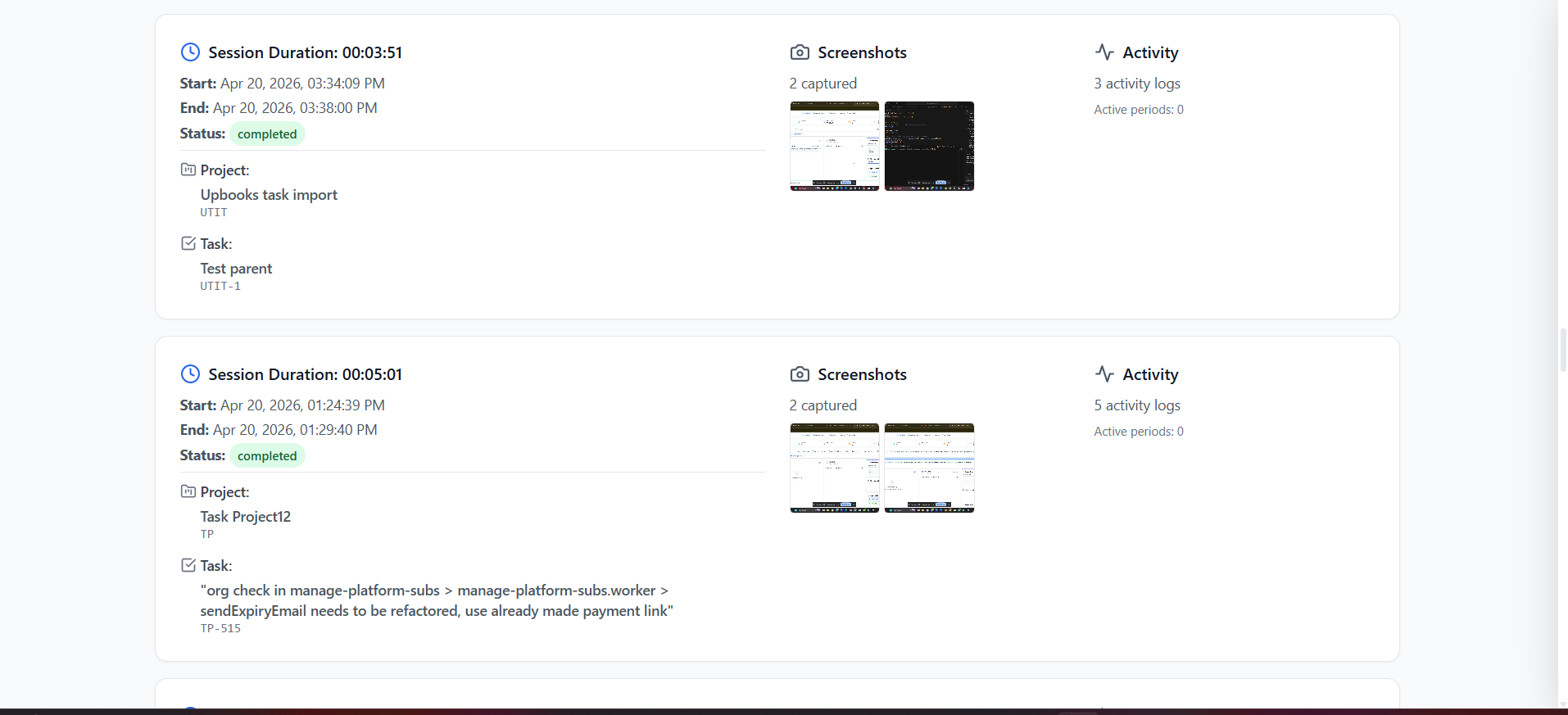
Visual Work Proof
Screenshots Per Session
- Screenshot gallery and thumbnail preview for each session
- Annotated captures sit with raw proof so context is never lost
- Full-screen viewer with zoom and keyboard shortcuts
- Visual proof of work for clients and dispute resolution
Why it matters
Show clients exactly what was done and resolve billing questions with visual evidence.
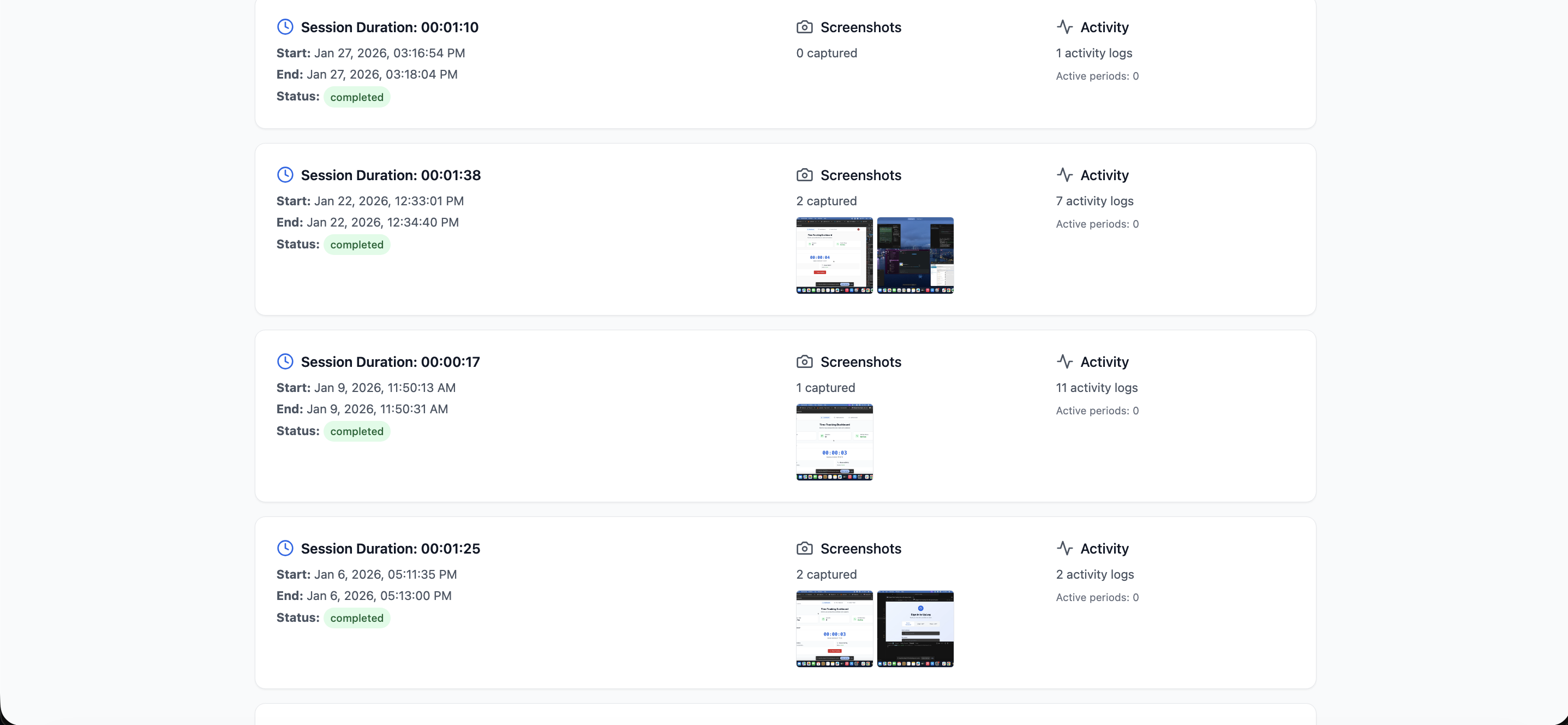
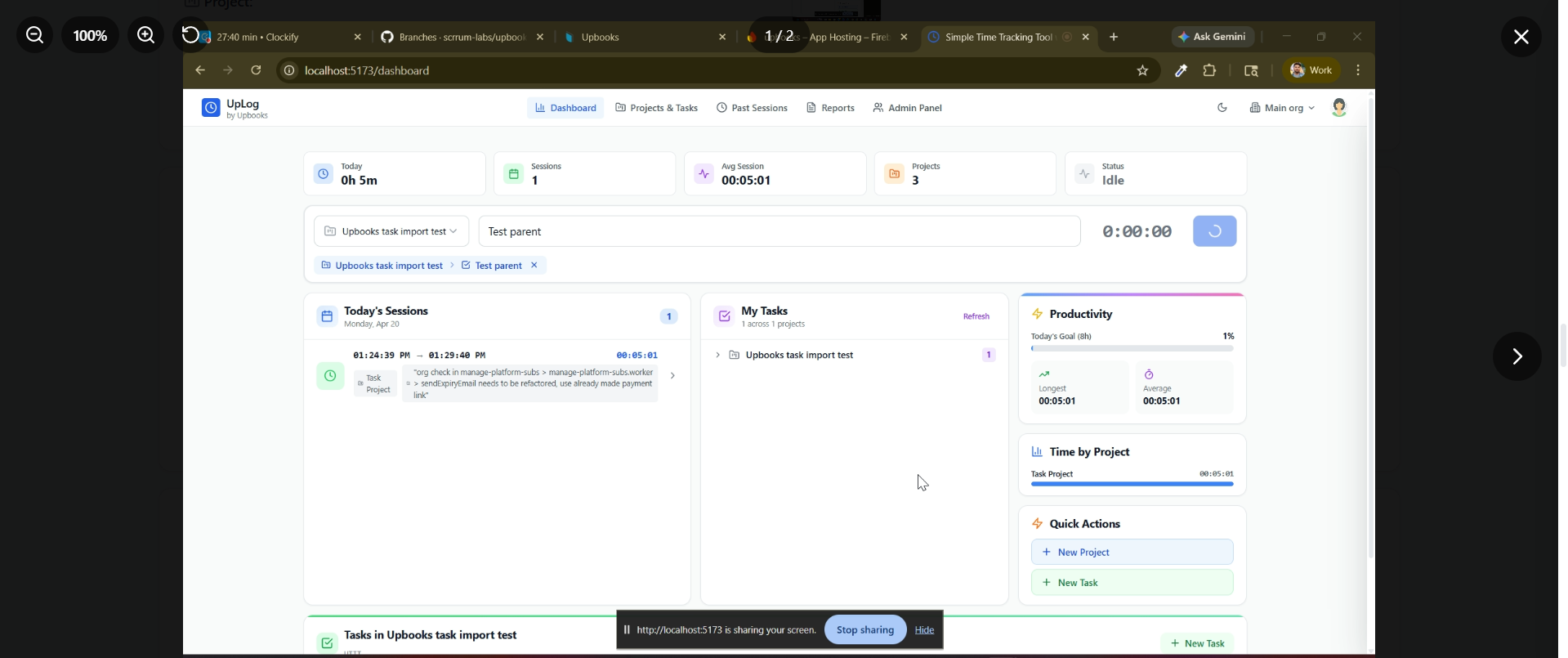
Admin Panel
User, Project & Task Management
- Employee directory with roles and time tracking statistics
- Create, edit, and manage projects with budget and dates
- Task creation, assignment, priority, and status tracking
- Organization statistics: total users, sessions, time tracked
Why it matters
Centralized team overview, resource planning, and workload distribution in one place.
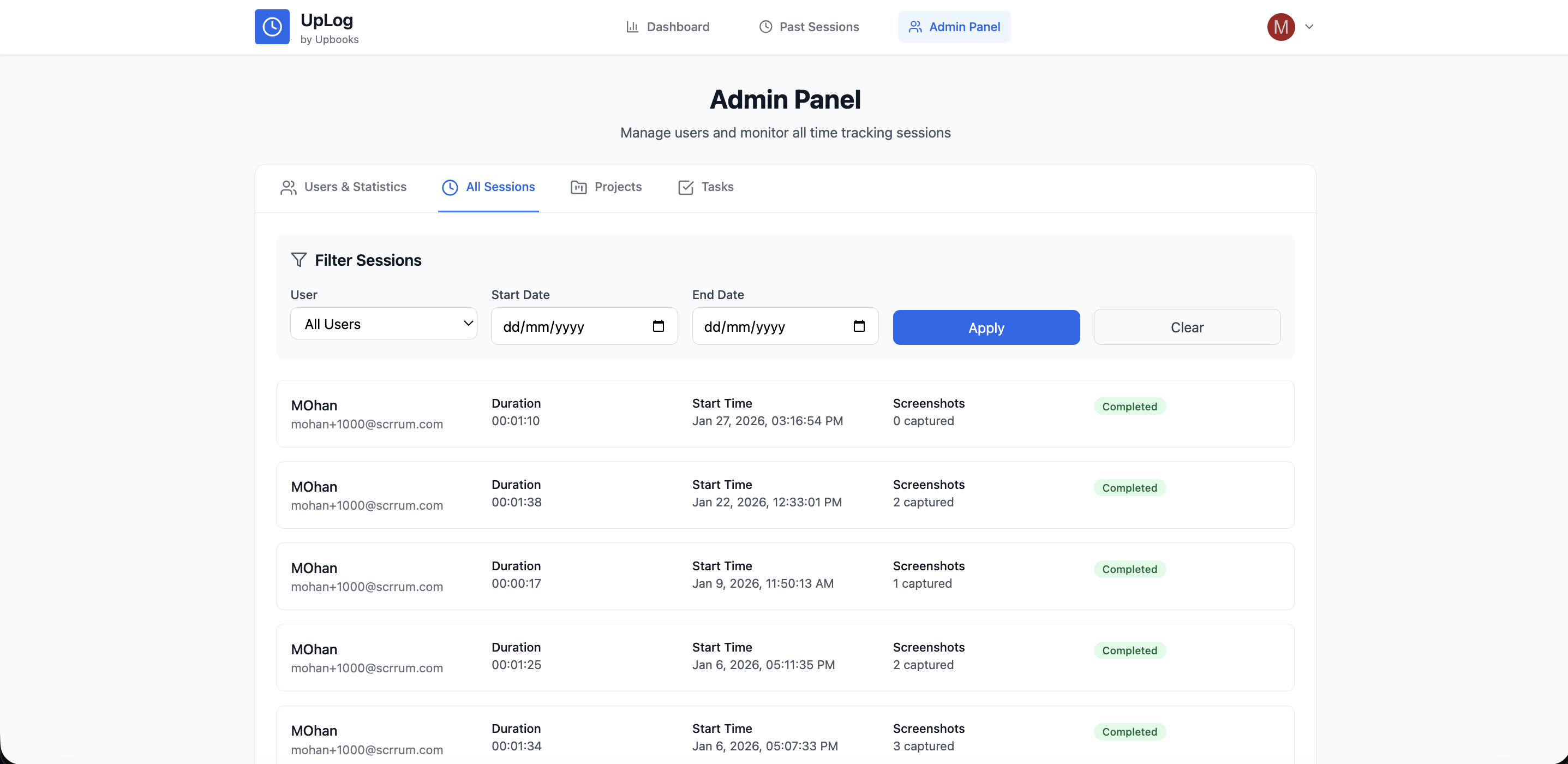
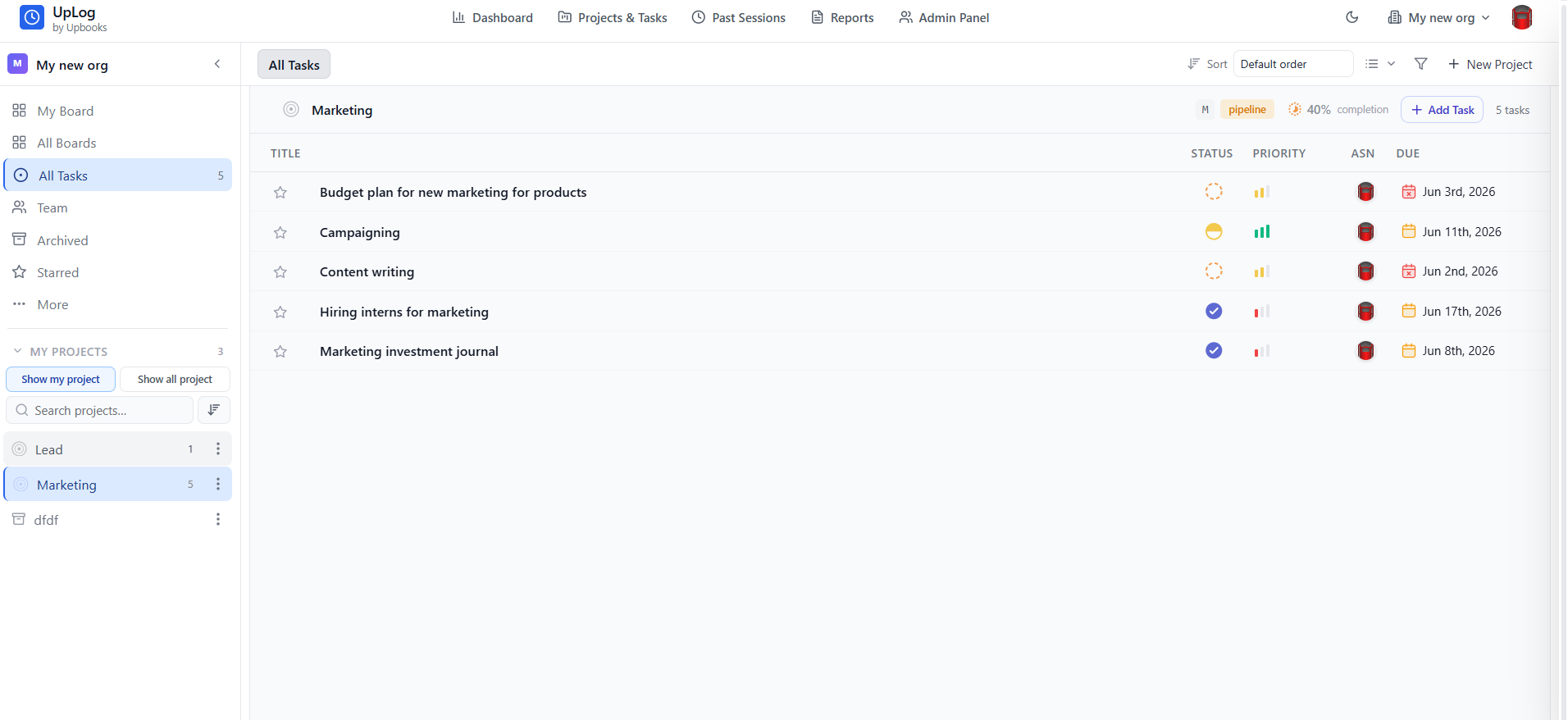
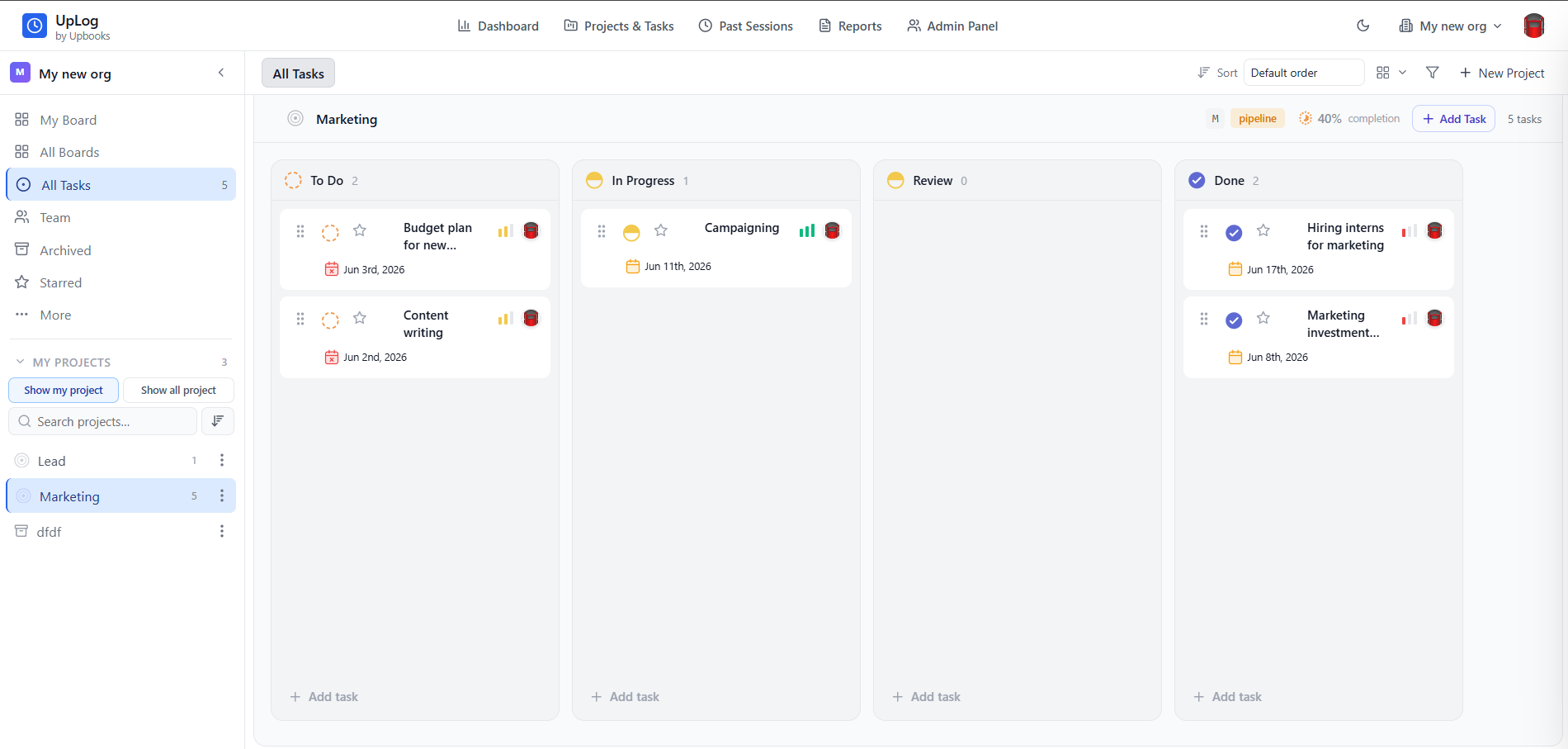
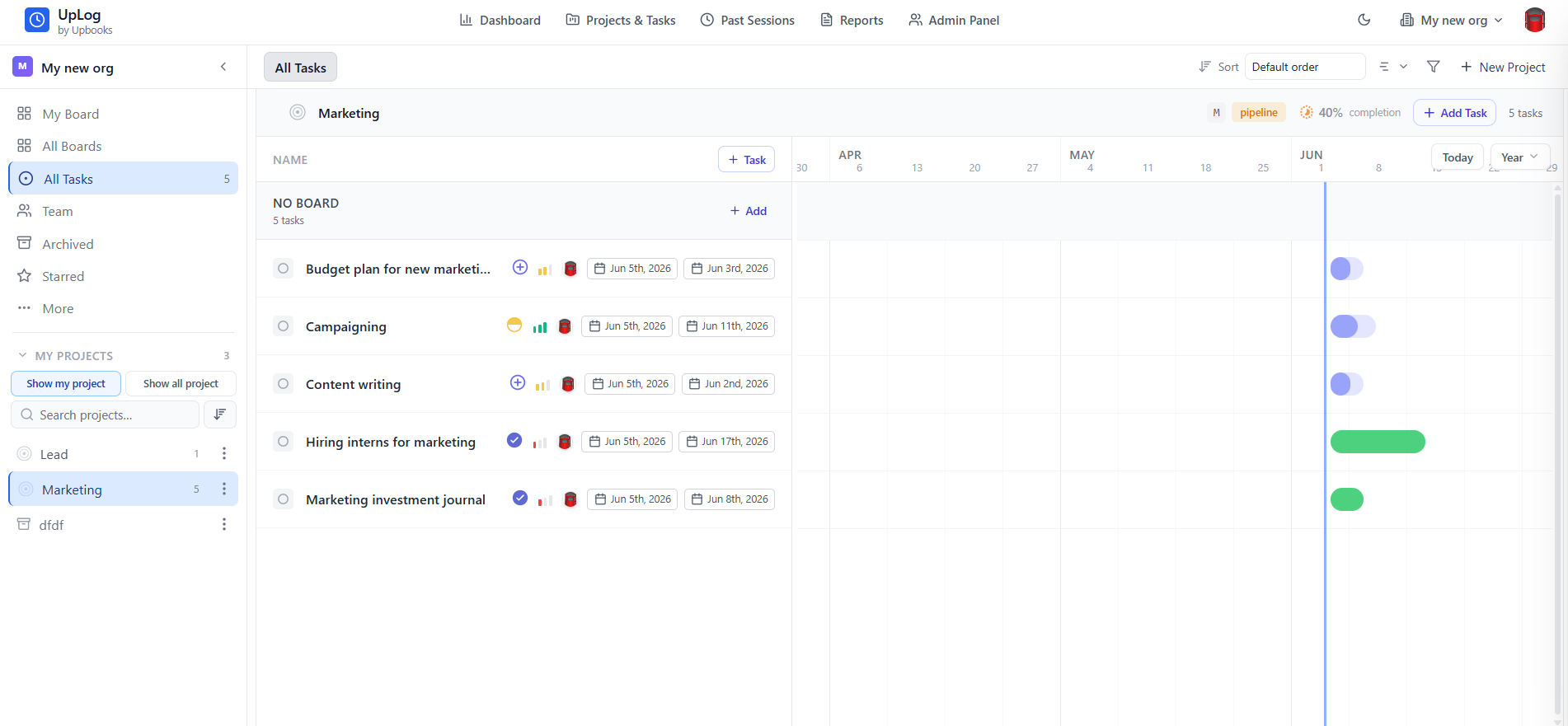
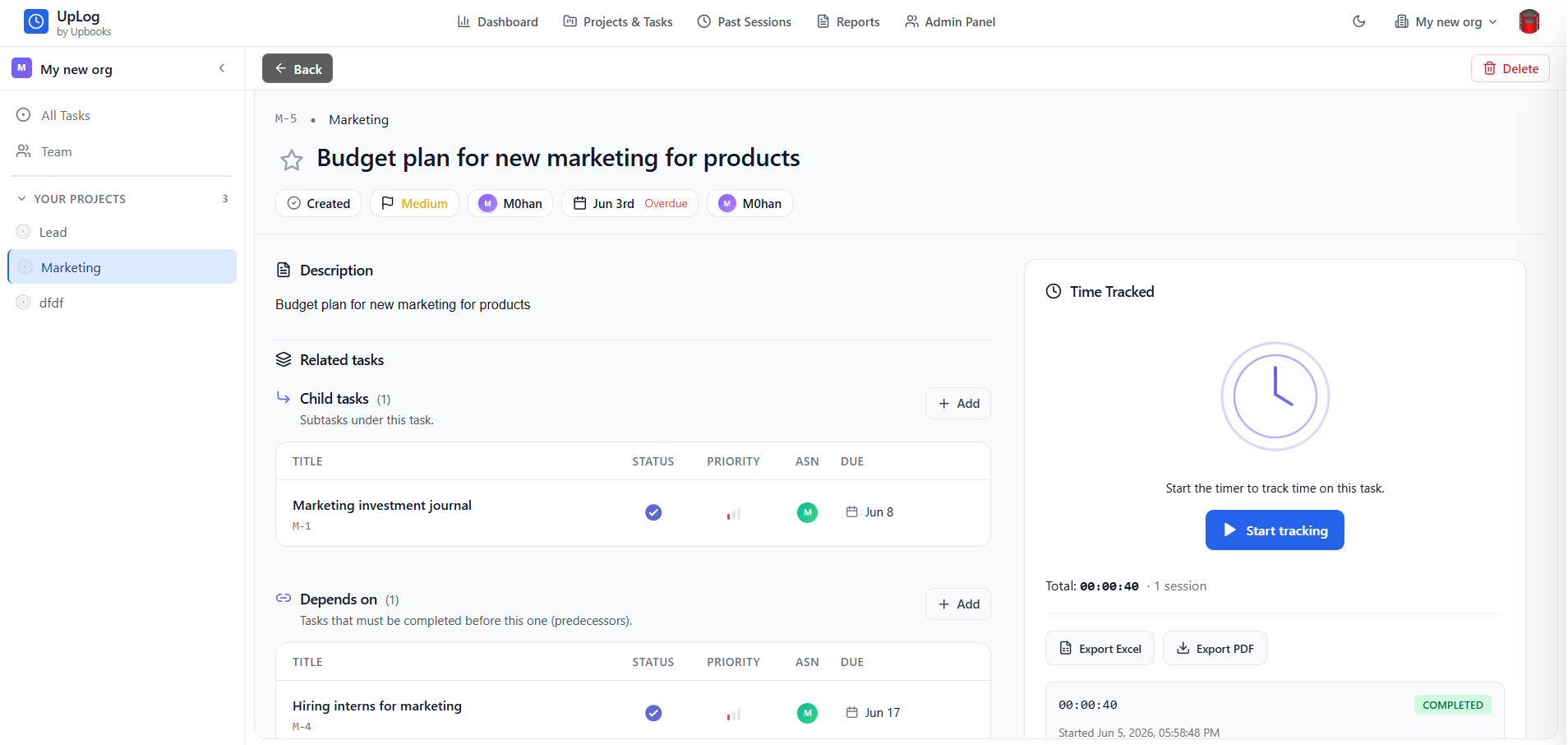
Projects & Tasks
List and Board Views for Every Project
- Sidebar navigation: My Board, All Boards, All Tasks, Team, Archived, and Starred
- Task table with Title, Status, Priority, Assignee, and Due date columns
- Kanban board view with To Do, In Progress, Review, and Done columns
- Project sidebar with search, filters, and per-project task counts
- Sort, filter, and quick actions to add tasks or create new projects
Why it matters
Manage work the way your team prefers—structured lists or visual boards—with every task field visible at a glance.
Reports
Time Insights Across Projects and Tasks
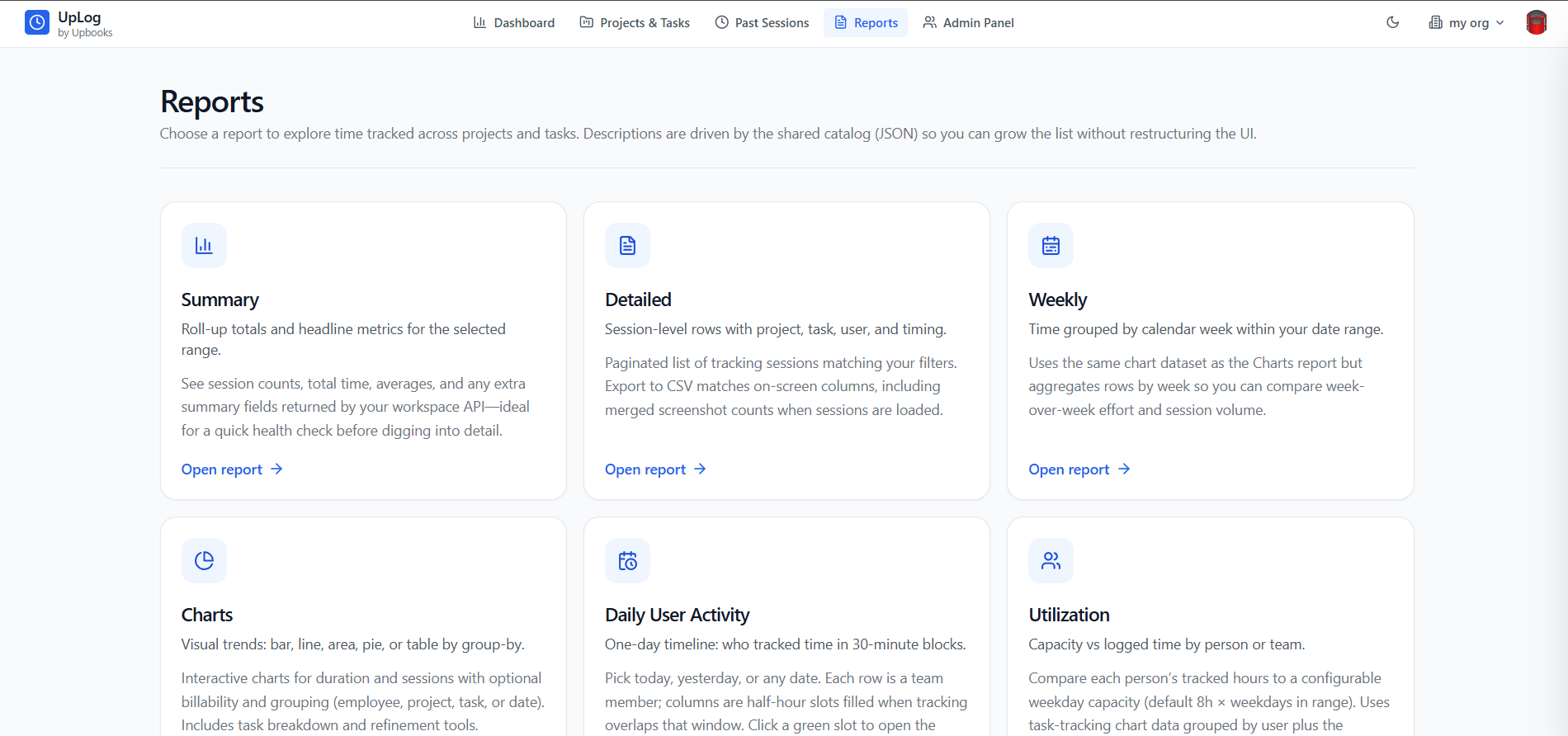
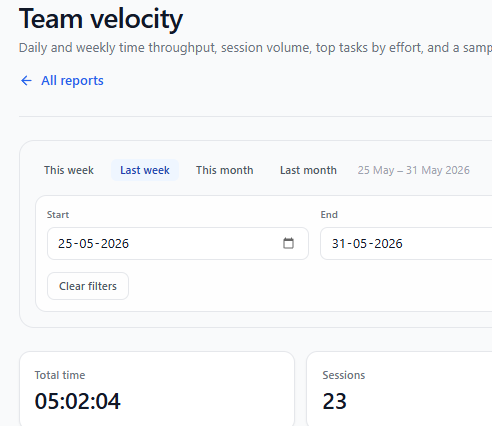
- Report catalog: Summary, Detailed, Weekly, Charts, Daily User Activity, Utilization, Client billing, and Team velocity
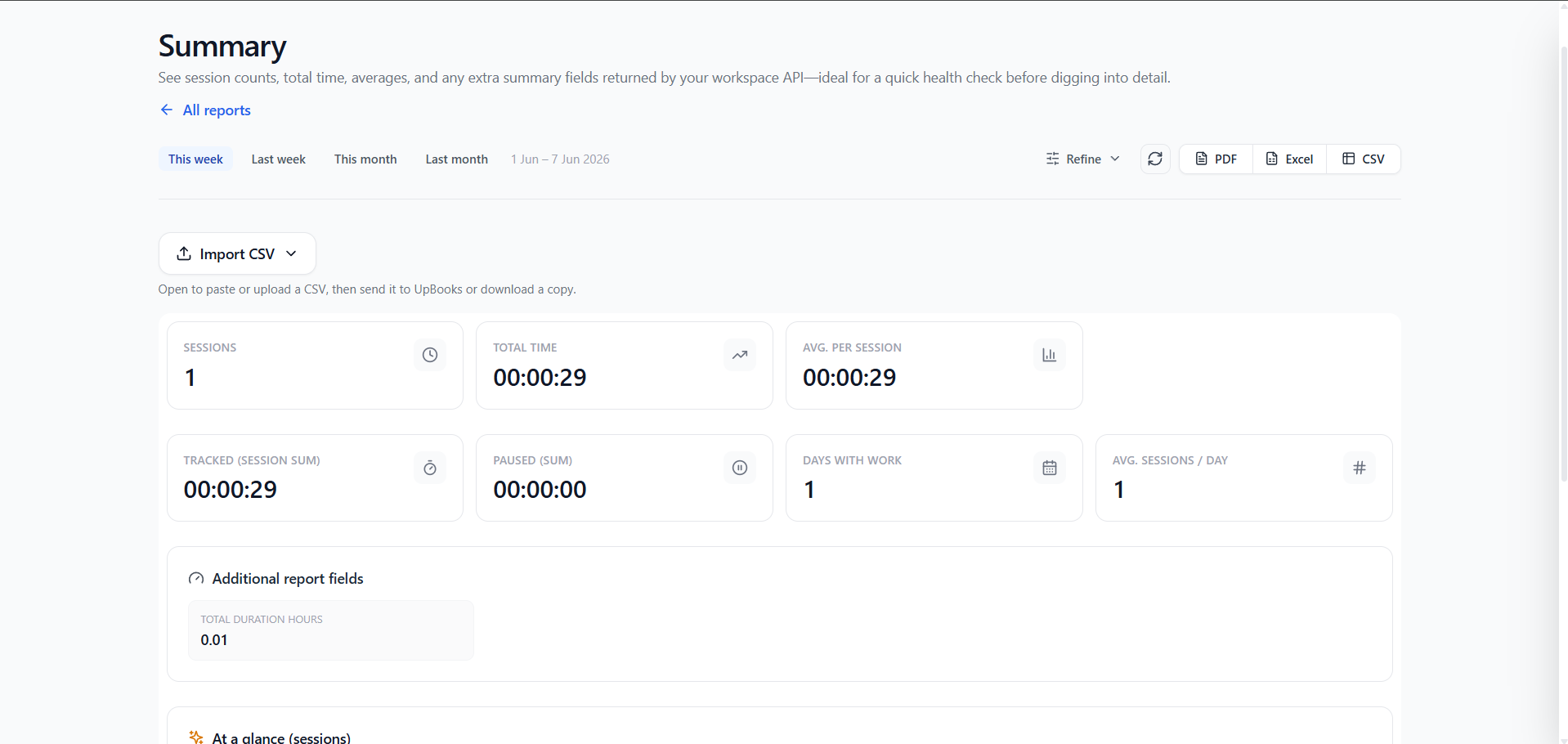
- Summary — roll-up totals, session counts, averages, and headline metrics for any date range
- Detailed — paginated session rows with project, task, user, and timing; export to CSV
- Charts & Weekly — visual trends and week-over-week effort with grouping by employee, project, task, or date
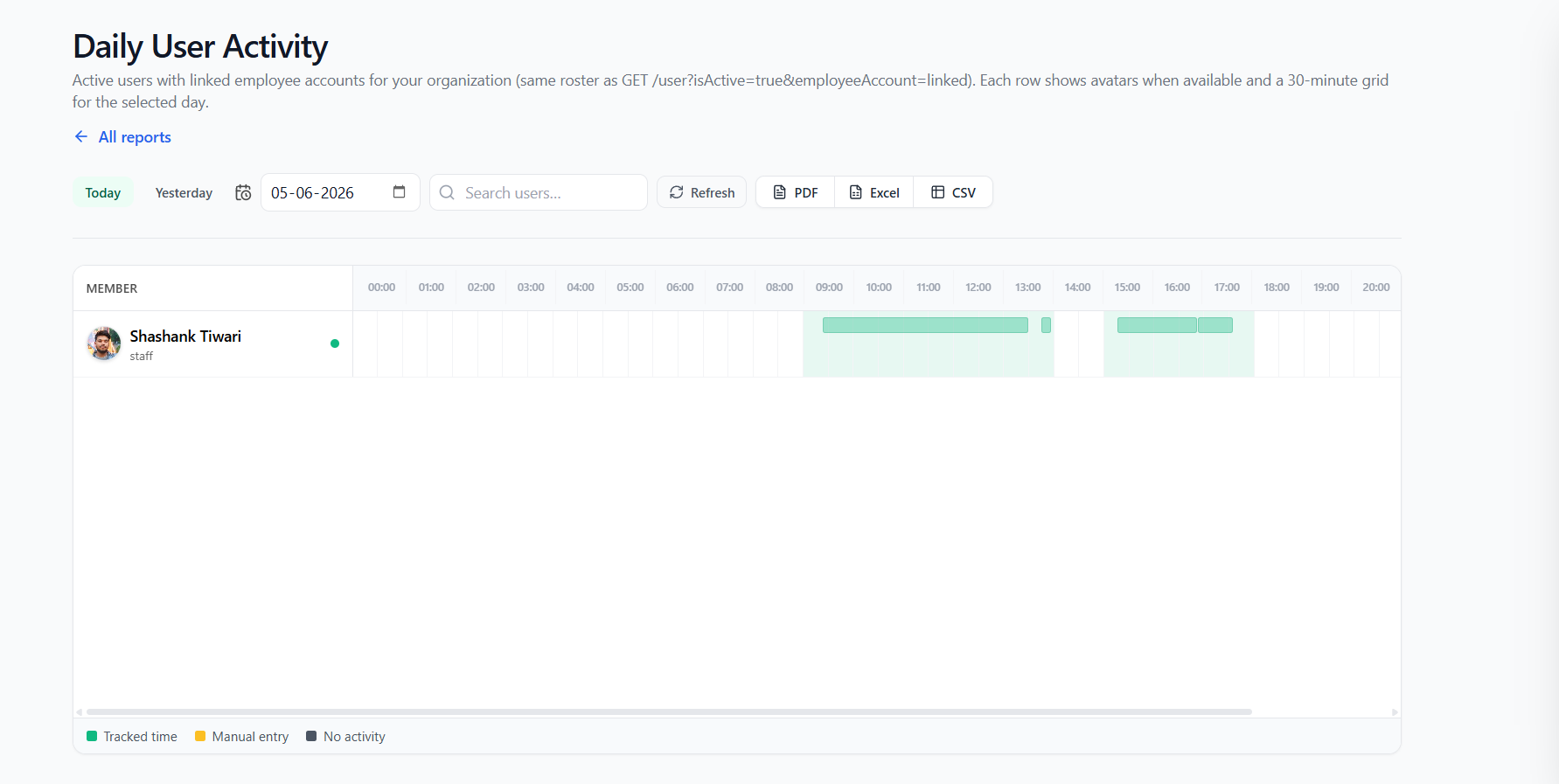
- Daily User Activity — 30-minute timeline blocks showing who tracked time each day
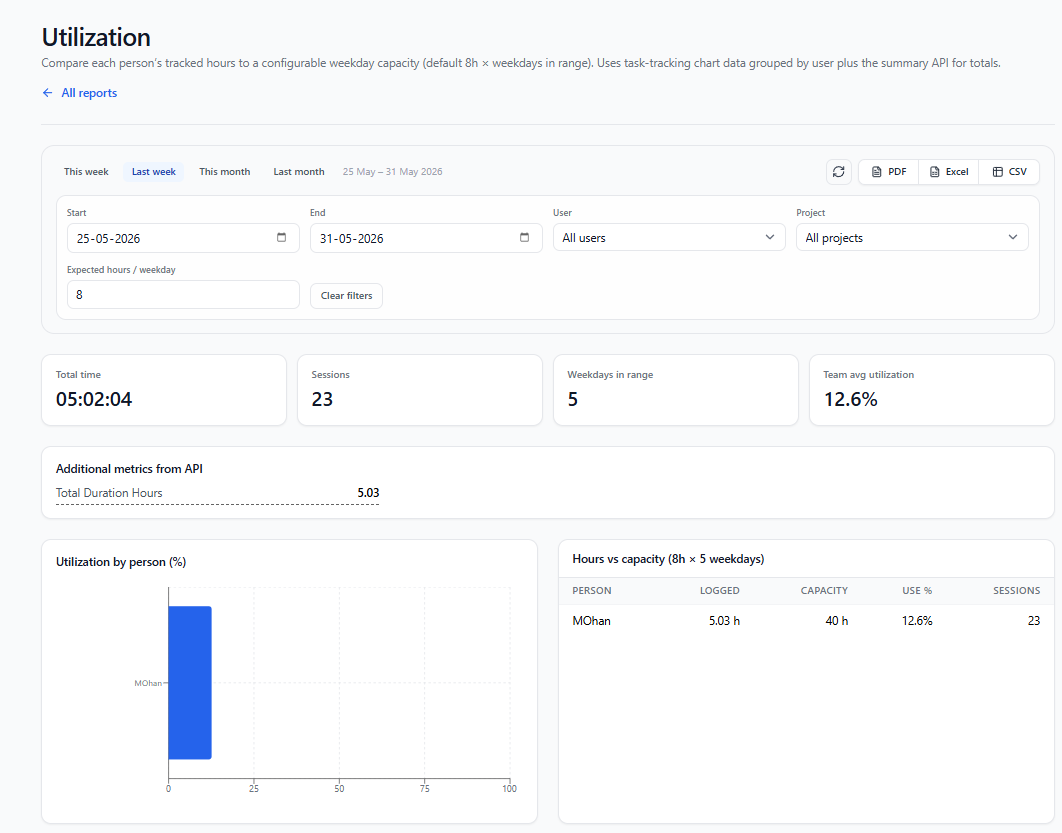
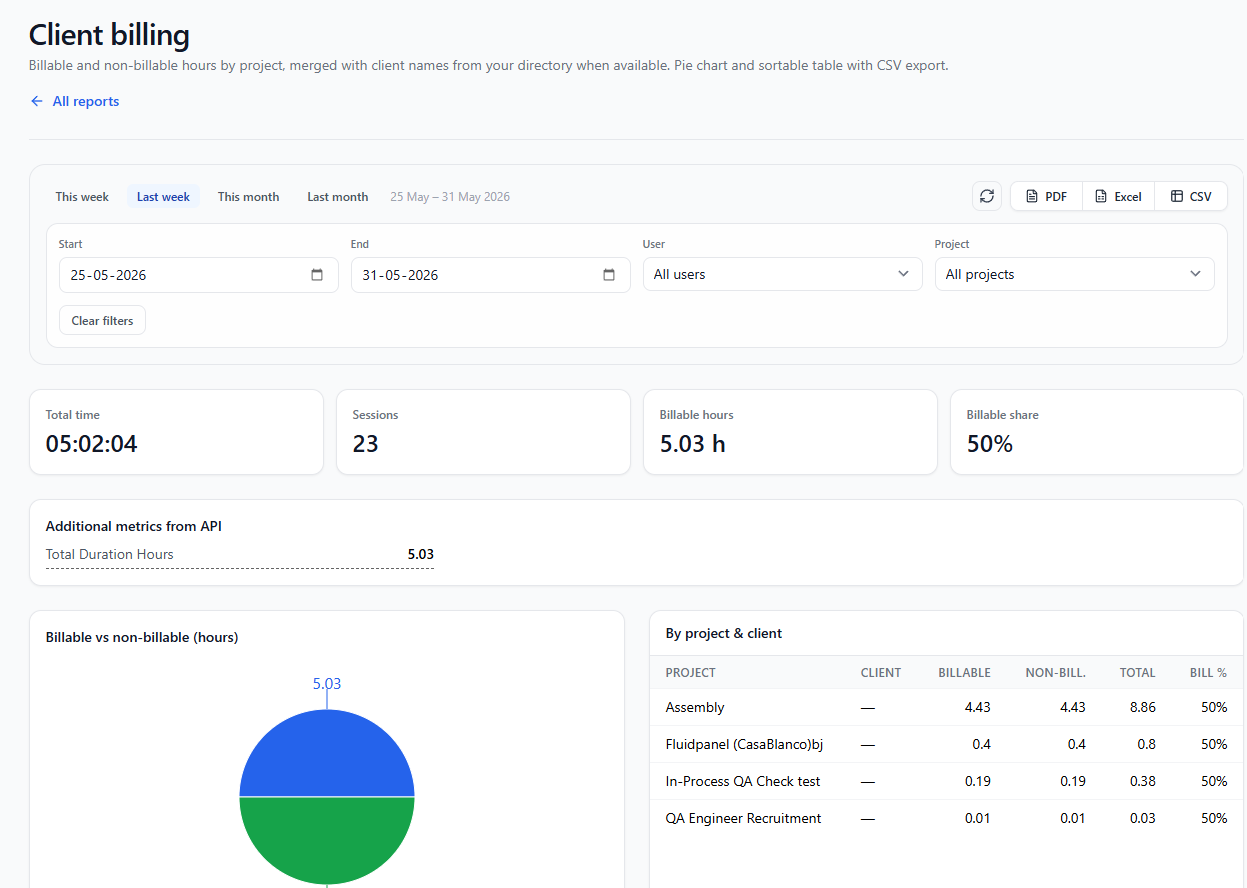
- Utilization & Client billing — capacity vs logged hours, billable vs non-billable with rate-ready exports
Why it matters
From quick health checks to deep billing analysis—explore time tracked without restructuring the UI as you add new report types.
Board Configuration
Customize Workflow, Columns, and Theme
- Settings tab: board name, workflow template, privacy, and theme
- Choose workflow templates and configure who can access the board
- Columns tab — define Kanban stages like To Do, In Progress, Review, and Done
- Fields tab — control which task fields appear on cards and in lists
- Board color swatches and optional background images for visual identity
Why it matters
Tailor each board to how your team actually works—without leaving the projects and tasks experience.
One platform. Time tracked. Screenshots and videos annotated.
UpLog combines automatic time tracking with screenshot annotation, video capture with markup, and admin-level analytics. No manual timesheets—just accurate, visual proof of work for billing, payroll, and project costing.
Browse our plans
Choose what's best for your organization and pay only for what you want to use.
*Prices are exclusive of GST
Free
Perfect for getting started
/ Month
- ✓1 Project
- ✓50 Task
- ✓Time Tracking
- ✕Capture Screenshot
Basic
For small teams
/ Month (Billed annually)
Billed yearly- ✓5 Project
- ✓200 Task
- ✓Time Tracking with UpLog
- ✕Capture Screenshot
- ✓Reports
Startup
For growing teams
/ Month (Billed annually)
Billed yearly- ✓20 Project
- ✓Unlimited Task
- ✓Time Tracking with Screenshots
- ✓Reports
Growth
For scale
/ Month (Billed annually)
Billed yearly- ✓Unlimited Project
- ✓Unlimited Task
- ✓Time Tracking with Screenshots
- ✓Advanced Reports
- ✓Recurring Tasks
- ✓Advanced Audit Logs
Growth Plus
For advanced businesses
/ Month (Billed annually)
Billed yearly- ✓Everything in Growth
- ✓Product Bundles
- ✓Item Price Levels
- ✓Customer Groups & Hierarchy
- ✓Assets Management
- ✓Profit & Cost Centers
- ✓Custom Roles & Permissions
- ✓Template Customization
- ✓Recurring Tasks
- ✓MCP Server & Ask AI
- ✓10 GB Storage Included
- ✓Custom Domains